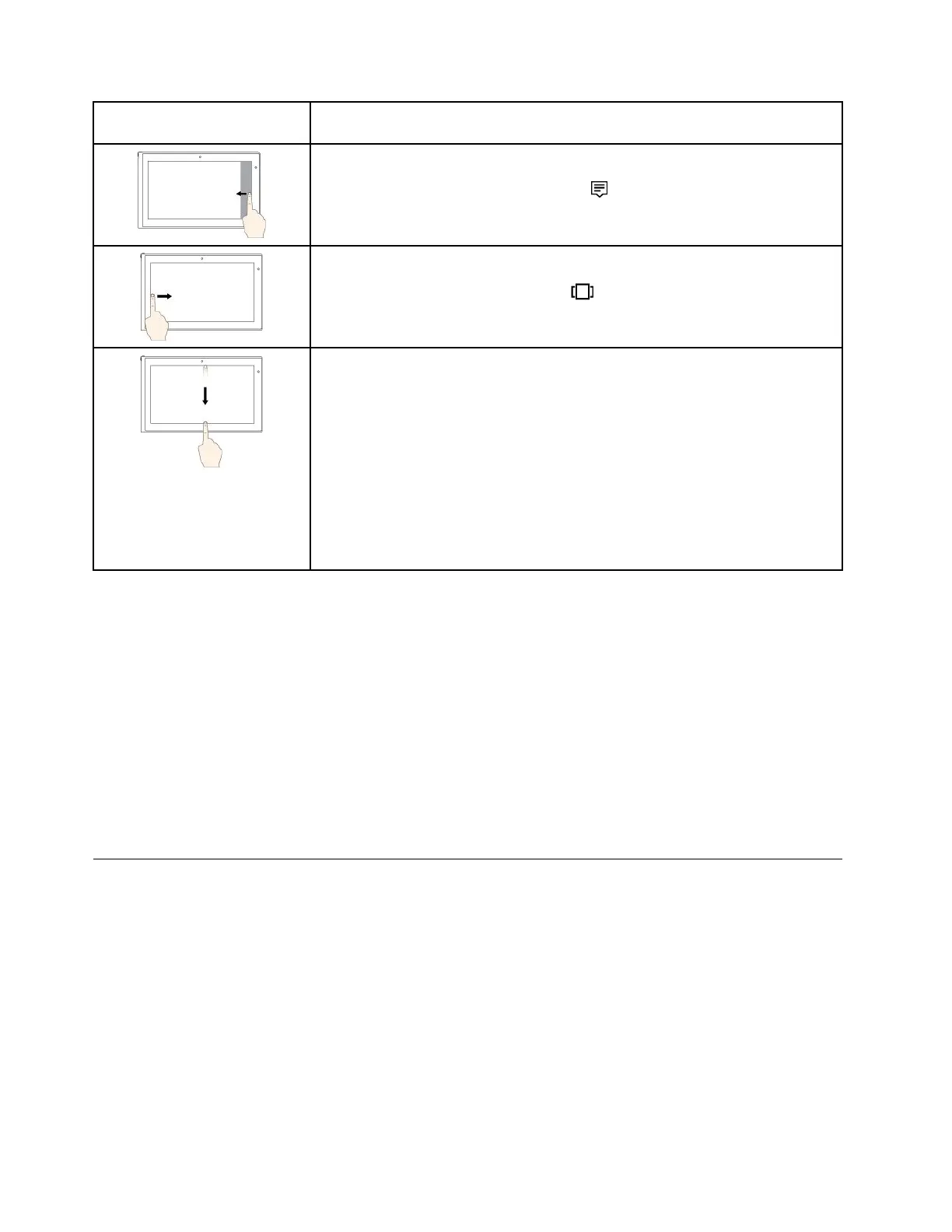
Touchgesture(touchmodels
only)
Description
Touch:Swipeinfromtherightedge.
Mouseaction:Clicktheactioncentericon
intheWindowsnotificationarea.
Function:Opentheactioncentertoseeyournotificationsandquickactions.
Touch:Swipeinfromtheleftedge.
Mouseaction:Clickthetask-viewicononthetaskbar.
Function:Viewallyouropenwindowsintaskview.
•Shortswipeforfull-screenedapporwhenyourcomputerisinthetablet
mode
Touch:Swipedownwardsshortlyfromthetopedge.
Mouseaction:Moveyourpointertothetopedgeofthescreen.
Function:Showahiddentitlebar.
•Longswipewhenyourcomputerisinthetabletmode
Touch:Swipeinfromthetopedgetothebottomedge.
Mouseaction:Fromthetopedgeofthescreen,clickandhold,movethe
pointertothebottomofthescreen,andthenrelease.
Function:Closethecurrentapp.
Tipsonusingthemulti-touchscreen
•Themulti-touchscreenisaglasspanelcoveredwithaplasticfilm.Donotapplypressureorplaceany
metallicobjectonthescreen,whichmightdamagethetouchpanelorcauseittomalfunction.
•Donotusefingernails,glovedfingers,orinanimateobjectsforinputonthescreen.
•Regularlycalibratetheaccuracyofthefingerinputtoavoidadiscrepancy.
Tipsoncleaningthemulti-touchscreen
•Turnoffthecomputerbeforecleaningthemulti-touchscreen.
•Useadry,soft,andlint-freeclothorapieceofabsorbentcottontoremovefingerprintsordustfromthe
multi-touchscreen.Donotapplysolventstothecloth.
•Gentlywipethescreenusingatop-downmotion.Donotapplyanypressureonthescreen.
Usingthespecialkeys
Yourcomputerhasseveralspecialkeystohelpyouworkmoreeasilyandeffectively.
18T470UserGuide



 To Next Page