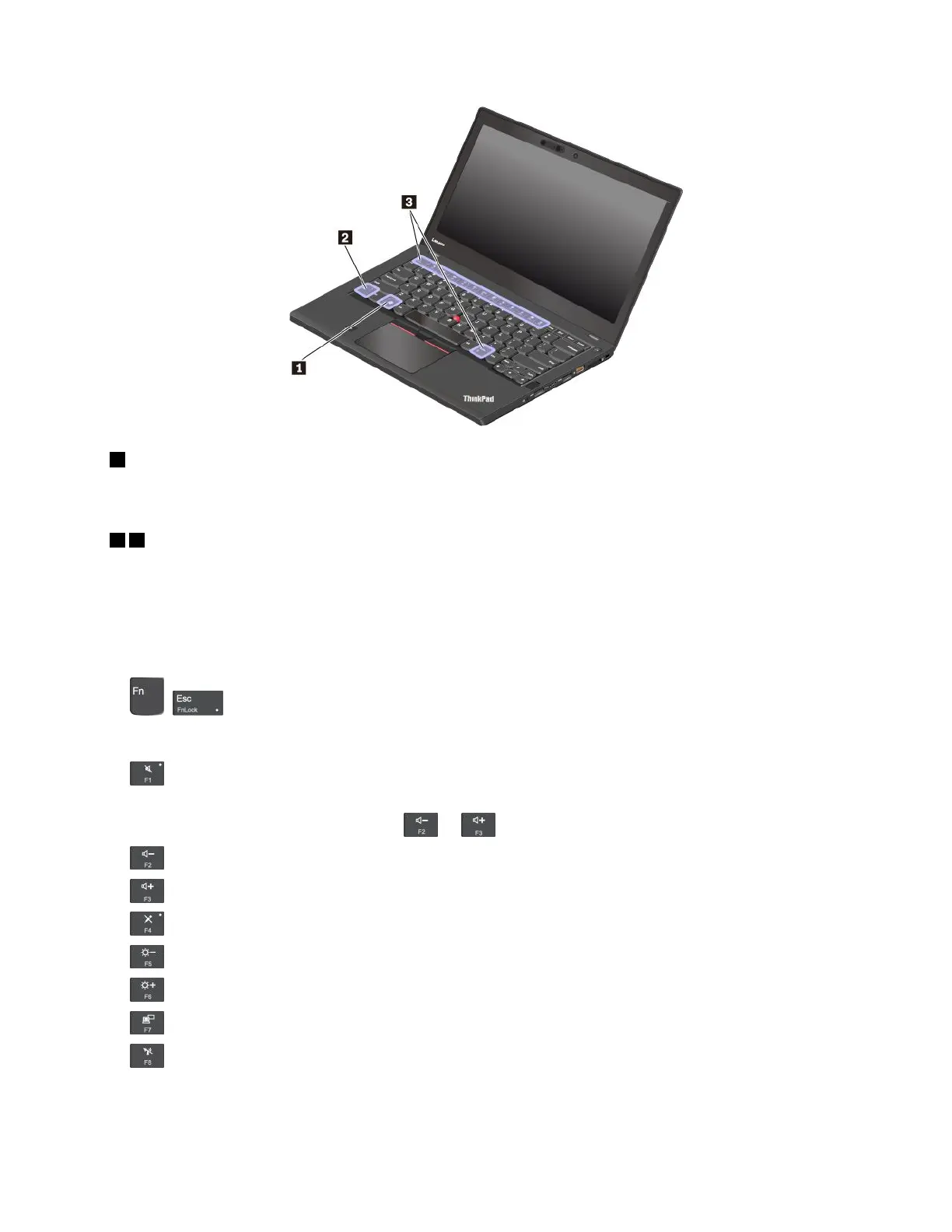
1Windowslogokey
PresstheWindowslogokeytoopentheStartmenu.ForinformationaboutusingtheWindowslogokeywith
otherkeys,seethehelpinformationsystemoftheWindowsoperatingsystem.
23Fnkeyandfunctionkeys
YoucanconfiguretheFnkeyandfunctionkeysintheKeyboardPropertieswindowbydoingthefollowing:
1.GotoControlPanel,andthenchangetheviewofControlPanelfromCategorytoLargeiconsorSmall
icons.
2.ClickKeyboard.IntheKeyboardPropertieswindow,clicktheFnandfunctionkeystab.
3.Selecttheoptionsofyourpreference.
•+SwitchthekeyfunctionbetweenthestandardF1–F12functionandthespecialfunction
printedasanicononeachkey.WhentheFnLockindicatorisoff,youcanusethedefaultfunction.You
canchangethedefaultfunctionintheKeyboardPropertieswindow.
•
Muteorunmutethespeakers.Whenthespeakersaremuted,theindicatoronthekeyison.
Ifyoumutethesoundandturnoffyourcomputer,thesoundwillremainmutedwhenyouturnonyour
computer.Toturnonthesound,pressor.
•Decreasethespeakervolume.
•Increasethespeakervolume.
•
Muteorunmutethemicrophones.Whenthemicrophonesaremuted,theindicatoronthekeyison.
•Darkenthecomputerdisplay.
•Brightenthecomputerdisplay.
•Manageexternaldisplays.
•Enableordisablethebuilt-inwirelessfeatures.
Chapter2.Usingyourcomputer19



 To Next Page