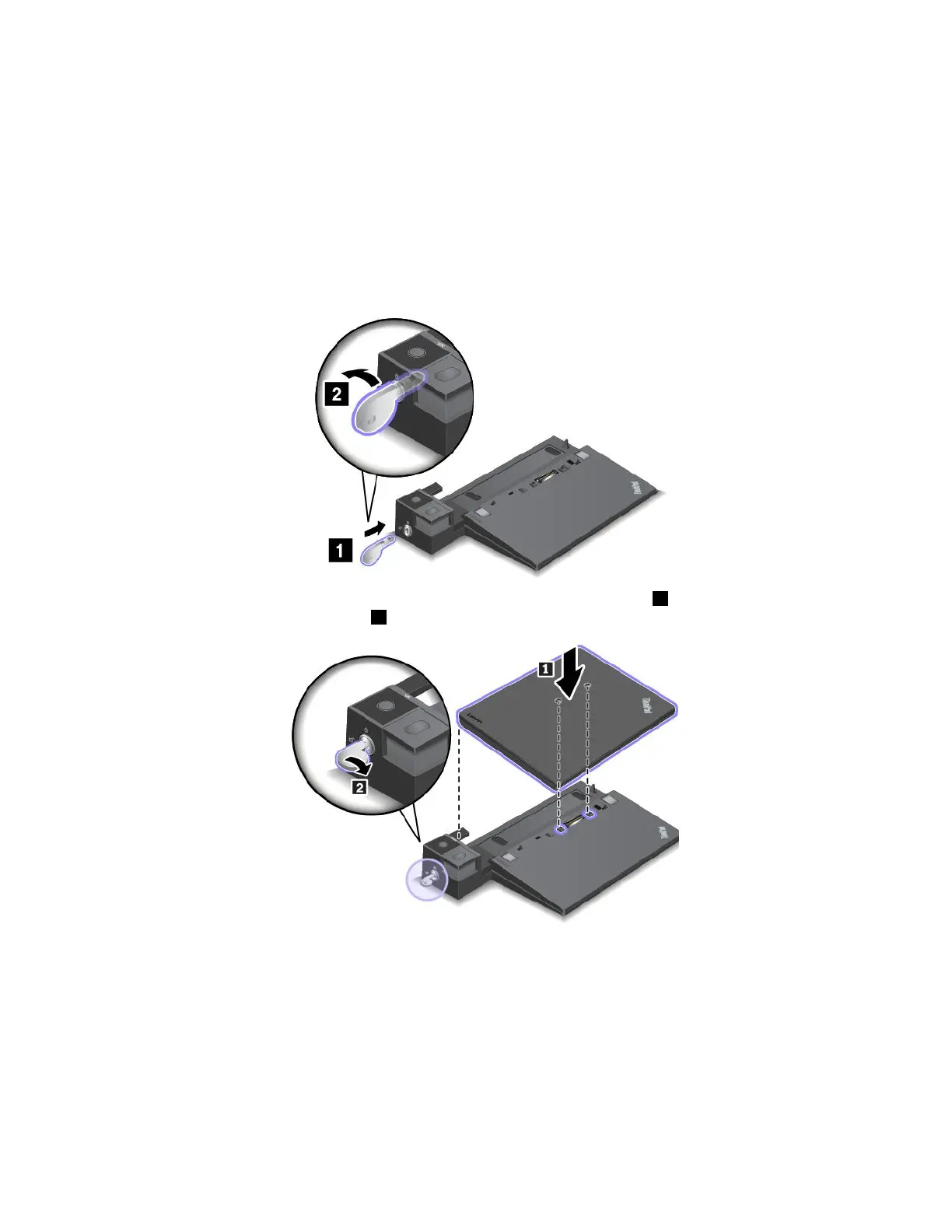
Attachingadockingstationtoyourcomputer
Attention:Whenthecomputerisattachedtoadockingstation,donotpickuptheassemblybytakinghold
ofthecomputeronly.Alwaysholdthewholeassembly.Otherwisethedockingstationmightdropdown.
Toattachthedockingstationtoyourcomputer,dothefollowing:
Note:TheThinkPadBasicDockdoesnothavethesystemlock.
1.Disconnectallcablesanddevicesfromthecomputer.Ensurethatyouturnthesystemlockkeytothe
unlockedposition(horizontal).
2.Attachyourcomputertothedockingstationasshownuntilyouhearaclick1.Turnthesystemlock
keytothelockedposition(vertical)2.
3.Checkthedockingstatusindicator.Iftheindicatorisoff,yourcomputerisnotattachedtothedocking
stationsuccessfully.Tosolvetheproblem,detachandreattachthecomputer.Iftheproblempersists,
detachandreattachtheacpoweradapterofthedockingstation.
Note:Ifyouattachthecomputertothedockingstation,butdonotconnectthedockingstationtoac
power,yourcomputerconsumesbatterypower.
Detachingadockingstationfromyourcomputer
Attention:Whenthecomputerisattachedtoadockingstation,donotpickuptheassemblybytakinghold
ofthecomputeronly.Alwaysholdthewholeassembly.Otherwisethedockingstationmightdropdown.
44T470UserGuide



 To Next Page