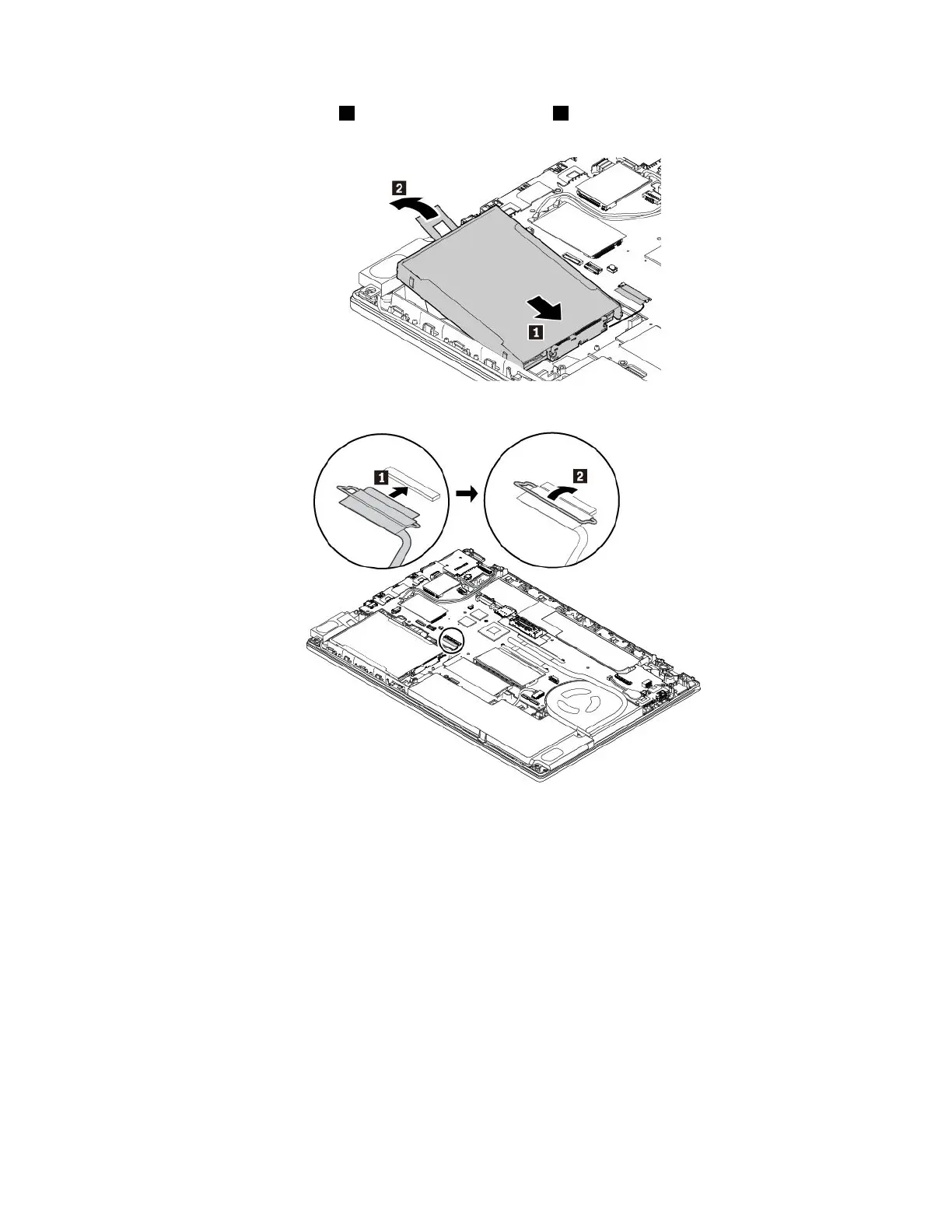
3.Insertthenewstoragedrive1andthenpivotitdownward2.Ensurethatthenewstoragedriveis
seatedinplaceandthetapedoesnotcoverthespeaker.
4.Connectthecabletothesystemboard.
5.Reinstallthebasecoverassemblyandtheremovablebattery.
6.Turnthecomputerover.Connecttheacpoweradapterandallcables.
M.2solid-statedrive
ToremovetheM.2solid-statedrive,dothefollowing:
1.Disablethebuilt-inbattery.See“Disablingthebuilt-inbattery”onpage107.
2.Ensurethatthecomputeristurnedoffanddisconnectedfromacpowerandallcables.
3.Closethecomputerdisplayandturnthecomputerover.
4.Removetheremovablebattery.See“Replacingtheremovablebattery”onpage108.
5.Removethebasecoverassembly.See“Replacingthebasecoverassembly”onpage110.
Chapter9.Replacingdevices117



 To Next Page