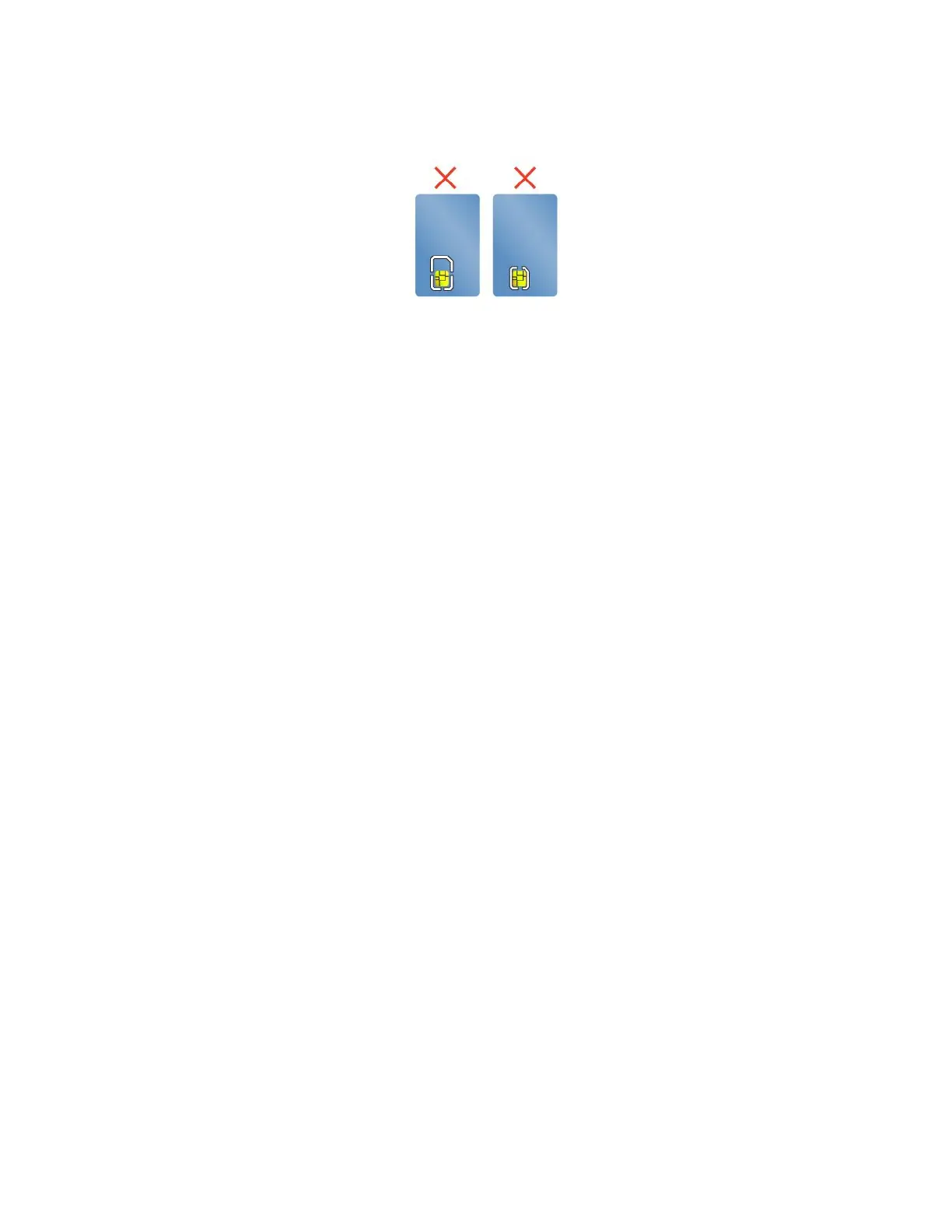
Attention:Smartcardswithslitsarenotsupported.Donotinsertsuchasmartcardintothesmart-card
readerofyourcomputer.Otherwisethereadermightgetdamaged.
InstallinganExpressCard,amediacard,orasmartcard
Attention:Beforeyoustartinstallingacard,touchametaltableoragroundedmetalobject.Thisaction
reducesanystaticelectricityfromyourbody.Staticelectricitycoulddamagethecard.
Toinstallthecard,dothefollowing:
1.Locatetheappropriatetypeofslotforyourcard.
2.Ensurethatthecardiscorrectlyoriented:
•FortheExpressCard:Thenotchededgeofthecardisfacingupwardandpointingtowardthe
cardslot.
•Forthemediacard:Themetalcontactsarefacingdownandpointingtowardthecardslot.
•Forthesmartcard:Themetalcontactsarefacingupwardandpointingtowardthecardslot.
3.Pressthecardfirmlyintothecardslot.
Iftheplug-and-playfeatureisnotenabledfortheinstalledExpressCard,mediacardorsmartcard,dothe
followingtoenablethefeature:
1.GotoControlPanel.
2.ViewControlPanelbyCategory.ClickHardwareandSound.
3.ClickDeviceManager.Ifyouarepromptedforanadministratorpasswordorconfirmation,typethe
passwordorprovideconfirmation.
4.FromtheActionmenu,selectAddlegacyhardware.TheAddHardwareWizardstarts.
5.Followtheinstructionsonthescreen.
RemovinganExpressCard,amediacard,orasmartcard
Attention:
•Beforeremovingacard,stopthecardfirst.Otherwise,dataonthecardmightgetcorruptedorlost.
•WhiletransferringdatatoorfromanExpressCard,amediacard,orasmartcard,donotputyour
computerintosleeporhibernationmodebeforethedatatransferiscompleted;otherwise,yourdata
mightgetdamaged.
•Donotremoveacardwhilethecomputerisinsleepmodeorhibernationmode.Otherwise,thesystem
mightnotrespondwhenyoutrytoresumeoperation.
Toremoveacard,dothefollowing:
1.ClickthetriangulariconintheWindowsnotificationareatoshowhiddenicons.Then,right-clickthe
SafelyRemoveHardwareandEjectMediaicon.
2.SelectthecorrespondingitemtoejectthecardfromtheWindowsoperatingsystem.
3.Pressthecardtoejectitfromyourcomputer.
Chapter2.Usingyourcomputer35



 To Next Page