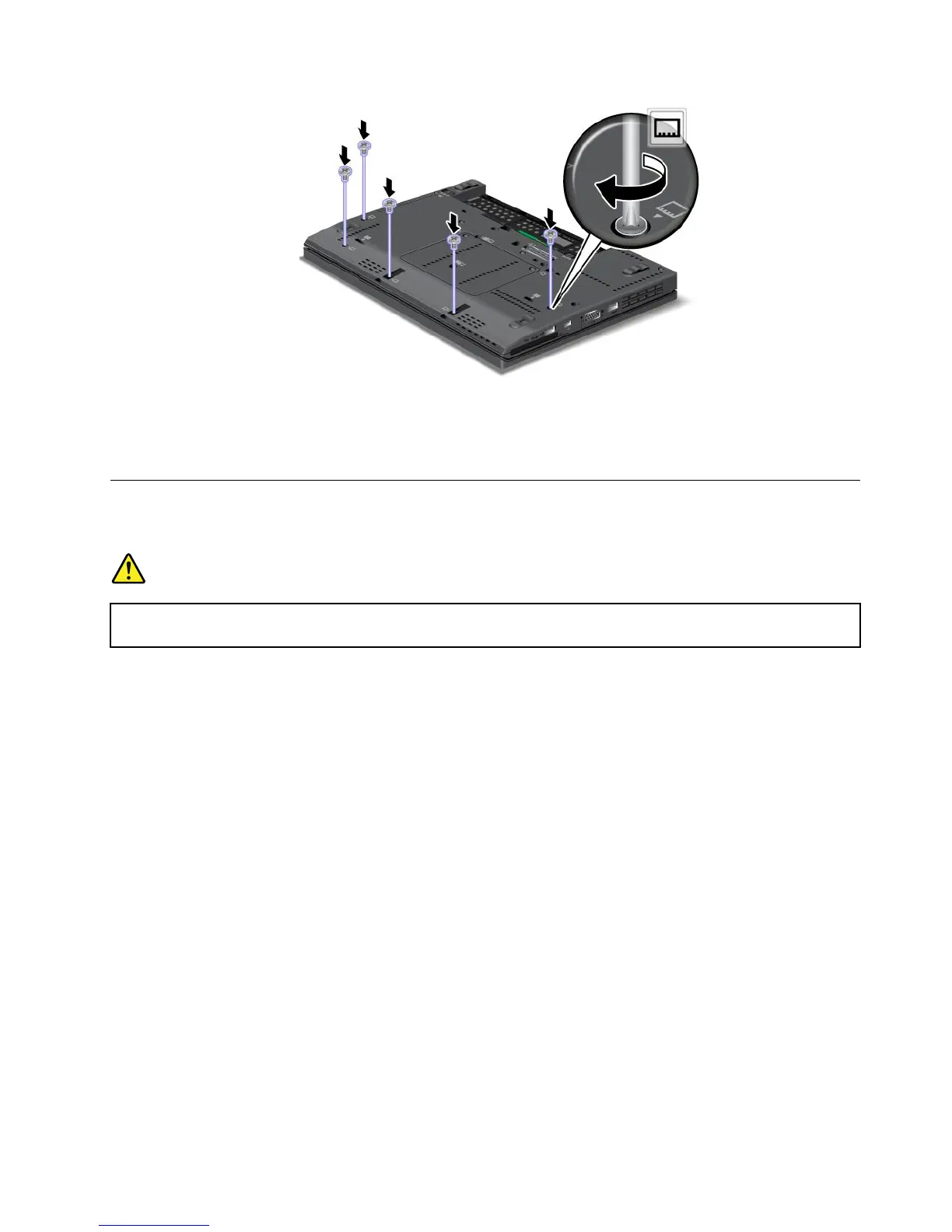
5.Reinstallthekeyboard.See“Replacingthekeyboard”onpage78.
6.Reinstallthebattery.See“Replacingthebattery”onpage69.
7.Turnthecomputeroveragain.Connecttheacpoweradapterandallcables.
Replacingthespeaker
Beforeyoustart,printtheseinstructions.
DANGER
Electriccurrentfrompower,telephone,andcommunicationcablesishazardous.Toavoidshock
hazard,disconnectthecablesbeforeopeningthecoverofthisslot.
Toreplacethespeaker,dothefollowing:
1.Turnoffthecomputer;thendisconnecttheacpoweradapterandallcablesfromthecomputer.Waitfor
threetoveminutes,tilltheinsideofthecomputercools.
2.Closethecomputerdisplay,andturnthecomputerover.
3.Removethebattery.See“Replacingthebattery”onpage69.
4.Removethekeyboard.See“Replacingthekeyboard”onpage78.
5.Removethepalmrest.See“Replacingthepalmrest”onpage81.
6.Disconnectthecableandremovethescrewthatsecuresthespeaker.Thenremovethespeaker.
Chapter6.Replacingdevices85



 To Next Page