Left-sideview
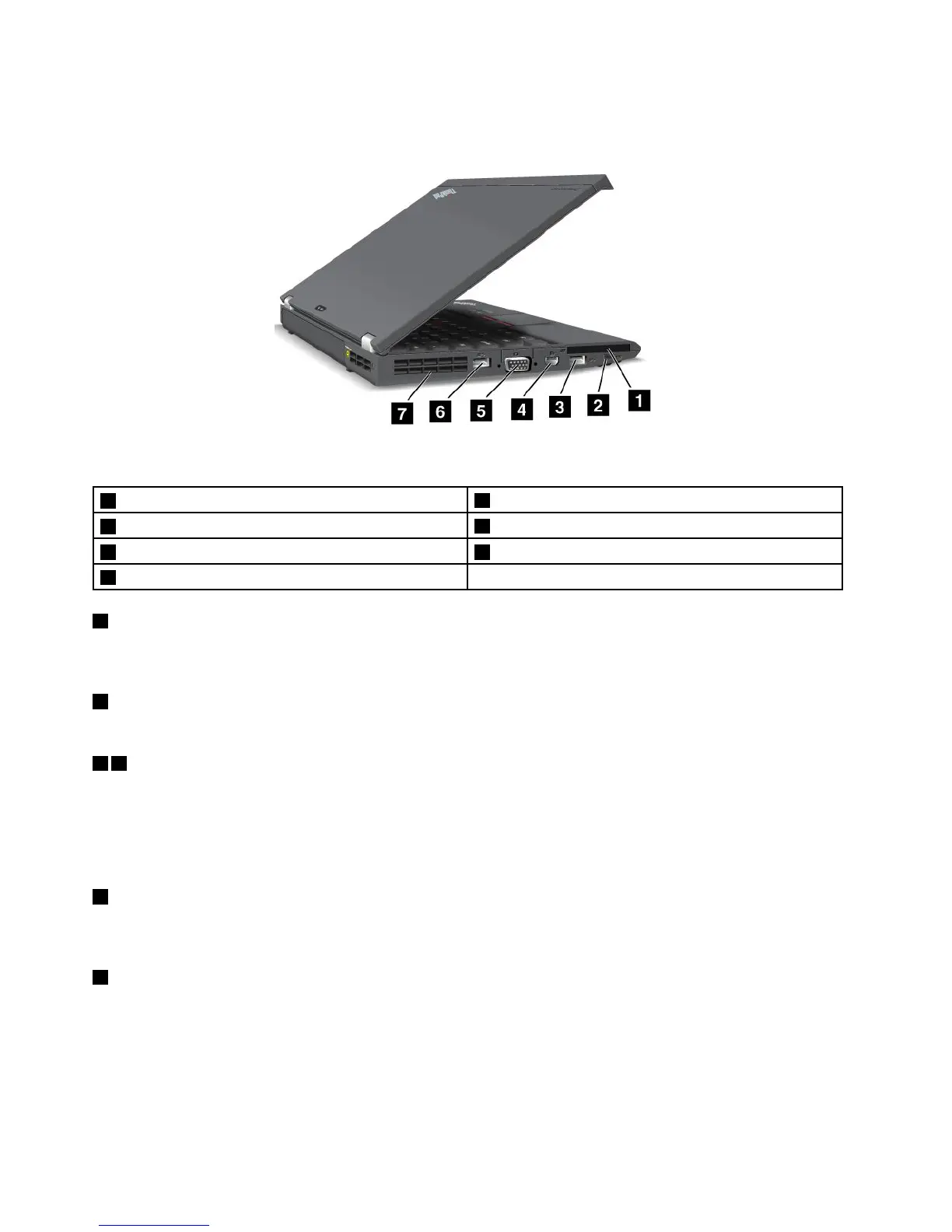
Figure3.ThinkPadX230andX230ileft-sideview
1ExpressCardslot
2Wirelessradioswitch
3USB3.0connector
4MiniDisplayPortconnector
5Videographicsarray(VGA)connector6USB3.0connector
7Fanlouvers
1ExpressCardslot
YourcomputerhasanExpressCardslotfora54mm-wideExpressCardorasmartcard.Formore
information,see“UsinganExpressCard,aashmediacard,orasmartcard”onpage42
.
2Wirelessradioswitch
Usethisswitchtoquicklyturnonorturnoffallwirelessconnections.
36USB3.0connectors
TheUniversalSerialBus(USB)3.0connectorsareusedforconnectingdevicescompatiblewithaUSB
interface,suchasaUSBprinteroradigitalcamera.
Note:WhenyouattachaUSBcabletotheconnector,makesurethattheUSBmarkisfacingupward.
Otherwisetheconnectormightbedamaged.
4MiniDisplayPortconnector
UsetheminiDisplayPortconnectortoconnectyourcomputertoacompatibleprojector,externalmonitor,or
high-denitiontelevision.
5Videographicsarray(VGA)connector
AttachaVGAcompatiblemonitororprojectortoyourcomputertodisplaythecomputeroutput.
Note:IfyouattachyourcomputertoaThinkPadUltrabase,dockingstation,orportreplicator,usetheVGA
connectorontheUltrabase,dockingstation,orreplicator,nottheoneonthecomputer.
Fordetails,see“Attachinganexternalmonitor”onpage38
.
6UserGuide



 To Next Page