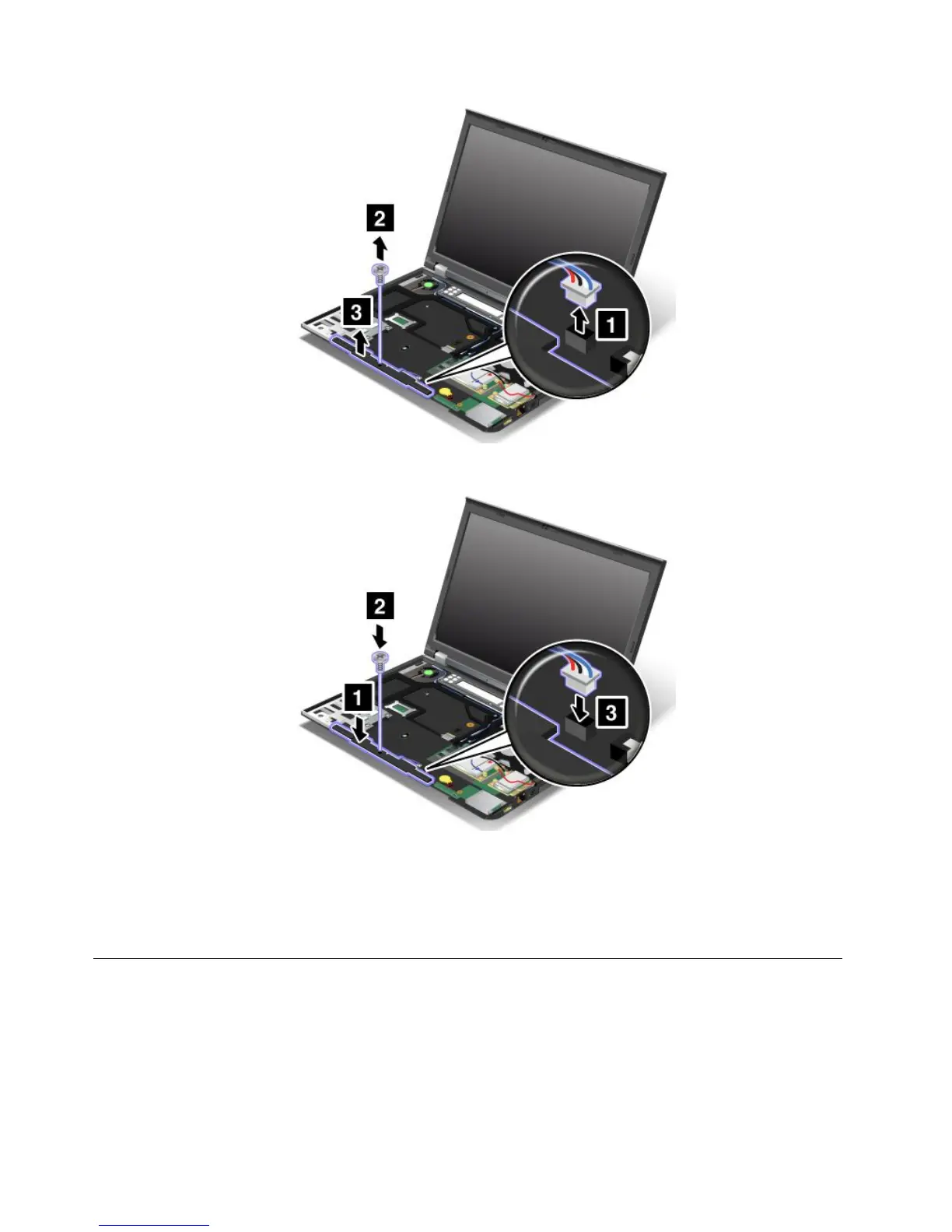
7.Putthenewspeakerinplaceandinstallthescrew.Thenconnectthecable.
8.Reinstallthepalmrest.See“Replacingthepalmrest”onpage81.
9.Reinstallthekeyboard.See“Replacingthekeyboard”onpage78.
10.Reinstallthebattery.See“Replacingthebattery”onpage69.
11.Turnthecomputeroveragain.Connecttheacpoweradapterandallcables.
Replacingthebackupbattery
Beforeyoustart,printtheseinstructions.
86UserGuide



 To Next Page