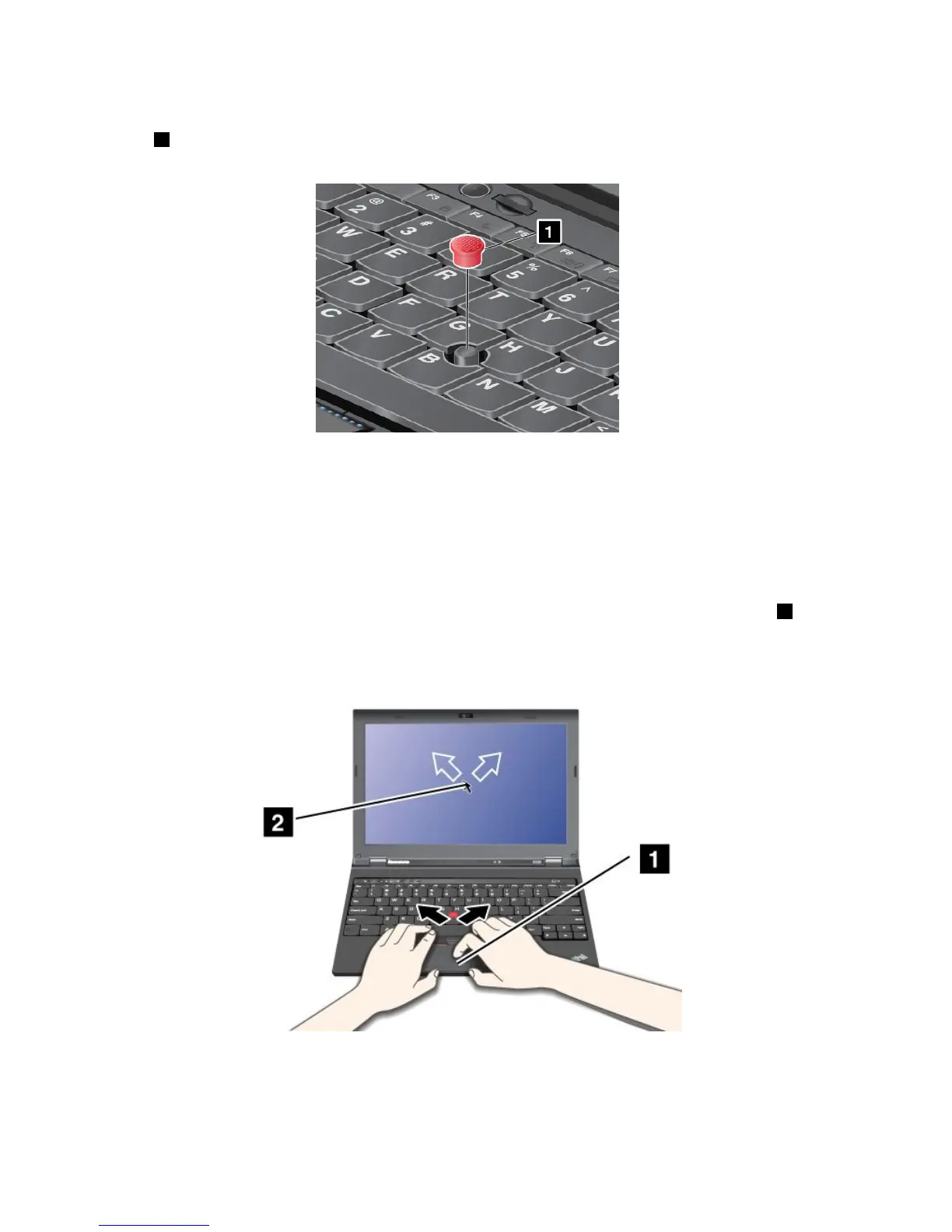
Changingthecap
Thecap1ontheendoftheTrackPointpointingstickisremovable.Youcanreplaceitasshownin
thedrawing.
Note:Ifyoureplacethekeyboard,anewkeyboardisshippedwiththedefaultcap.Ifyouwish,youcan
keepthecapfromyouroldkeyboardanduseitonthenewone.
Usingthetouchpad
Thetouchpadofyourcomputersupportsmulti-touchwithwhichyoucanzoomin,zoomout,scrollorrotate
onthescreenwhilebrowsingtheInternetorreadingoreditingadocument.
ThetouchpadisbelowtheTrackPointbuttonsatthebottomofthekeyboard.Tomovethepointer
2onthe
screen,slideyourngertipoverthepadinthedirectioninwhichyouwantthepointertomove.Theleft
andrightbottomofthepadworkasclickbuttons.Thefunctionscorrespondtothoseoftheleftandright
mousebuttonsonaconventionalmouse.
Customizingthetouchpad
Tocustomizethetouchpad,doasfollows:
1.GotoControlPanelandclickHardwareandSound➙Mouse➙UltraNav.
28UserGuide



 To Next Page