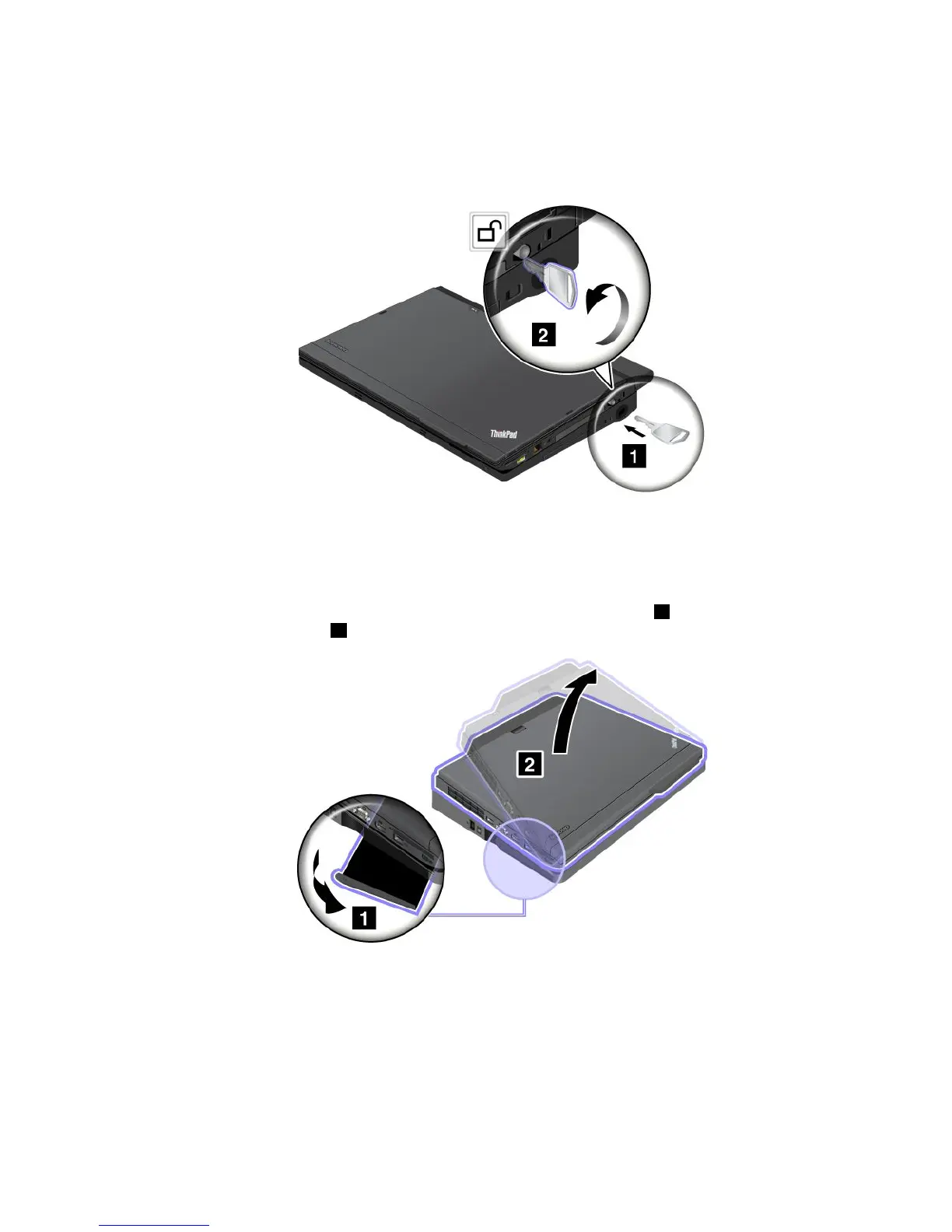
Detachingthecomputer
TodetachyourcomputerfromtheThinkPadUltraBaseSeries3,dothefollowing:
1.EnsurethatthesystemlockkeyoftheThinkPadUltraBaseSeries3isintheunlocked(vertical)position.
2.Closethecomputerdisplay.
3.Ifyouarehot-detachingorwarm-detachingthecomputer,presstheejectrequestbuttononthe
ThinkPadUltraBaseSeries3.Thenensurethatthedockingstatusindicatorisoff.
4.ReleasetheejectleverontheleftsideoftheThinkPadUltraBaseSeries31untilthecomputerliftsup;
thenremovethecomputer
2.
Securityfeature
ThelockoftheThinkPadUltraBaseSeries3hastwopositions.
Chapter7.Enhancingyourcomputer97



 To Next Page