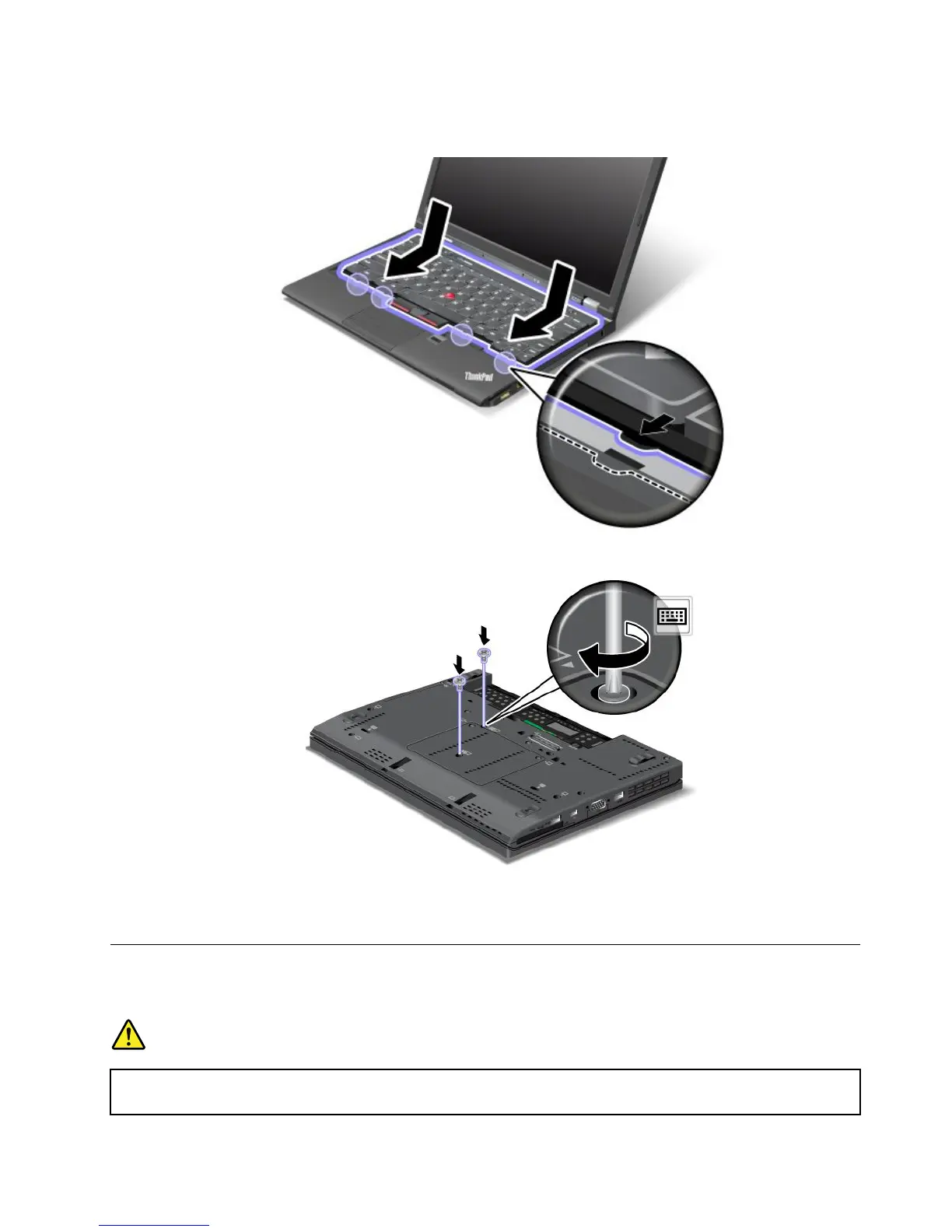
3.Pressgentlyonthekeyboardandslidethekeyboardinthedirectionshownbythearrows.Makesure
thattheedgesofthekeyboardareundertheframe.
4.Turnthecomputeroverandreinstallthescrews.
5.Reinstallthebattery.See“Replacingthebattery”onpage69.
6.Turnthecomputeroveragain.Connecttheacpoweradapterandallcables.
Replacingthepalmrest
Beforeyoustart,printtheseinstructions.
DANGER
Electriccurrentfrompower,telephone,andcommunicationcablesishazardous.Toavoidshock
hazard,disconnectthecablesbeforeopeningthecoverofthisslot.
Chapter6.Replacingdevices81



 To Next Page