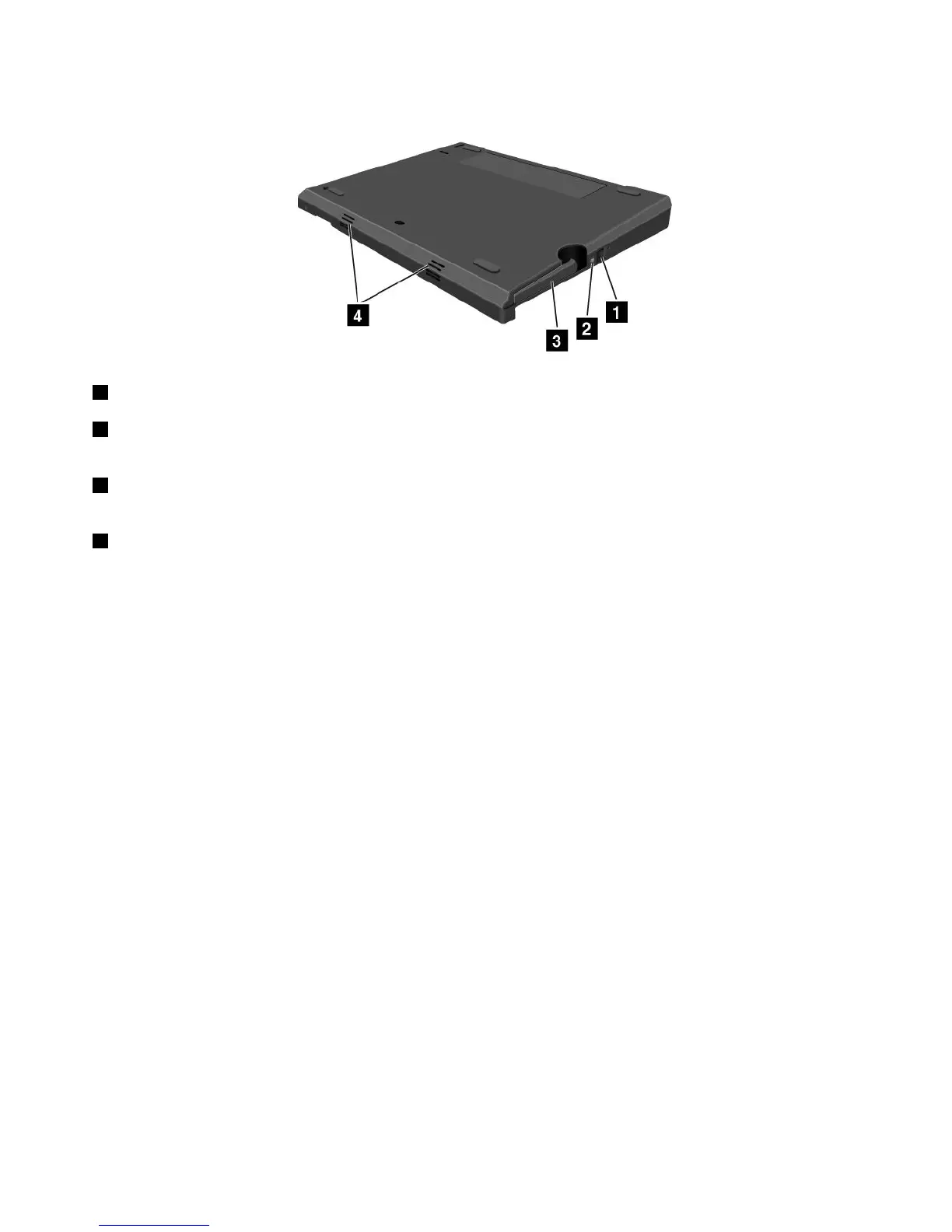
Bottomview
1Ejectrequestbutton:Presstheejectrequestbuttontoundockthecomputer.
2Dockingstatusindicator:Thisindicatorlightsredwhenyourcomputerisdocked.Itblinkswhenthe
ejectrequestbuttonispressed.
3Ejectlever:UseittoliftyourcomputerupfromtheThinkPadUltraBaseSeries3whenyouundockthe
computer.
4Speakers
AttachingtheThinkPadUltraBaseSeries3
Attention:BeforeyouattachtheThinkPadUltraBaseSeries3,disconnecttheacpoweradapterfrom
yourcomputer.Theacpowerconnectorwillbedamagedifitremainsconnectedtothecomputerduring
theattachment.
YoucanhotattachorwarmattachthecomputertotheThinkPadUltraBaseSeries3.Hotattachmentis
attachingthecomputertotheThinkPadUltraBaseSeries3whilethecomputerisinoperatingmode;warm
attachmentisattachingthecomputertotheThinkPadUltraBaseSeries3whilethecomputerisinsleep
mode.
Indoingahotorwarmattachment,notethefollowing:
•Forhotattachment:Thedockingstatusindicatorshouldturnonafterafewseconds.
•Forwarmattachment:Whenthecomputerresumesfromsleepmode,thedockingstatusindicator
shouldturnon.
ToattachyourcomputertoaThinkPadUltraBaseSeries3,dothefollowing:
1.EnsurethatthesystemlockkeyoftheThinkPadUltraBaseSeries3isintheunlocked(vertical)position.
94UserGuide



 To Next Page