Chapter7.Enhancingyourcomputer
Thischapterprovidesinstructionsoninstallinghardwaredevicestoexpandyourcomputercapabilities.
•“FindingThinkPadoptions”onpage89
•“ThinkPadBattery19+”onpage89
•“ThinkPadUltraBaseSeries3”onpage92
•“OtherThinkPadportreplicatorsanddockingstations”onpage98
FindingThinkPadoptions
Ifyouwanttoexpandthecapabilitiesofyourcomputer,Lenovohasanumberofhardwareaccessories
andupgradestomeetyourneeds.Optionsincludememorymodules,storagedevices,networkcards,port
replicatorsordockingstations,batteries,poweradapters,printers,scanners,keyboards,mice,andmore.
YoucanshopatLenovo24hoursaday,7daysaweekdirectlyovertheWorldWideWeb.Allyouneedisan
Internetconnectionandacreditcard.
ToshopatLenovo,gotohttp://www.lenovo.com/accessories/services/index.html.
ThinkPadBattery19+
Toextendyourcomputerbatterylife,youcanpurchaseaslimexternalbatterypack,ThinkPadBattery19+,
fromLenovoandattachittoyourcomputerthroughthedockingstationconnector.
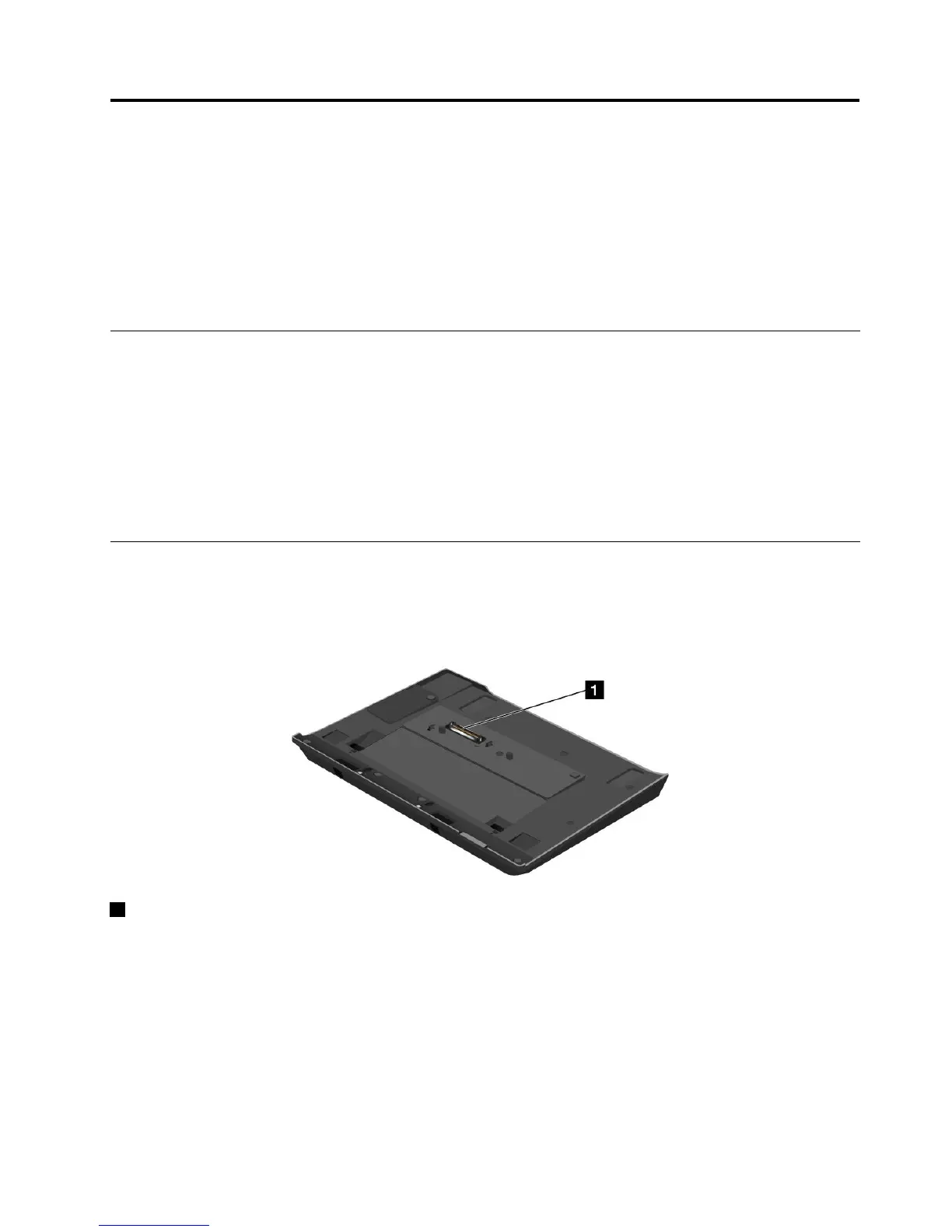
Topview
1Dockingconnector:ThisiswhereyouattachtheThinkPadcomputertotheThinkPadBattery19+.
©CopyrightLenovo2012
89



 To Next Page