7Fanlouvers
Theinternalfanandlouversenableairtocirculateinthecomputerandcoolthecentralprocessor.
Note:Toavoidimpedingairow,donotplaceanyobstacleinfrontofthefan.
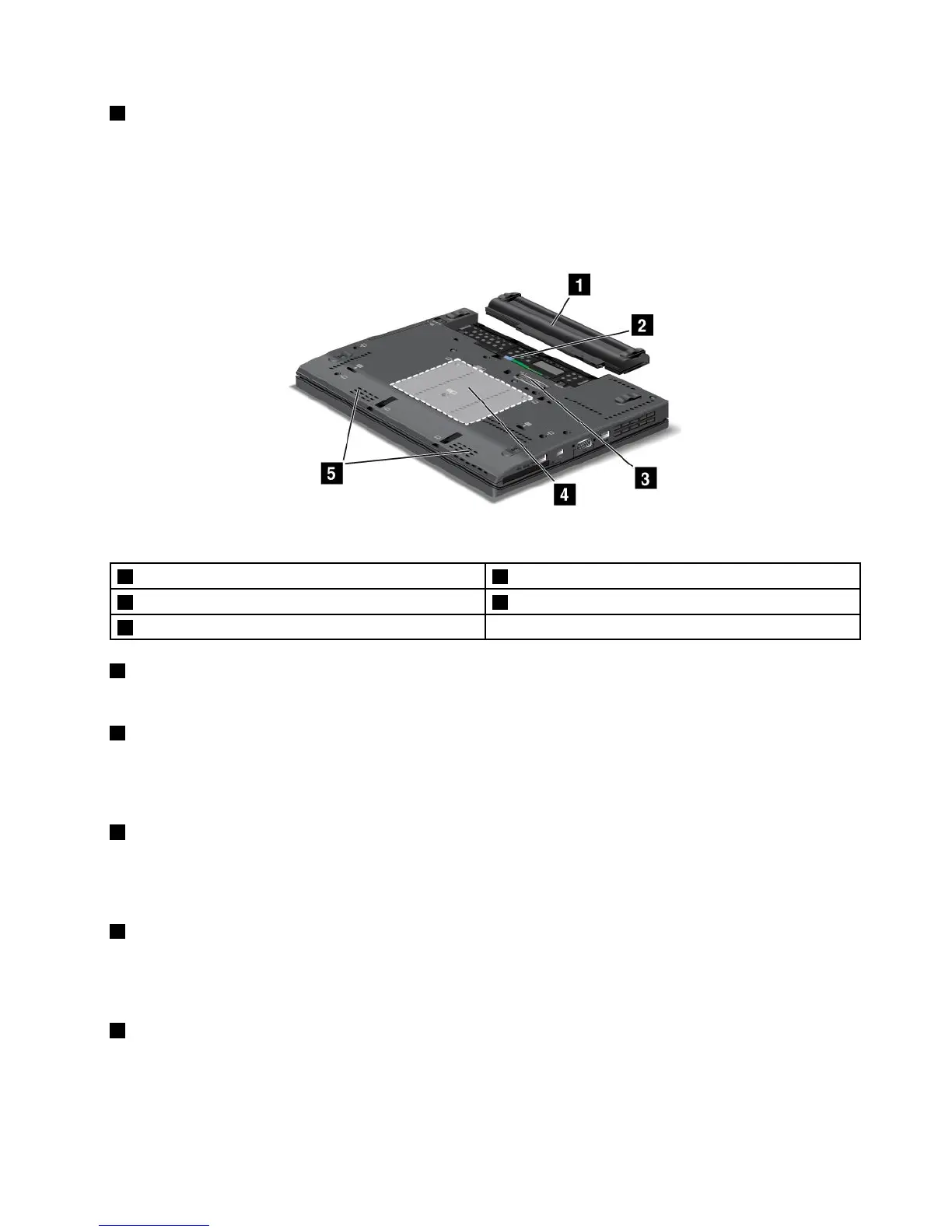
Bottomview
Figure4.ThinkPadX230andX230ibottomview
1Battery
2SIMcardslot
3Dockingstationconnector4Memory-upgradeslot
5Built-inspeakers
1Battery
Useyourcomputerwiththebatterypowerwheneveracpowerisunavailable.
2SIMcardslot
IfyourcomputerhasawirelessWANfeature,itmightrequireaSubscriberIdenticationModule(SIM)card
toestablishwirelessWANconnections.Dependingonthecountryofdelivery,theSIMcardmightalreadybe
installedintheSIMcardslot.
3Dockingstationconnector
ConnectyourcomputertoasupportedThinkPadUltrabase,portreplicator,ordockingstationthroughthis
connectortoextendthecomputercapabilitieswhenyouareinyourofceorathome.Formoreinformation
aboutthesupporteddockingstations,seeChapter7“Enhancingyourcomputer”onpage89.
4Memory-upgradeslot
Youcanincreasetheamountofmemoryinyourcomputerbyinstallingamemorymoduleinthe
memory-upgradeslot.MemorymodulesareavailableasoptionsfromLenovo.Formoreinformation,
see“Replacingamemorymodule”onpage75.
5Built-inspeakers
Thestereospeakersarebuiltintoyourcomputer.
Chapter1.Productoverview7



 To Next Page