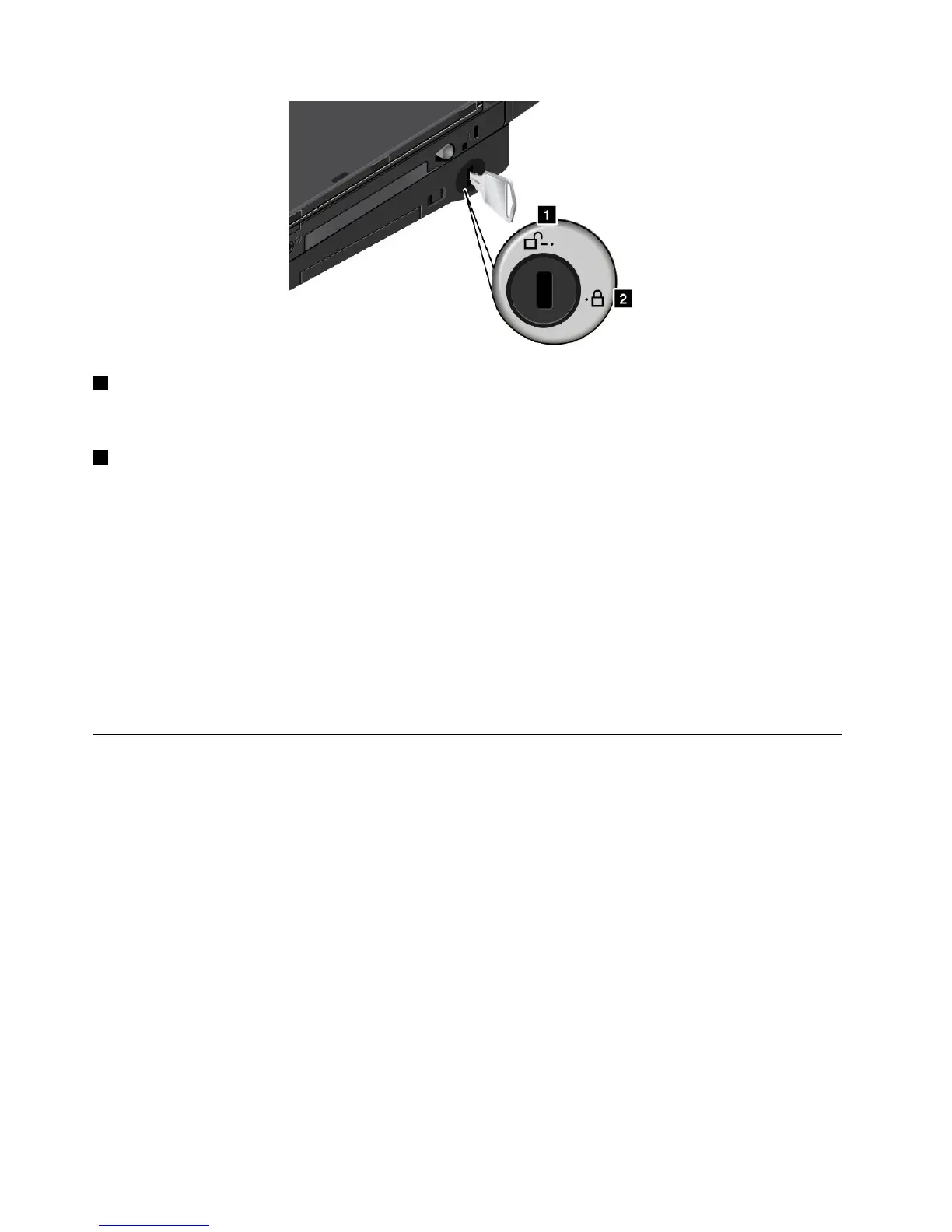
1Unlockedposition
Whenthelockisinthisposition,yourcomputerisnotsecured.
2Lockedposition
Whenthelockisinthisposition,theThinkPadUltraBaseSeries3islocked,andthecomputercannotbe
removedfromtheThinkPadUltraBaseSeries3.Thedeviceinthedrivebayalsoislockedandcannot
beremoved.
Note:Keepthesecuritykeyinasafeplace.Donotlosethiskey;otherwise,youwillbeunabletodetachthe
computerfromtheThinkPadUltraBaseSeries3.
Ifyouhavepurchasedamechanicallock,youcanattachthemechanicallocktothesecuritykeyholeofthe
ThinkPadUltraBaseSeries3toprotectitfromtheft.
Note:Youareresponsibleforevaluating,selecting,andimplementingthelockingdeviceandsecurity
feature.Lenovomakesnocomments,judgments,orwarrantiesaboutthefunction,quality,orperformance
ofthelockingdeviceandsecurityfeature.
OtherThinkPadportreplicatorsanddockingstations
Dependingonthemodel,yourcomputeralsomightsupportthefollowingportreplicatorsordockingstations:
•ThinkPadPortReplicatorSeries3
•ThinkPadPortReplicatorSeries3withUSB3.0
•ThinkPadMiniDockSeries3
•ThinkPadMiniDockSeries3withUSB3.0
•ThinkPadMiniDockPlusSeries3
•ThinkPadMiniDockPlusSeries3withUSB3.0
Attachyourcomputertooneoftheportreplicatorsordockingstationstoexpandtheworkingcapability.
Whenthecomputerisattachedtoaportreplicatorordockingstation,neverpickuptheassemblybytaking
holdofthecomputeralone.Alwaysholdthewholeassembly.
98UserGuide



 To Next Page