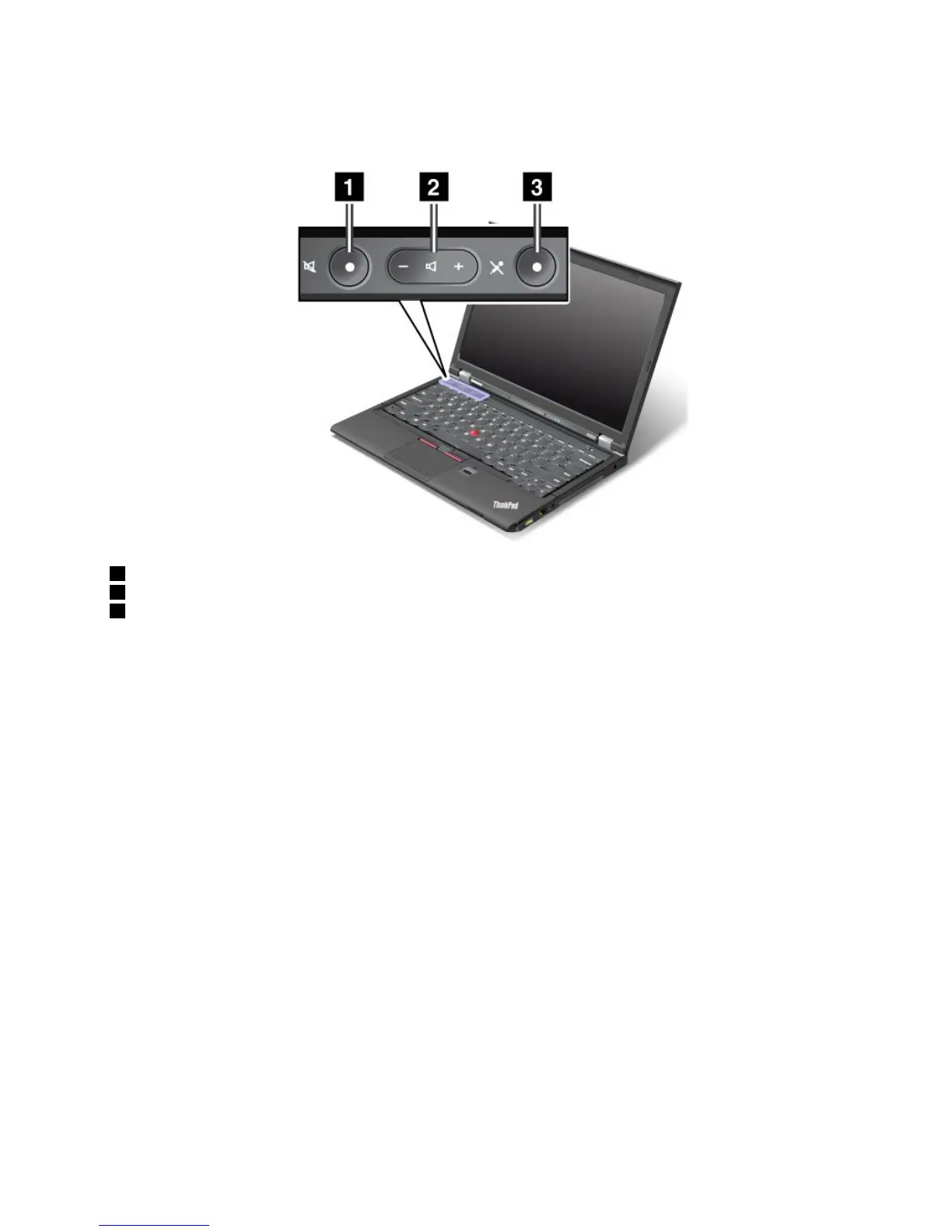
Volumeandmutebuttons
Adjustthesoundvolumelevelofthebuilt-inspeakersbyusingthefollowingthreebuttons:
1Speakermutebutton
2Volumecontrolbutton
3Microphonemutebutton
Ifyoumutethesoundandthenturnoffyourcomputer,thesoundwillremainmutedwhenyouturnonyour
computeragain.Toturnonthesound,pressthespeakermutebuttonagainorpressthevolumecontrol
button.
Settingthevolume
Toadjusttheoutputvolumeortherecordingvolume,dothefollowing:
1.GotoControlPanelandclickHardwareandSound➙Sound.TheSoundwindowopens.
2.ClickthePlaybacktaborRecordingtab,andthenclickadevicethatyouwanttocustomize.
3.ClickthePropertiesbutton.
4.ClicktheLevelstab,andthenchangethevolumebymovingtheslider.
YoualsocangetaccesstothedesktopvolumecontrolbyclickingthevolumeiconintheWindows
noticationarea.Fordetailsaboutcontrollingvolume,refertoyourWindowshelpinformationsystem.
SettingthemicrophonemutebuttonontheWindows7operatingsystem
Bydefault,whenyoupressthemicrophonemutebutton,alloftherecordingdevicesaresetonmute
orunmute.
Ifyouwanttocontrolonlyoneoftherecordingdevicesusingthemicrophonemutebutton,dothefollowing:
1.PressFn+F6.TheCommunicationssettingswindowopens.
2.ClicktheManageSettingsbutton.TheCommunicationsUtilitywindowopens.
3.OntheVoIPCallSettingstab,clickMicrophonemutebuttonsettings.TheSettingforMicrophone
Mutewindowopens.
Chapter2.Usingyourcomputer25



 To Next Page