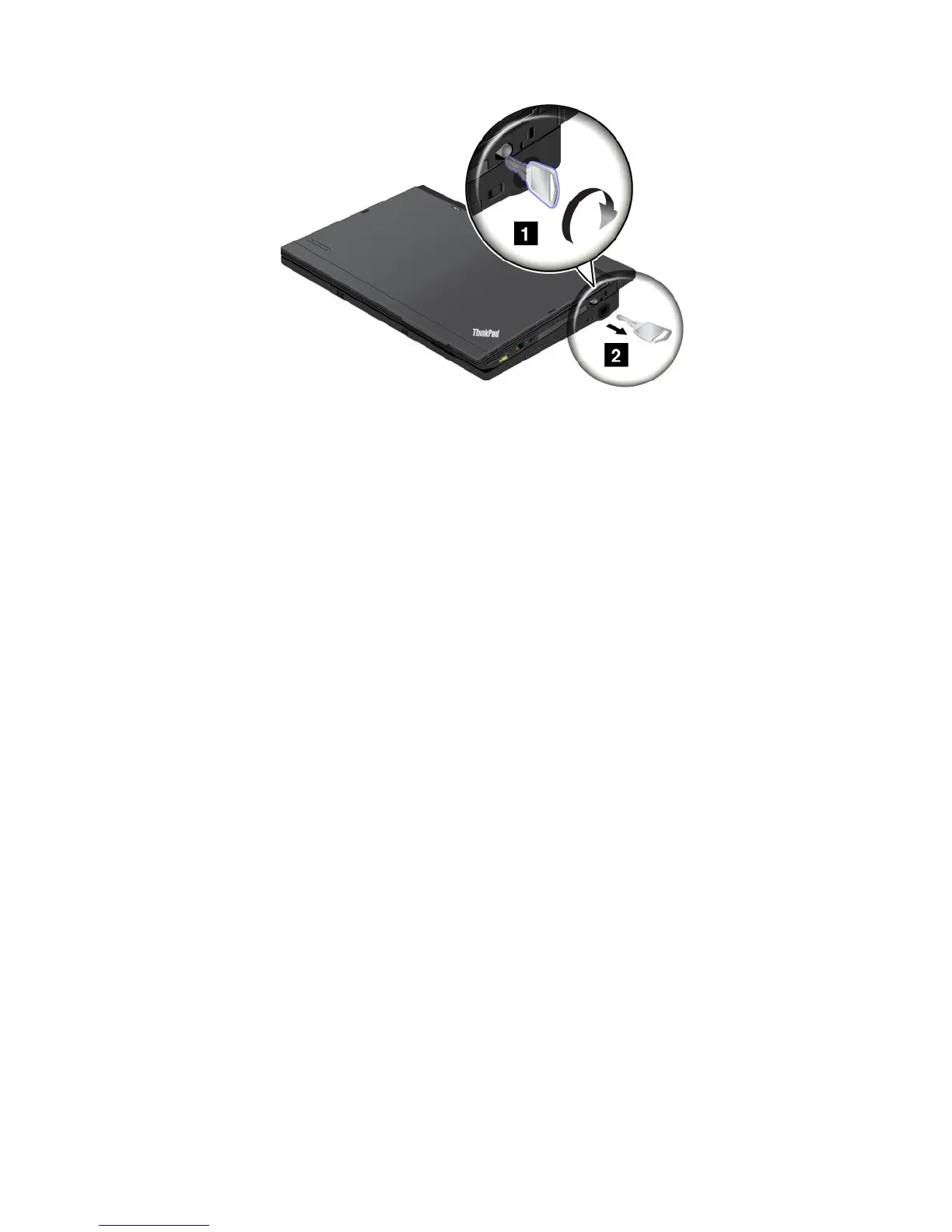
Note:Youcanturnthekeyclockwisetolockit.Then,keepthekeyinasafeplace.Donotlosethiskey;
otherwise,youwillbeunabletodetachthecomputerfromtheThinkPadUltraBaseSeries3.
DetachingtheThinkPadUltraBaseSeries3
Attention:DonotdetachyourcomputerfromtheThinkPadUltraBaseSeries3whilethedockingstatus
indicatorisblinkingoron.Waituntiltheindicatorturnsoff.Detachingwhiletheindicatorisblinkingoron
causesthesystemtobeep,andthecomputermighthalt.
YoucanhotdetachorwarmdetachthecomputerfromtheThinkPadUltraBaseSeries3.Hotdetachmentis
detachingthecomputerfromtheThinkPadUltraBaseSeries3whilethecomputerisinoperatingmode;
warmdetachmentisdetachingthecomputerfromtheThinkPadUltraBaseSeries3whilethecomputer
isinsleepmode.
Beforeperformingahotorwarmdetachmentoperation,ensurethat:
•ThedevicesconnectedtoUSB,serial,andparallelconnectorsarenotinuse.
•TheconnectiontotheEthernetporthasended.
•Thebatteryisfullycharged.
Performingahotdetachmentoperation
Toperformahotdetachmentoperation,dothefollowing:
1.ClickStart,andthenpresstherightarrowkeyandselectUndock.
2.Whenthedockingstatusindicatorisoff,detachthecomputerfollowinginstructionsin“Detaching
thecomputer”onpage97.
Note:Detachingwhilethecomputerisoperatingwithoutperformingtheprocedureabovemightcausethe
systemtomalfunctionorhang.
Performingawarmdetachmentoperation
Toperformawarmdetachmentoperation,dothefollowing:
1.PresstheejectrequestbuttonontheThinkPadUltraBaseSeries3.Thesystemwillthenresumewith
anOKmessage.
2.Whenthedockingstatusindicatorisoff,detachthecomputerfollowinginstructionsin“Detaching
thecomputer”onpage97.
96UserGuide



 To Next Page