Removingthepalmrest
Toremovethepalmrest,dothefollowing:
1.Turnoffthecomputer;thendisconnecttheacpoweradapterandallcablesfromthecomputer.Waitfor
threetoveminutes,tilltheinsideofthecomputercools.
2.Closethecomputerdisplay,andturnthecomputerover.
3.Removethebattery.See“Replacingthebattery”onpage69.
4.Removethekeyboard.See“Replacingthekeyboard”onpage78.
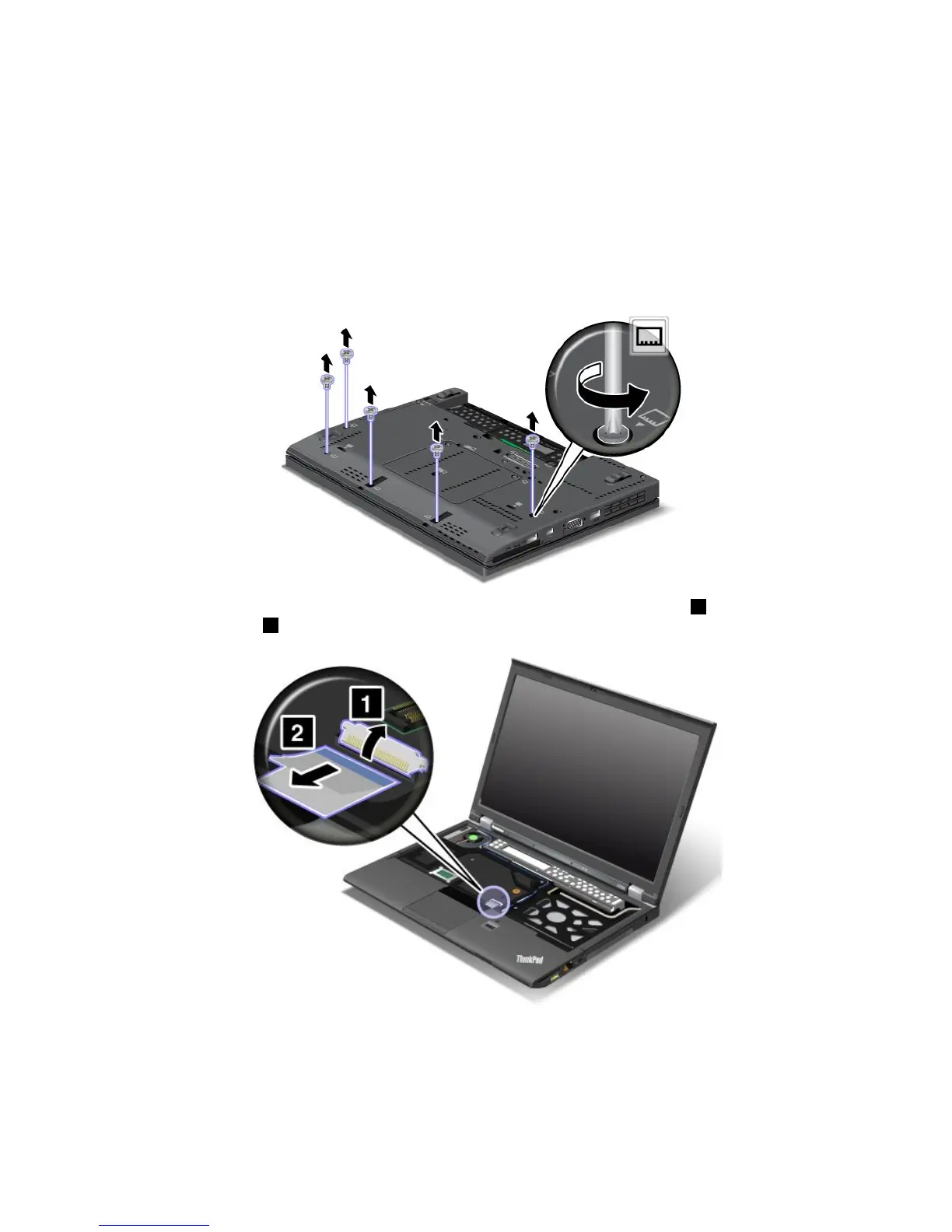
5.Removethescrewsthatsecurethepalmrest.
6.Turnthecomputeroverandopenthedisplay.Detachtheip-lockZIFconnector1,thenremove
thepalmrestcable2.
7.Liftthepalmrestupandremoveit.
82UserGuide



 To Next Page