Step 3. After the automatic general announcement playback is complete, the broadcast is terminated and the
indicator goes out.
Make settings so that the automatic general announcement is broadcast over the designated zone(s) when
the control input terminals of the VM-3240VA or VM-3240E are activated.
(For more information, refer to "VM-3000VA Settings" or "VM-3000E Settings" in "System Settings" in the
separate software instruction manual.)
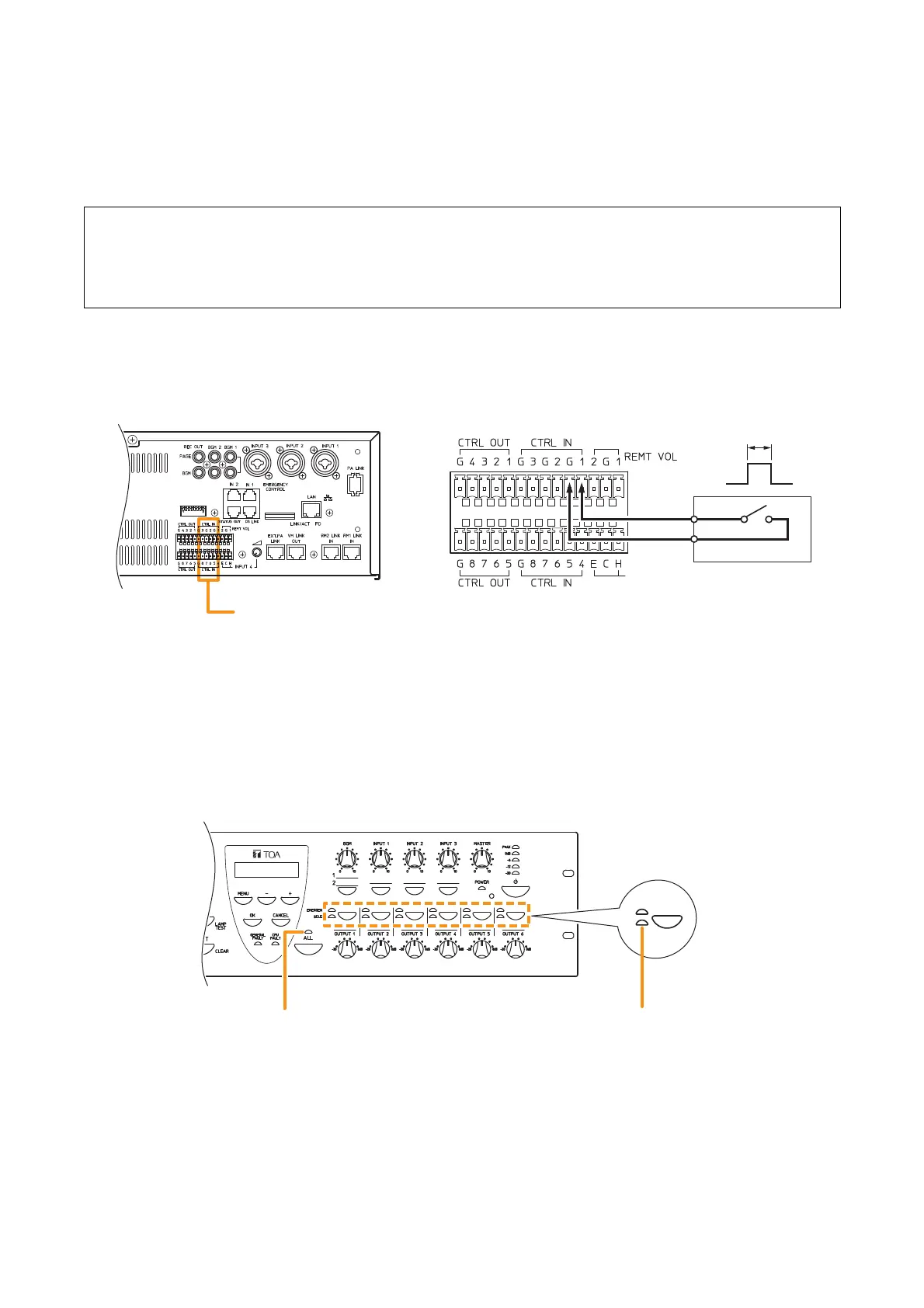
5.3. Making Automatic Announcements Using Control Signal Inputs
This function makes general broadcasts by playing back internal automatic announcements activated when
the control input terminals located on the rear panel of the VM-3240VA or VM-3240E receive a broadcast
control signal.
Perform the following settings in advance using the setting software:
Step 1. Connect a timer or other external control device to the control input terminals located on the rear
panel of the
VM-3240VA or VM-3240E
.
Step 2. When the timer’s preset time is reached, the Contact Input receives a contact output signal (make
contact) from the timer. The all-zone call indicator or output indicator corresponding to the set zone
lights green and the automatic general announcement is broadcast over that zone.



 To Next Page