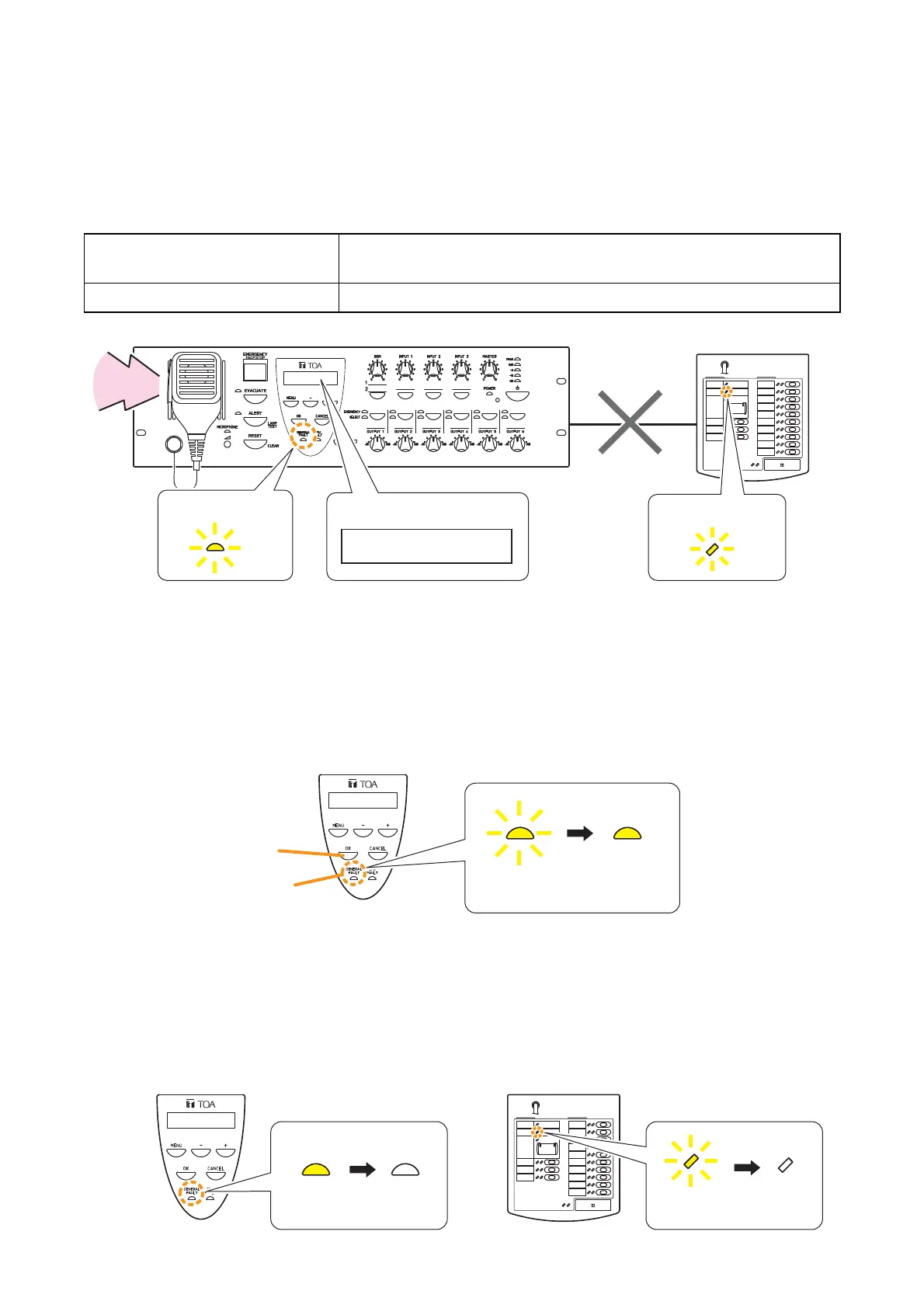
steady on mode.
on to extinguished mode.
to extinguished mode.
VM-3240VA The buzzer sounds, the Failure indicator flashes yellow and failure
information is displayed on the LCD screen.
RM-200M The Communications Failure indicator flashes yellow.
9.5. Examples
Procedures for acknowledging and resetting failures are explained here.
9.5.1. Failure example 1: Communications failure
Assuming that the RM-200M’s connection is disconnected within the VM-3000 system, when the failure is
detected, the equipment operates as follows:
[Operation examples when a failure occurs]
Note
The RM-200M cannot be used.
Step 1. Press the VM-3240VA’s [OK] key (to acknowledge the failure).
The buzzer stops and the yellow Failure indicator light switches from flashing to steady on mode.
Step 2. Determine the cause and remedy it.
Then correctly reconnect the cables between the RM-200M and the VM-3240VA.
Step 3. If communications are restored, the system automatically returns to the previous status, causing the
VM-3240VA’s Failure indicator and the RM-200M’s Communications Failure indicator to go out.



 To Next Page