Page 4-8 Document Ref 942583-001 Rev 8
Packaging & Handling Quantium 510 Installation Manual
CRYPTO VGA DIT
The Crypto VGA DIT is electronically locked and
can only be released at the Fuel Point of Sale (POS)
in the kiosk.
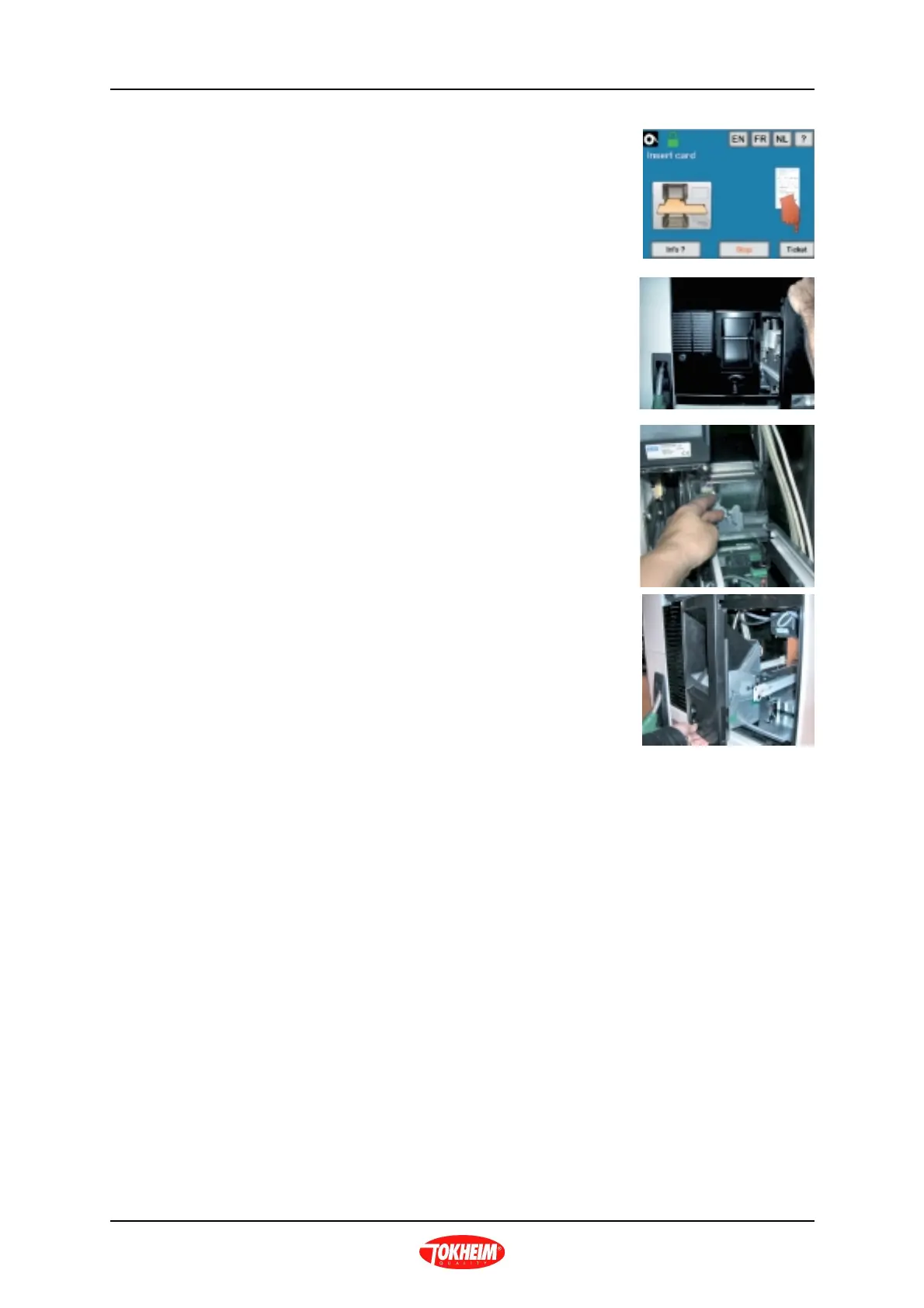
•Swipe the Maintenance/Service card at the POS or
terminal and select the option Maintenance/Service.
Note : A spanner or paper roll on the display
indicates the terminal is in Maintenance/Service
mode.
•Press first the padlock and then ‘Ticket’ on the DIT
screen to disarm the electronic lock.
•Carefully slide the Crypto VGA printer unit open.
Note : The red open padlock on the Fuel POS
display indicates the drawer is open and
unalarmed.
•Disconnect the cables and connectors as required.
•Remove the Crypto VGA printer unit completely
and place in a safe position.
•Reach inside the unit and undo the wing nut on the
Crypto VGA unit.
•Carefully slide the Crypto VGA unit open.
•Repeat for opposite side of dispenser as required.
Note : Closing the drawer will re-arm the
electronic lock.


 To Next Page