The module will then start booting the operating system. The CTRL_SLEEP_MOCI# signal is
released during booting the operating system. This signal is used for enabling the power rails of
peripherals on the carrier board that are disabled during a sleep state. Also, some on-module
peripherals are enabled during the boot. This means that the CTRL_SLEEP_MOCI# signal as well as
these on-module peripherals are under full software control (whether or not they are enabled
during the boot process).
3.3.2 “Running” to “Reset” (reset)
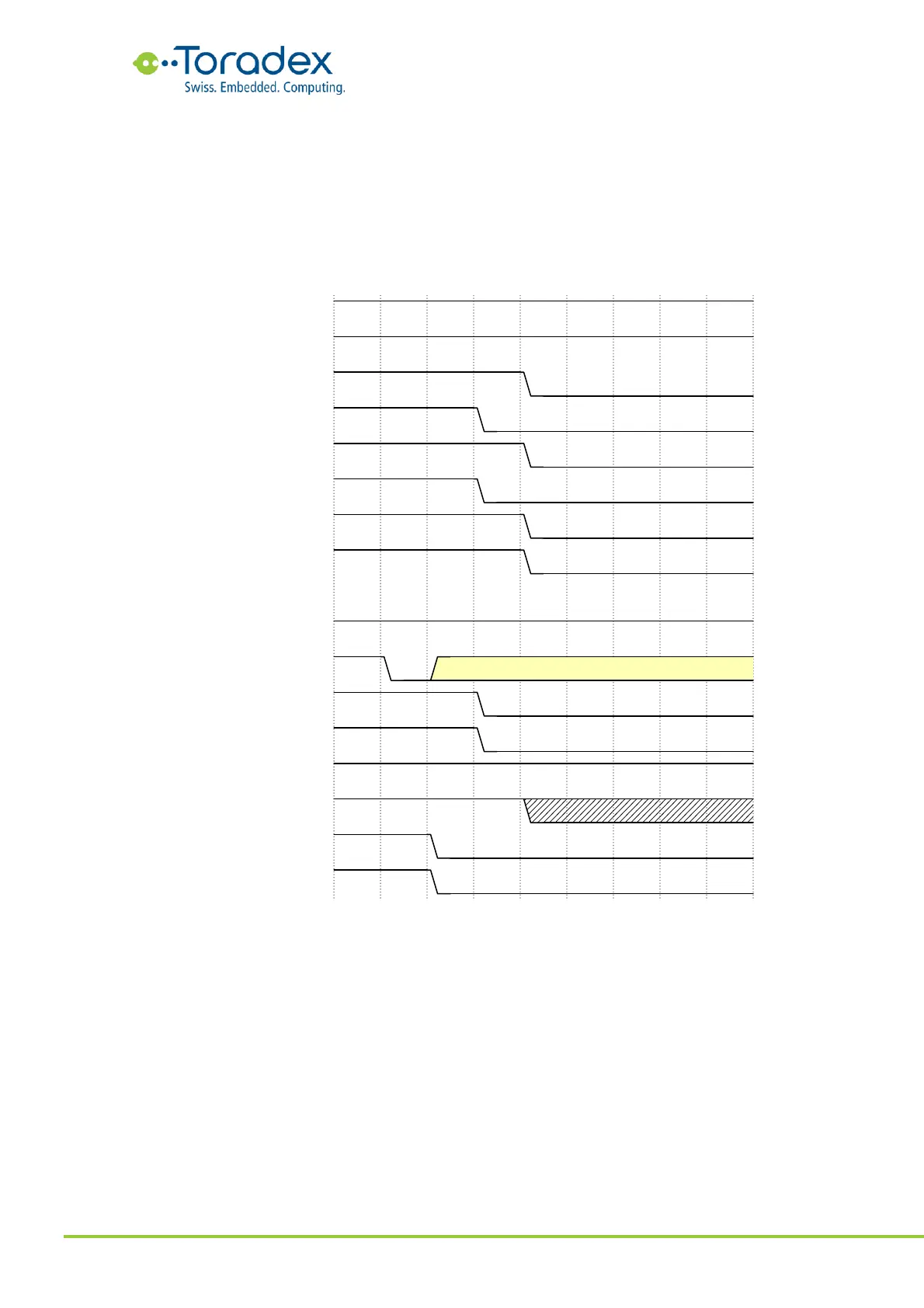
Figure 49: “Running” to “Reset” (reset) Power Sequence
The reset cycle can be initiated by a falling edge on the CTRL_RESET_MICO# (some modules add
some debouncing time) or by software. In the preferred reset mode “cold reset”, first the SoC reset
and the CTRL_RESET_MOCI# are going low and then all the rails on the module are removed
(except for a few PMIC control rails). Basically, the module shuts down the rails in a controlled
sequence. This also includes the CTRL_PWR_EN_MOCI and the CTRL_SLEEP_MOCI# in order to
turn off the power rails on the carrier board.
After all the rails are removed, the module will remain in this state for a minimum reset time. The
reset time can be extended by keeping the CTRL_RESET_MICO# low.


 To Next Page