12.5 Installing Drivers
Before connecting the scale to a computer the USB Port must be configured with the appropriate baud rate and other
necessary parameters. To configure the USB Port, follow configuration steps from this chapter and apply them to the
USB settings.
PC Connection via USB
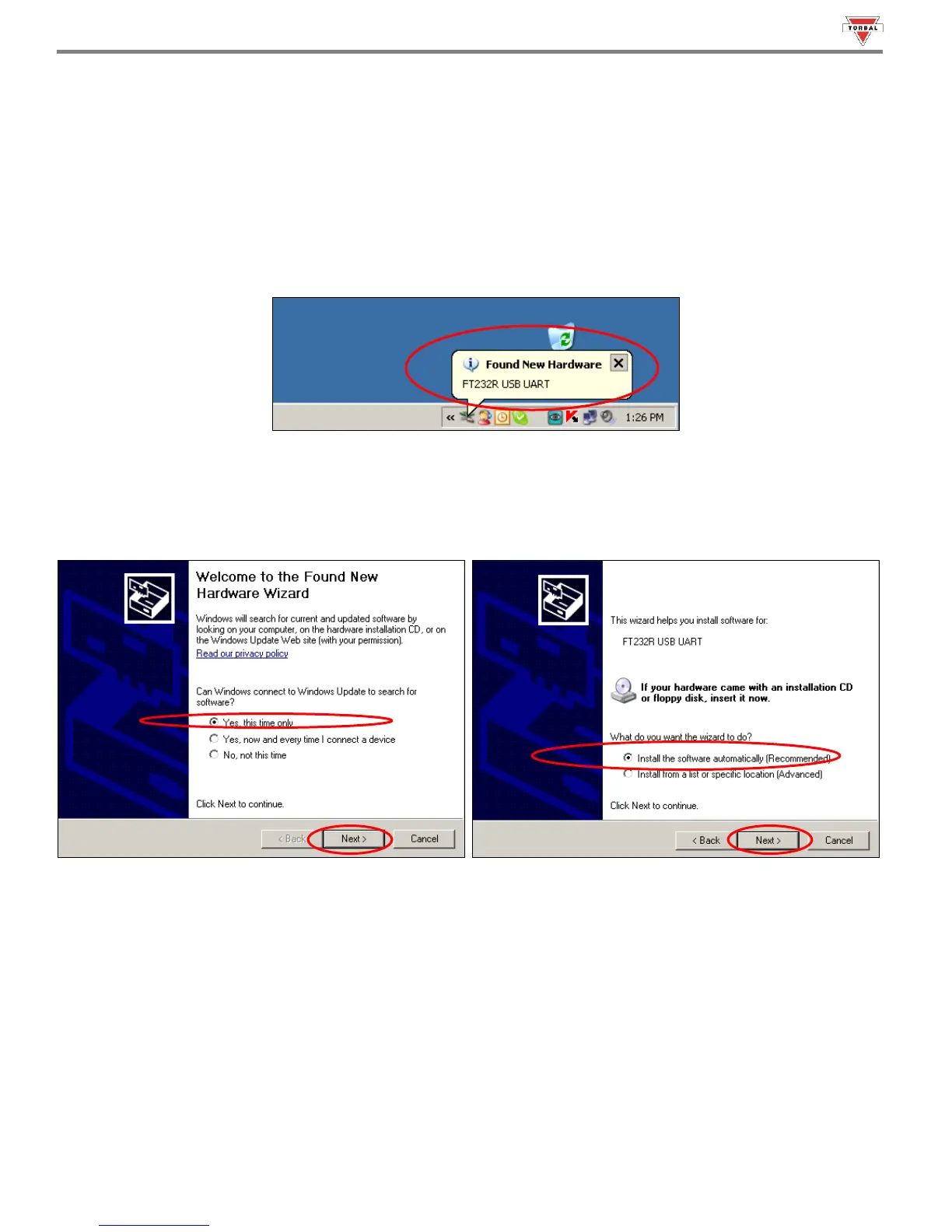
Once the USB port has been configured, connect the scale to the PC with a Standard A/B USB cable and follow
the “Found New Hardware” configuration wizard as described below.
1. Allow Windows to connect to Windows Update in order to search for software. Select “Yes, this time only” and click
“Next”. Once driver “FT232R USB UART” has been found, select “Install the software automatically (Recommended)”
and click “Next.



 To Next Page