Instruction Manual – AD Series
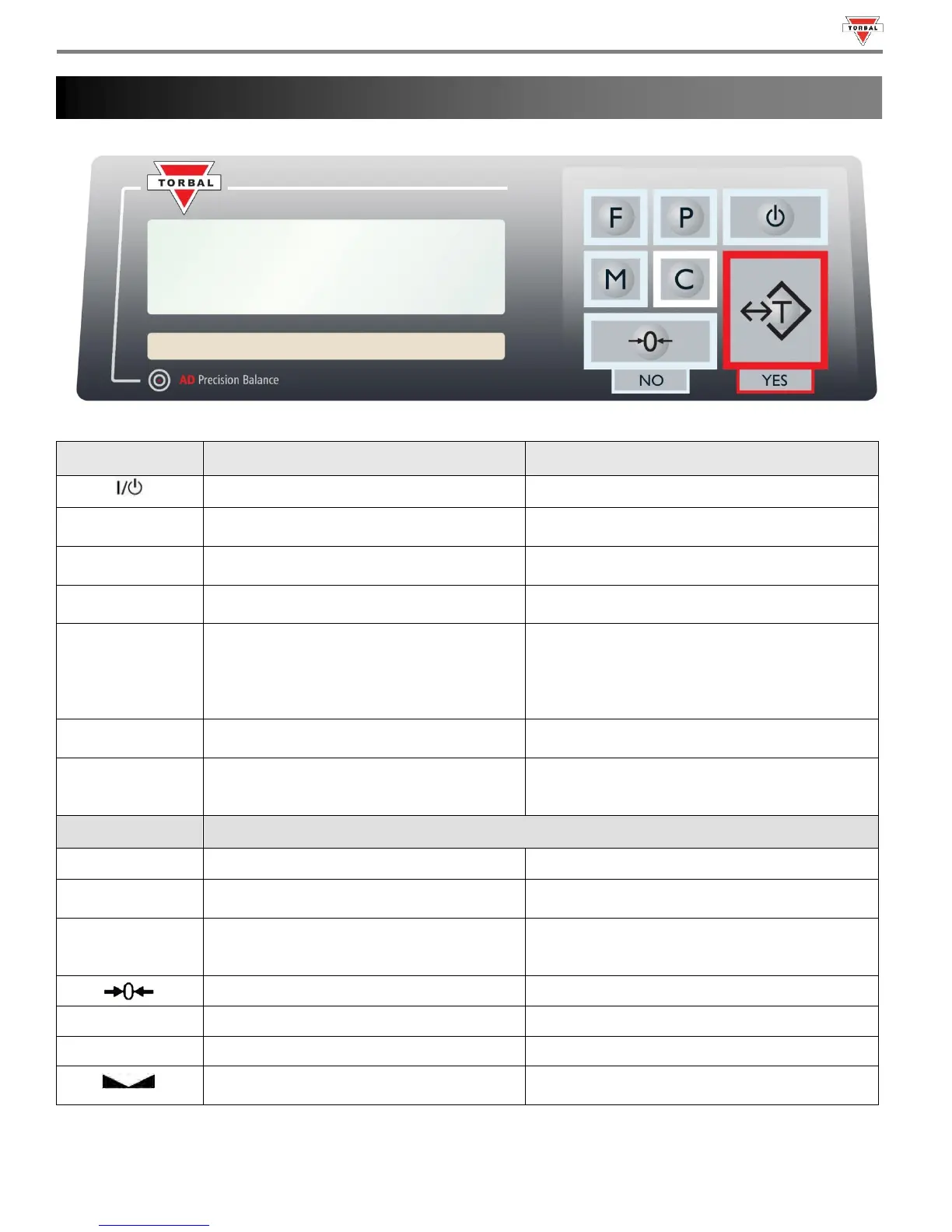
Tare – used to tare the weighing pan
Enter and YES (Accept) – Used to enter or accept
commands
Zero – used to zero the scale
No (Reject) – Used to reject commands or change
values
Menu – used to access the main menu
Recall – In Totalizing this key is used to recall the
Grand Total
Function – Used to select an application mode
Add/Start/Lock – In Totalizing (Manual) this key is
used to add a result to the total. In Animal Weighing
(Manual) this key is used to initiate the animal
weighing process. In Display Hold (Manual) this key
is used to lock the weighing result on display.
Data Transfer – used to print or transfer data to
a PC via the communication ports
Decimal – Used to enter a decimal when assigning
limit values in check-weighing
Clear/Cancel - Used to clear and cancel
operations
Exit – Used to exit submenus
The scale is turned OFF and in standby mode.
AZSM (Auto-Zero Setting Mechanism)
AZSM is enabled and the scale maintains a “center of
zero” condition within +/- 6d.
A tare was taken and the scale subtracted the tare
weight from the gross weight to obtain the net
weight.
The scale is maintaining a “center of zero” condition.
Indicated enabled functions or settings.
Indicates Main Menu Functions.
The weighing result has stabilized and an accurate
reading may be taken.
Chapter 4: Keys, Display Indicators and Commands



 To Next Page