Parts Counting is used to count a batch of items based on their weight. A sample is taken to determine the average
piece weight of the items. A “B” indicator will appear on the screen to indicate the scale is in Parts Counting mode.
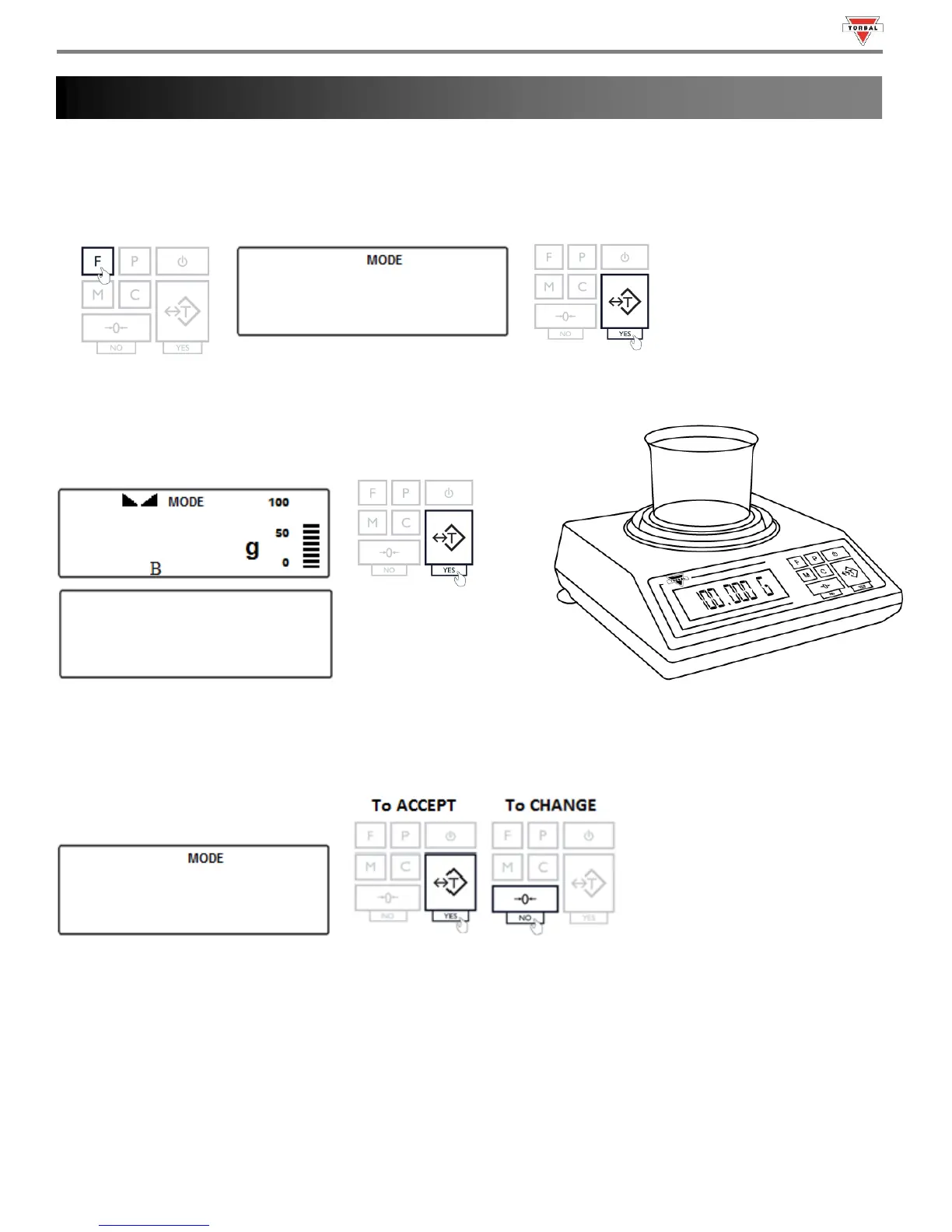
1. To enter Parts Counting Mode, press the “F” key. Select “” by pressing the “T” key.
2. Place an empty weighing container on the pan. The container’s
weight will be displayed. Wait for the weight to stabilize and
press the “T” key to tare.
3. The default sample size that was previously configured will be displayed (Example: ). To accept the sample
size press the “T” (YES) key. To change the sample size press the “0” (NO) key.
The sample size selection ranges from 1 to 100. Quickly press and release the “0” (NO) key to change the sample
size by increments of one. By pressing and holding the “0” (NO) key, the sample size will change in increments of
five. Once a desired sample size is displayed, press the “T” (YES) key to accept and confirm the selection.



 To Next Page