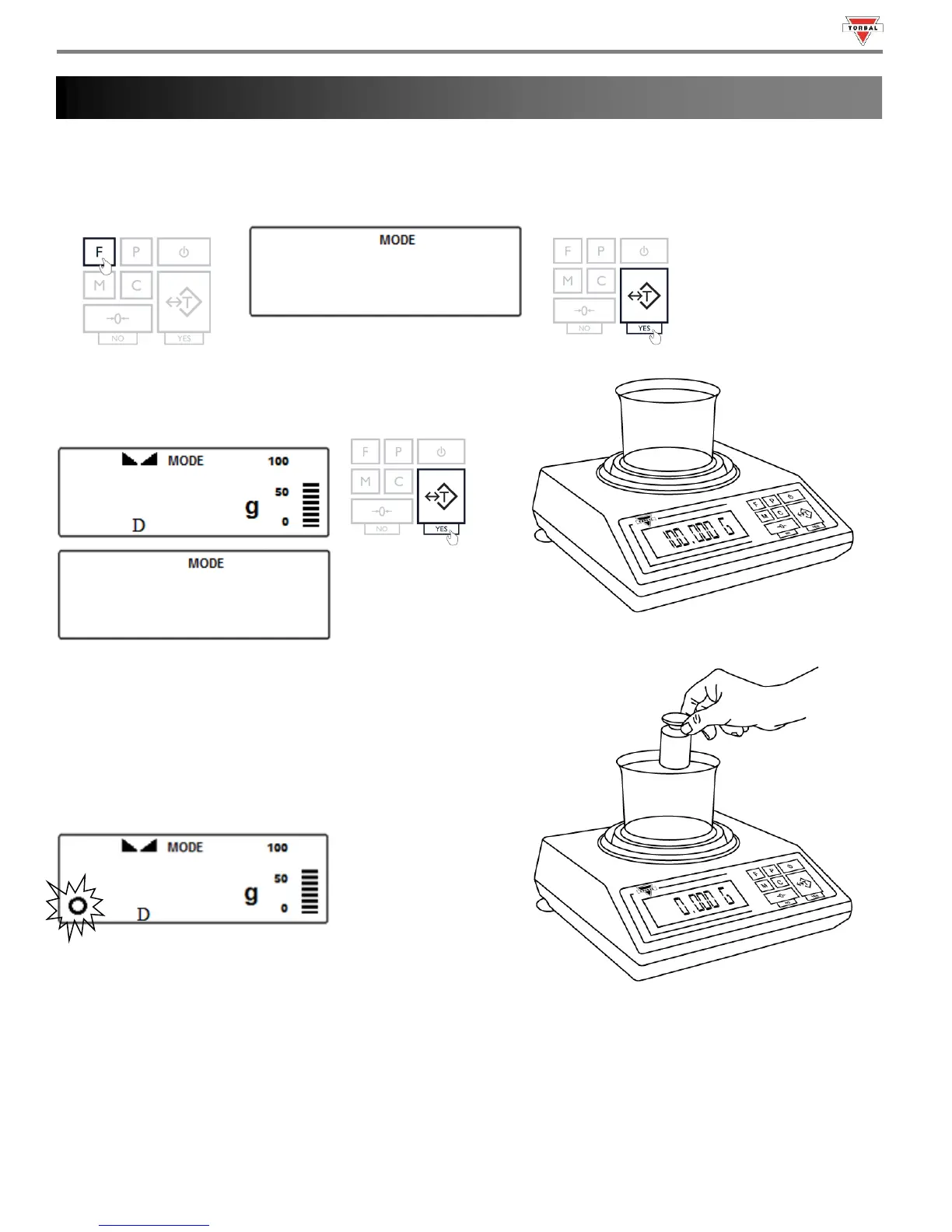
Display Hold is used to lock a weight reading on the screen, even after the weighed object has been removed from the
pan. A “D” indicator will appear on the screen to indicate the scale is in Display Hold mode.
1. To enter Display Hold Mode, press the “F” key. Select “” by pressing the “T” key.
2. Place an empty weighing container on the pan. The
container’s weight will be displayed. Wait for the weight to
stabilize and press the “T” key to tare.
3. Place an object into the container.
Automatic and Semi-Automatic:
When set to Auto or Semi-Auto, the scale will automatically lock
the weighing result on the screen after it stabilizes. A display
locked indicator will appear on the screen.
Note: In Automatic and Semi-Automatic modes the minimum
weighing mass must be equal to or greater than 10d. To see this
limit expressed in grams turn to the detailed specifications in Chapter 2.



 To Next Page