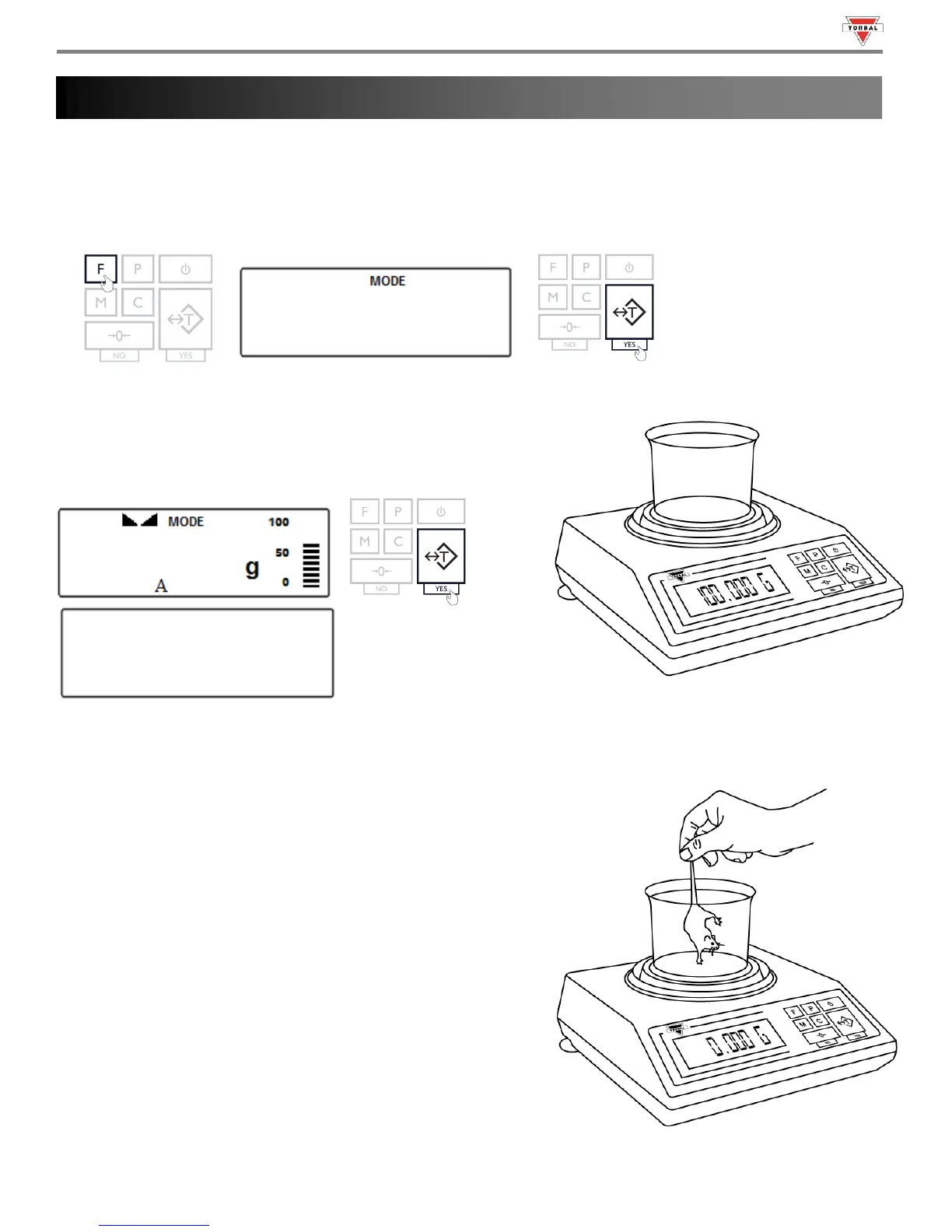
Animal weighing is used to weigh live animals and other dynamic loads. A choice of 3 different operating modes and 4
different weight integration periods ensures the user the best results in the least amount of time per measurement. An
“A” indicator will appear on the screen to indicate the scale is in Percent Weighing mode.
1. To enter Animal Weighing Mode, press the “F” key. Select “
by pressing the “T” key.
2. Place an empty weighing container on the pan. The container’s
weight will be displayed. Wait for the weight to stabilize and
press the “T” key to tare.
3. Once the scale has been tared, carefully place the animal into the container.
Automatic and Semi-Automatic:
When set to Automatic or Semi-Automatic, the scale will
automatically begin the animal weighing process with the first
weight reading.
Note: In Automatic and Semi-Automatic modes the minimum
weighing mass must be equal to or greater than 10d. To see this limit
expressed in grams turn to detailed specifications in Chapter 2.
45



 To Next Page