▪ ‘Tare the weight’ (corresponds to the T key in weighing):
ComputerScale: S T CR LF (53h 54h 0Dh 0Ah),
ScaleComputer: no response.
▪ ‘Zero the scale’ (corresponds to the key 0 in weighing):
ComputerScale: S Z CR LF (53h 5Ah 0Dh 0Ah),
ScaleComputer: no reponse.
▪ ‘Turn On / Off the Scale (corresponds to the key I/ in weighing):
ComputerScale: S S CR LF (53h 53h 0Dh 0Ah),
ScaleComputer: no response.
▪ ‘Display the MENU’ (corresponds to the key MENU in weighing):
ComputerScale: S F CR LF (53h 46h 0Dh 0Ah),
ScaleComputer: no response.
▪ Setting the threshold 1 (optional):
ComputerScale: S L D1...DN CR LF (53h 4Ch D1...DN 0Dh 0Ah)
where: D1...DN – Threshold value, up to 8 characters,
ScaleComputer: no response,
▪ Example:
To set 1000g in weight B1.5 (d=0.5g) type:
S L 1 0 0 0 . 0 CR LF (53h 4Ch 31h 30h 30h 30h 2Eh 30h 0Dh 0Ah).
To set 100kg in weight B150 (d=50g) type:
S L 1 0 0 . 0 0 CR LF (53h 4Ch 31h 30h 30h 2Eh 30h 30h 0Dh 0Ah),
▪ Setting the threshold 2 (optional):
ComputerScale: S H D1...DN CR LF (53h 48h D1...DN 0Dh 0Ah),
where: D1...DN – threshold value, up to 8 characters,
ScaleComputer: no response
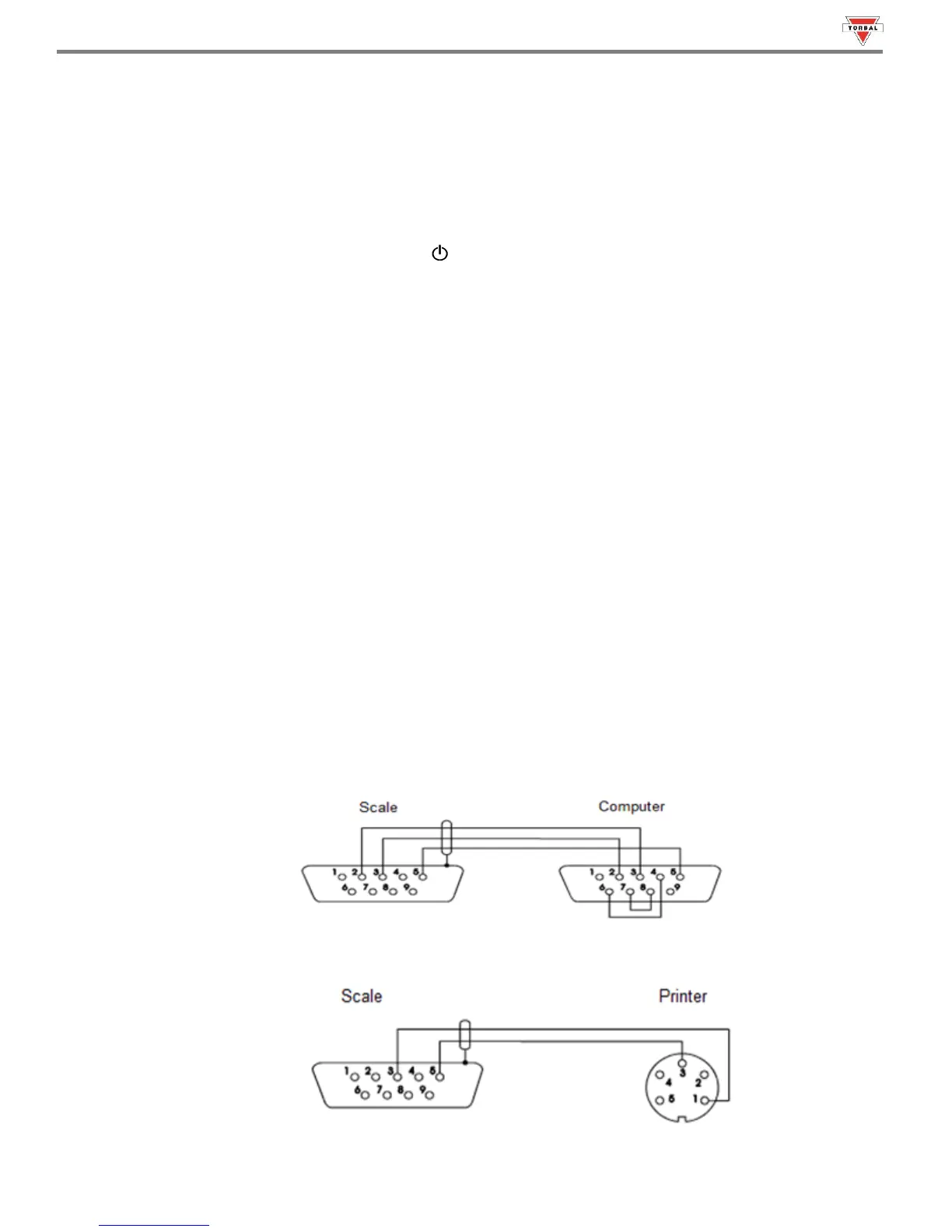
Cable WK-1 Configuration
Cable WD-1 Configuration



 To Next Page