15
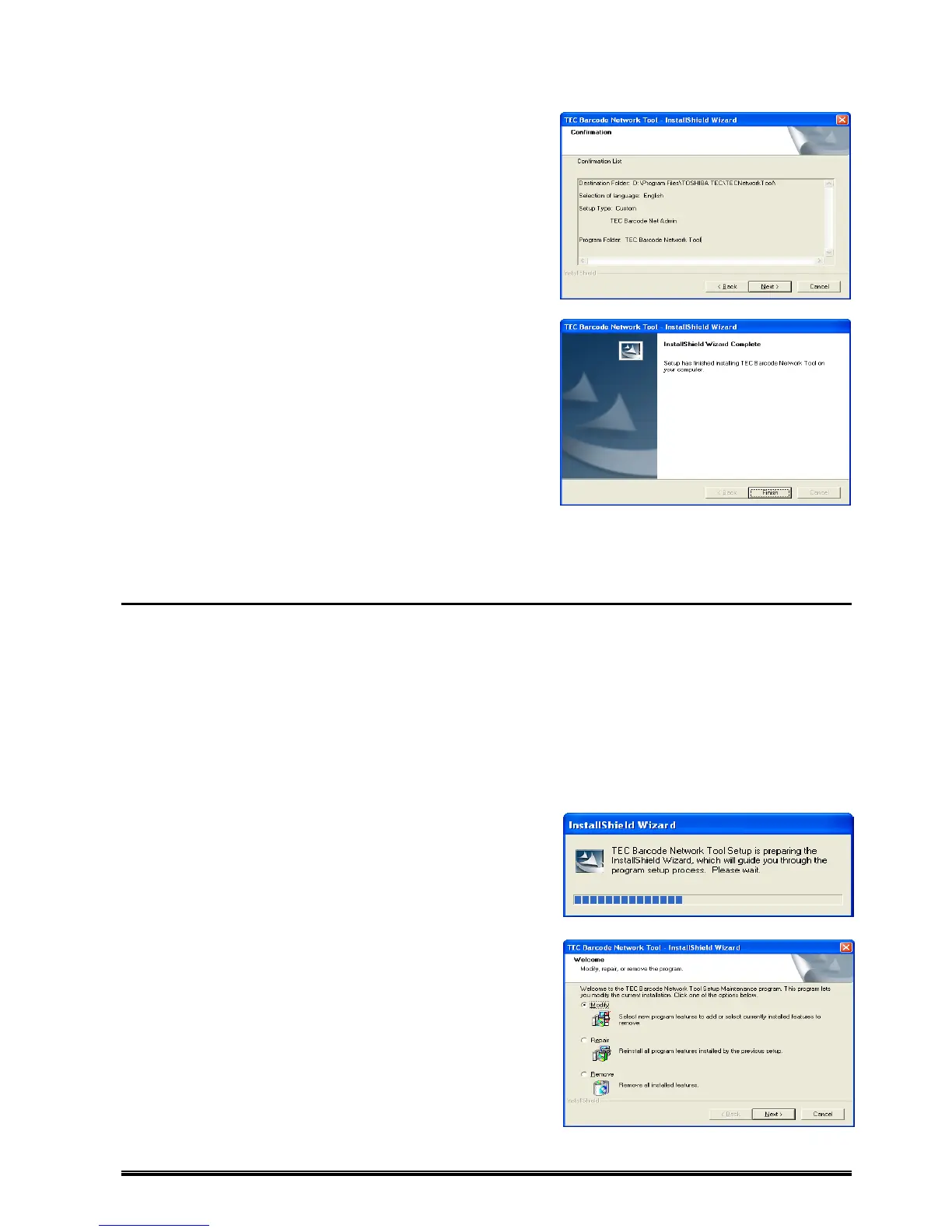
4. The [Confirmation] screen appears.
Check the descriptions under the [Confirmation List]
and click [Next] when the descriptions are correct.
When you want to change the setting, click [Back] until
the applicable screen appears, then make the change.
5. The [InstallShield Wizard Complete] screen appears.
Click [Finish] to complete the installation.
Modification/Repair of Installation Setting and Uninstallation
Modification of Installation Setting
Installation setting can be changed after completing the installation. This feature is useful in situations where:
only the Downloader is necessary but full installation was performed.
[Surveillance Tool] needs to be removed.
full installation was performed on the computer which the User uses.
[Downloader] needs to be removed.
only one feature has been installed and one more feature needs to be installed.
1. Click: [Start] – [All Programs] – [TOSHIBA TEC] – [UnInstall TEC Barcode Network Tool].
2. The [InstallShield Wizard] preparation message
appears.
It may take a while until a next screen appears.
3. The [Welcome] screen appears.
Check [Modify], then click [Next].
When changing the installation setting, check [Modify].
When reinstalling all features by the previous setup, check
[Repair].
When uninstalling all installed features, check [Remove].











 To Next Page