© Copyright 2018 TRENDnet. All Rights Reserved.
4. Click on the wireless network you would like to connect. The information will
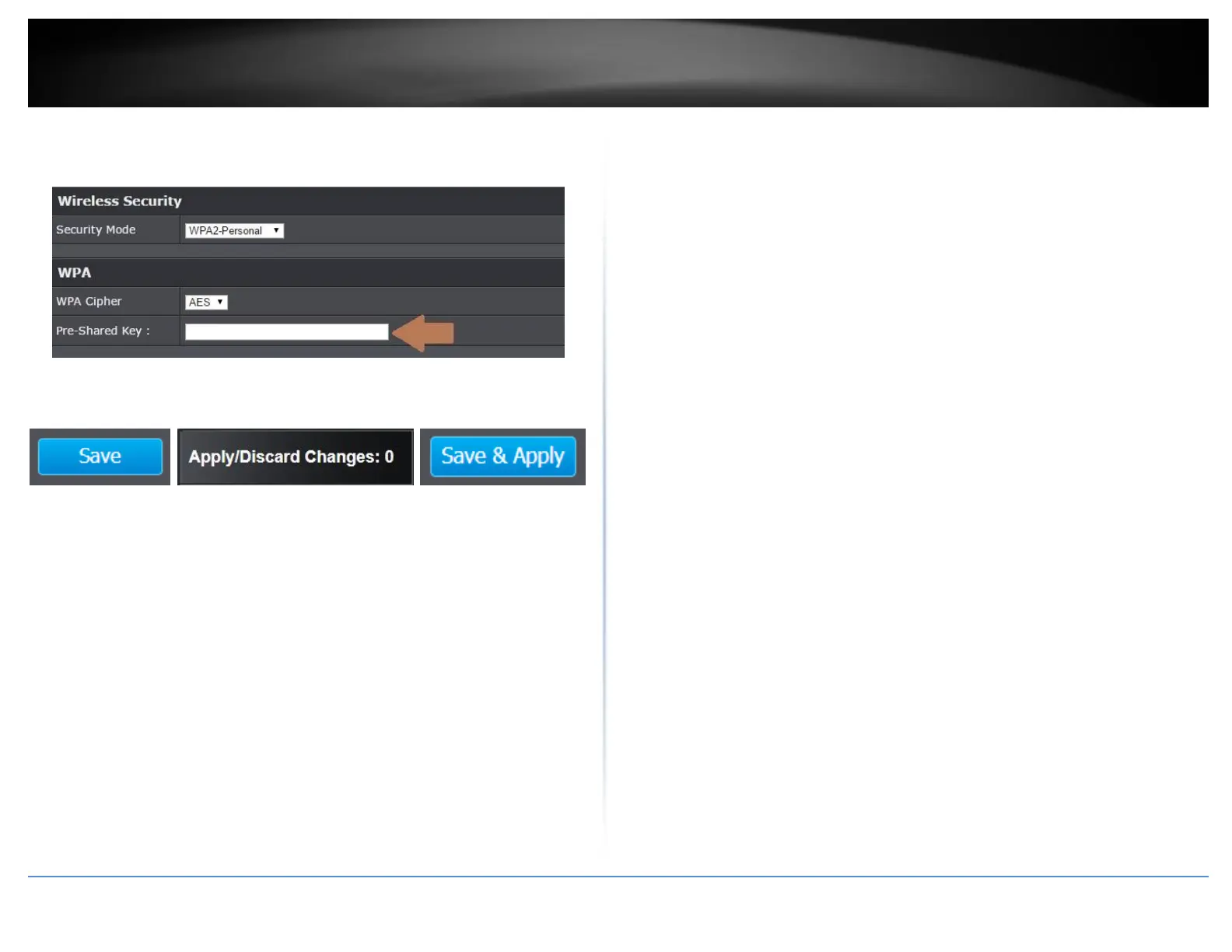
automatically fill on the previous screen. You will then need to select and enter
the wireless security.
5. Click on the Save button then click on the flashing Apply/Discard button
located on the top left section, and click Save & Apply to apply the settings.
Note: Your configurations are not saved and applied until you click on Apply/Discard
Changes button. The Save & Apply step saves and applies all configuration changes.











 To Next Page