Enkapsis & EnerSure Platform Installation Guide Rev07.2
Setting Phase Selector
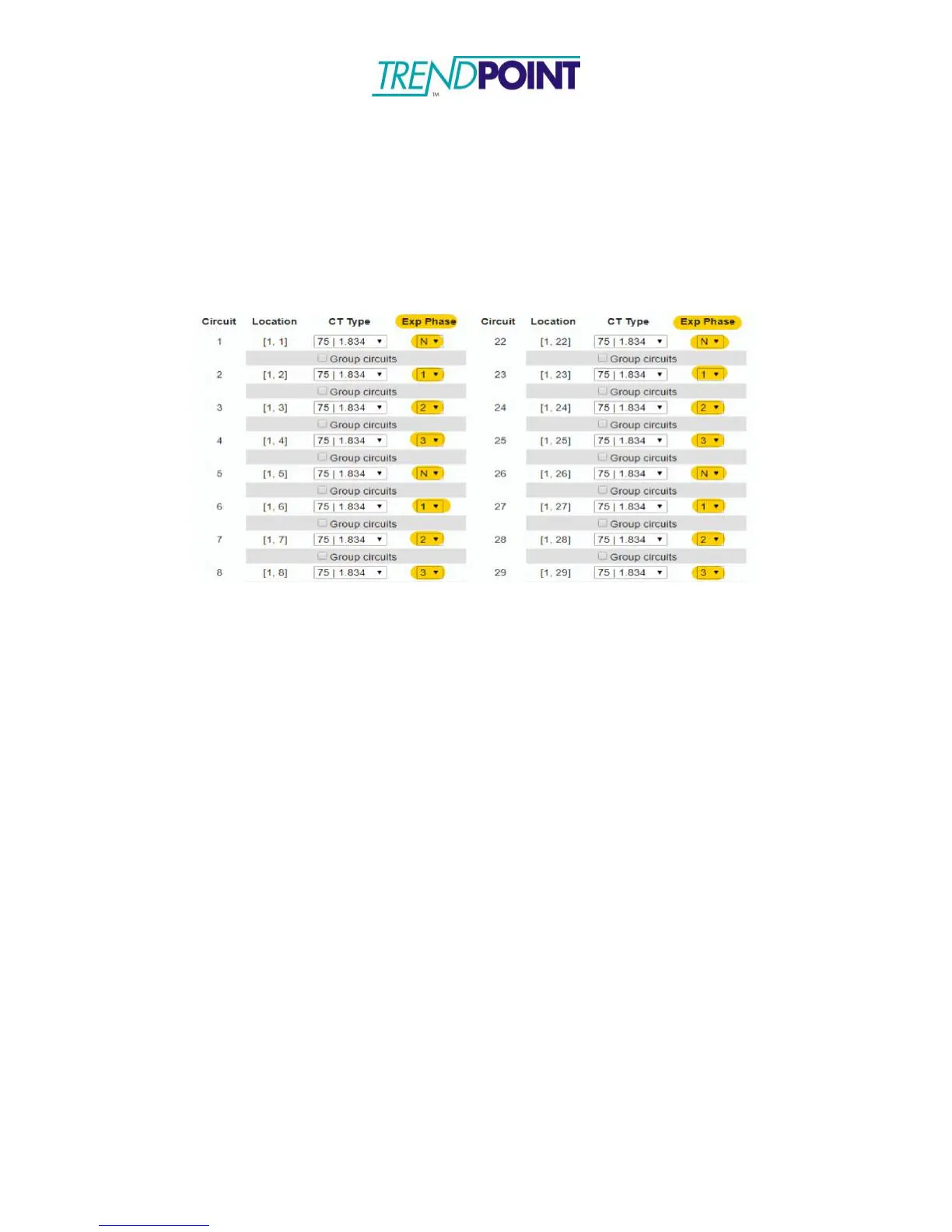
Each iBCPM2.0 strip has a series of Exp Phase’s. Login to the Enkapsis Web-Interface
(under the “
Circuit Cfg” tab)
and select the proper phasing that matches the placement
of the CT’s installed. By setting the “Exp Phase” settings this need to be placed correctly
in order for the cards to gather proper data. (Figure 19) shows a screen shot of the Exp
Phase settings in the Web Interface.
Figure 19:
Circuit Cfg for iBCPM2.0
(Exp Phase Select in image)


 To Next Page