Enkapsis & EnerSure Platform Installation Guide Rev07.2
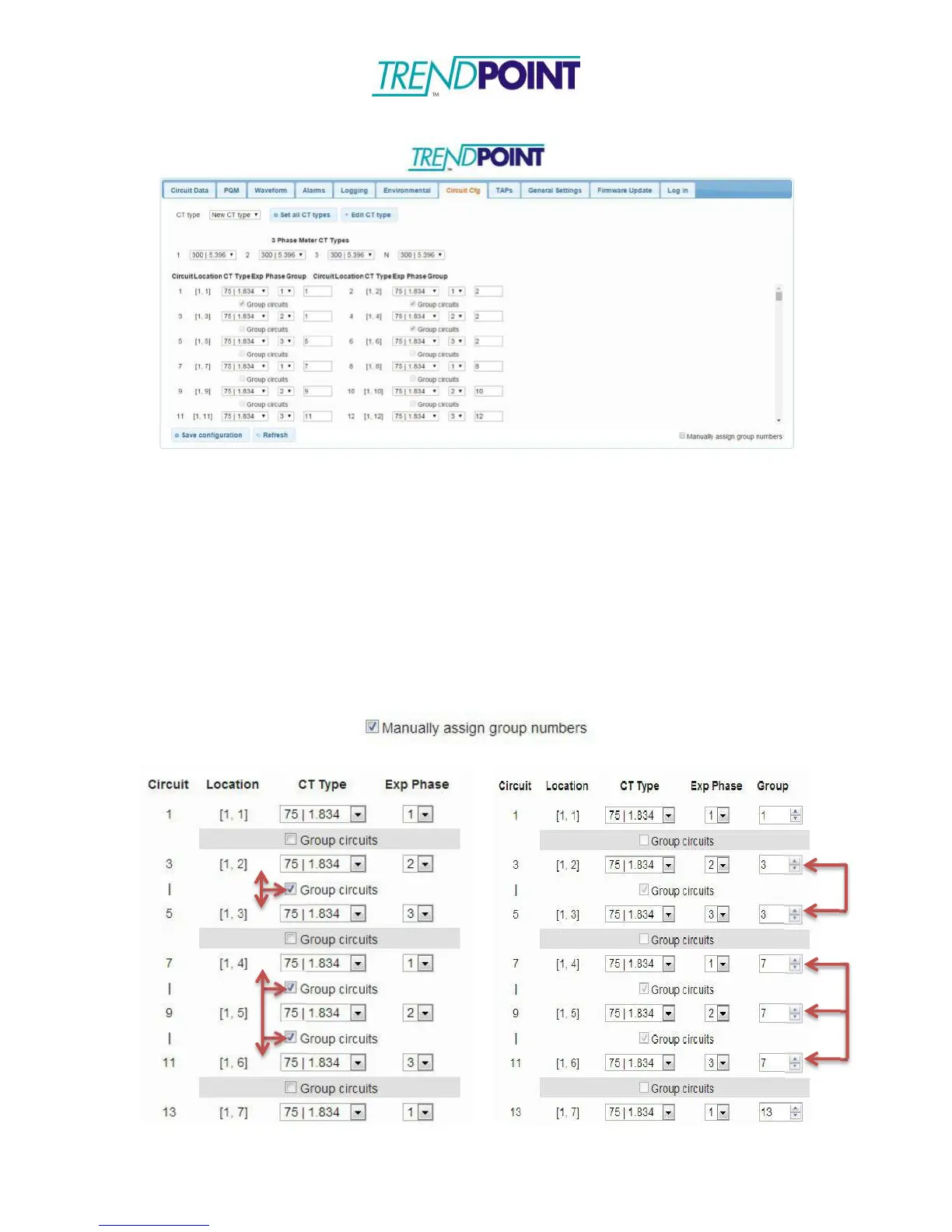
Below – Circuit Cfg for Enkapsis PQM with BCPM 2.0
Circuit Configuration
The Circuit Cfg tab allows you to make changes to the individual circuits. From the
Circuit Cfg tab, you can make the following changes:
□
Expected Phase of a Circuit
□
CT Type
□
Circuit Groupings (to distinguish between one, two, and three pole breakers)
Grouping circuits can be done manually (assigning specific group numbers) or
automatically by checking which circuits you want grouped. To manually group circuits
click the Manually assign group numbers box in the lower left corner.
Automatic Grouping Manual Grouping


 To Next Page