Enkapsis & EnerSure Platform Installation Guide Rev07.2
Assigning IP Address
o
To change any of the network settings configure your computer to
conform to the network settings of the Enkapsis PQM.
o
Connect either a crossover or straight thru Ethernet cable from your
computer to the Enkapsis PQM.
o
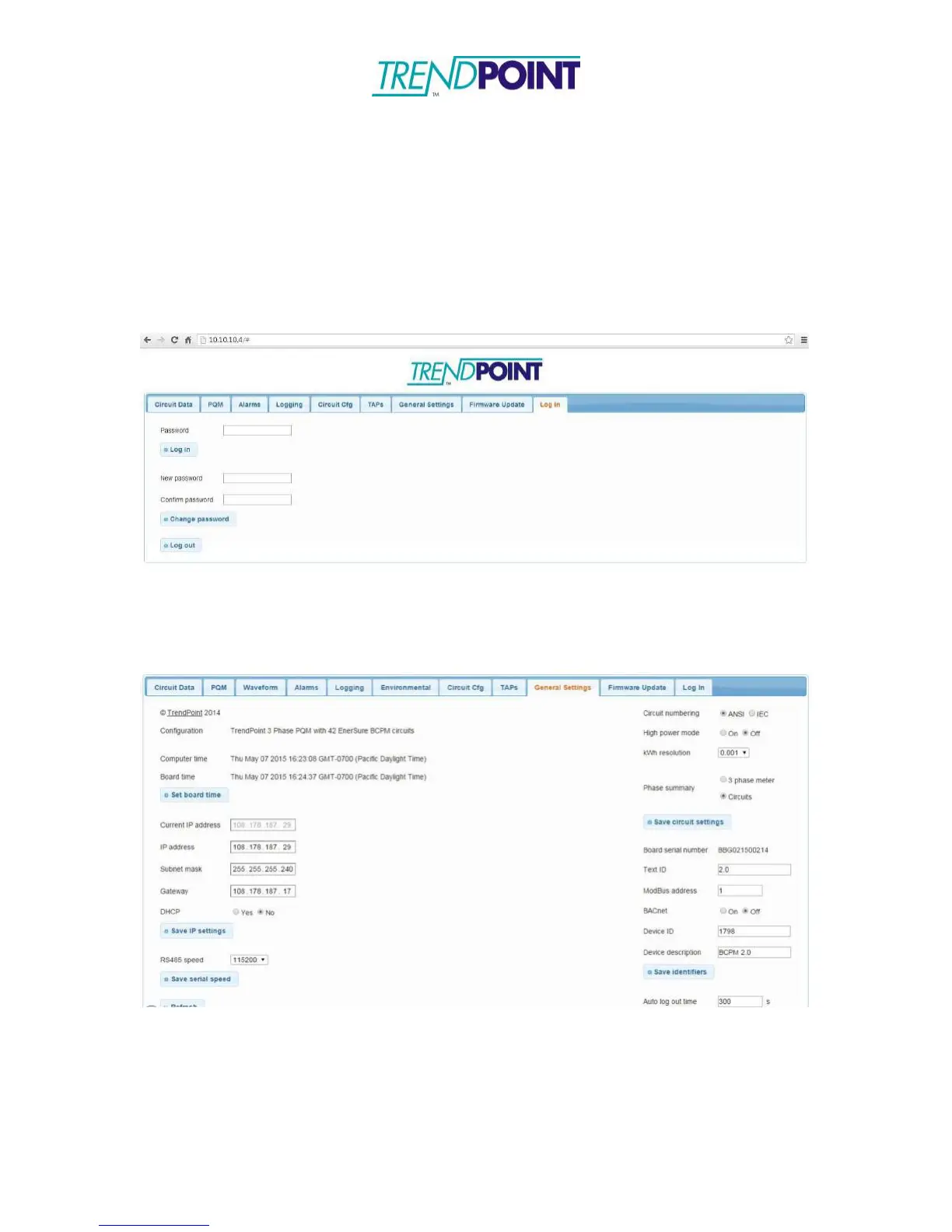
Open your web browser of choice and enter the IP address of the
Enkapsis PQM into the URL bar and click Enter.
o
You will be brought to the web interface and prompted to enter a
password (adminpass). Enter the password and click Log in.
o
In the General Settings tab you have options for static or dynamic IP
settings. To update the settings, complete the selections and click Save IP
settings. The settings are changed immediately and the board does not need
to reboot.


 To Next Page