Enkapsis & EnerSure Platform Installation Guide Rev07.2
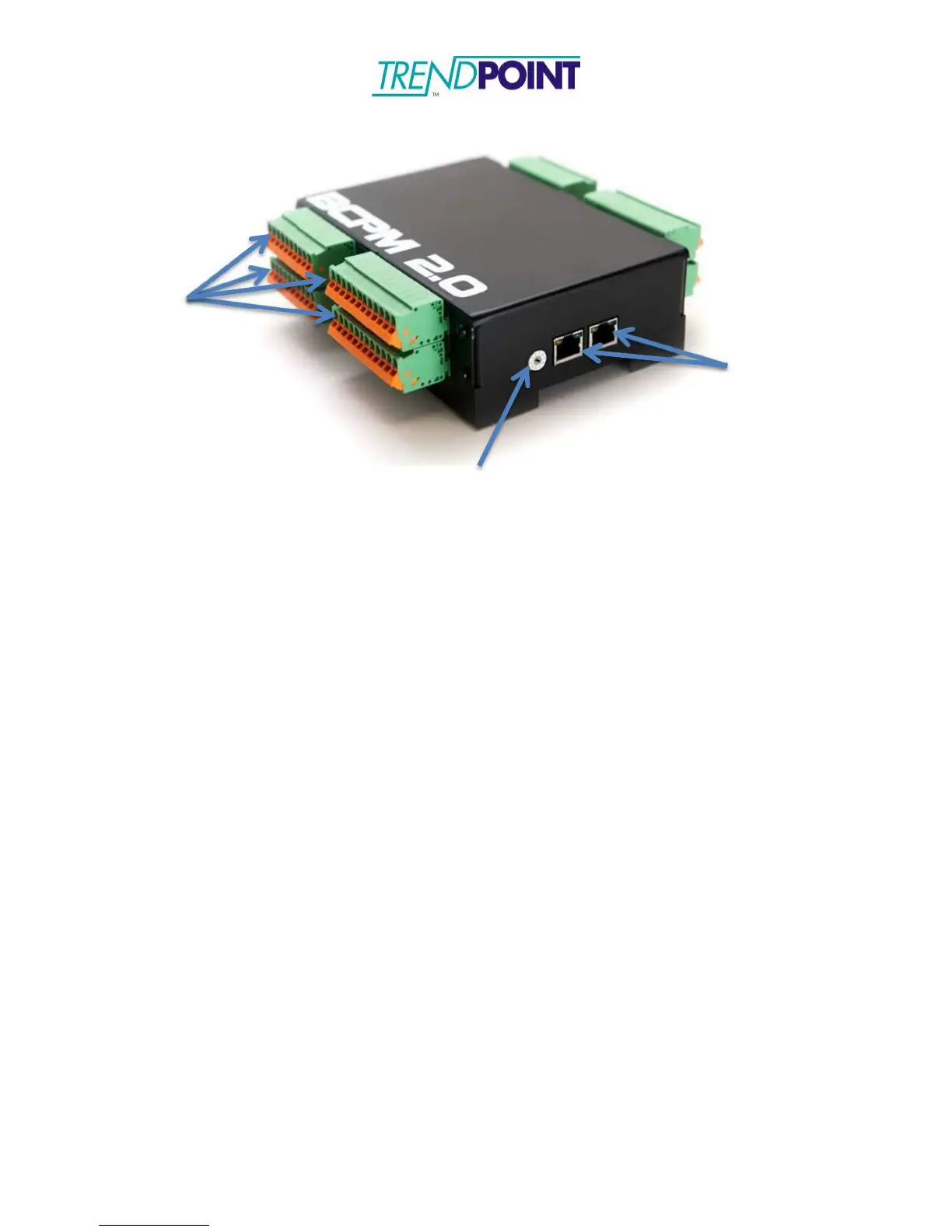
CT Connectors
RJ-45 Connectors
Addressing Switch
BCPM 2.0
The BCPM 2.0 should be mounted inside an enclosure or panel in close proximity to the
Enkapsis unit. The BCPM 2.0 received its power, voltage reference, and communications
via a straight-through CAT5/CAT6 cable that is connected to one of the BCPM 2.0’s RJ-
45 connectors and the BUS port on the Enkapsis.
Note: Multiple BCPM 2.0s can be daisy chained together, via RJ-45 connectors, to allow
monitoring of up to 120 circuits.
Current Transformers
Each Current Transformer (CT) can be connected to a circuit by opening or
removing the top of the CT and snapping it onto the wire going from the power
source to the load. THE CT LABEL ALWAYS* FACES THE POWER SOURCE.
Be sure to close the CT tightly or it will affect the readings your EnerSure unit
provides. Refer to Figures 5 and 6 to reference pictures of our most commonly
used CT’s.
*Note: We currently offer a variety of CT’s capable of monitoring current
loads ranging from 0 to 5000 amps. Specific 75A CT’s, marked with an
arrow, should be oriented using the directional arrow, not the label, see
below figure.


 To Next Page