Enkapsis & EnerSure Platform Installation Guide Rev07.2
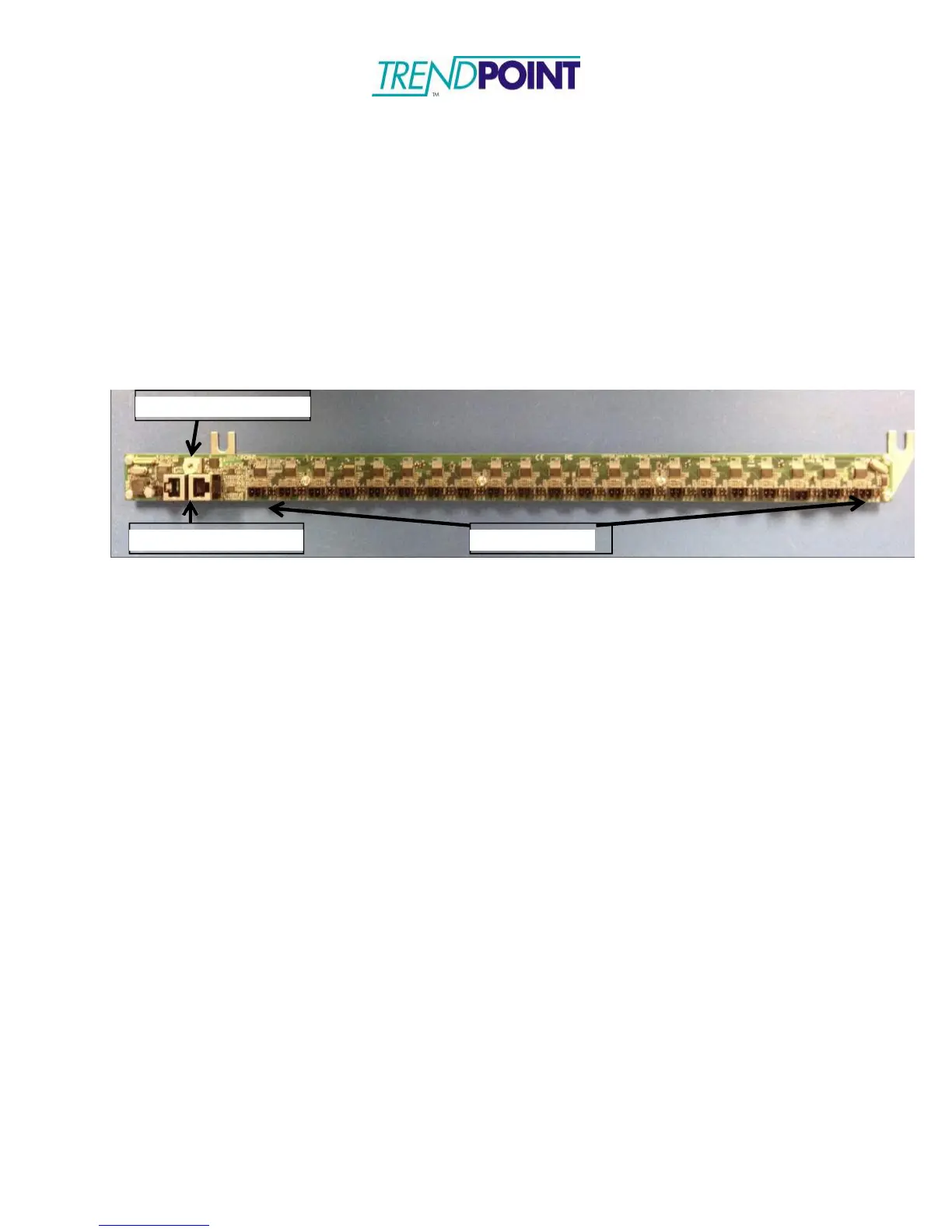
iBCPM CT Strips
The CT strips are designed to be mounted inside the panel being monitored. The CTs
provided with the system are equipped with 3” leads and a crimp connector to be plugged
into the CT Strip PCB. The CT Strip bracket has been designed to mount next to the
breakers inside the panel. However, mounting locations may be changed to support the
installation.
1.) Loosen the screws on the top and bottom of the panel. Two (2) screws are located
on each side of the panel, totaling four (4) for a standard 42 circuit panel board.
2.) Place the CT Strip mounting bracket under the screw heads and re-tighten the
screws.
Figure 9: iBCPM CT Strip
NOTE: The CT strips can be placed in a top-feed or bottom-feed panel. The RJ-45
connectors can be on the top of the panel or on the bottom to facilitate the
installation. Designation of a top-feed or bottom-feed panel is performed during the
commissioning and setup of the system using the onboard web interface.


 To Next Page