4 General Operation
48 5700/5800 GPS Receiver User Guide
5700 Operation
4.1
Introduction
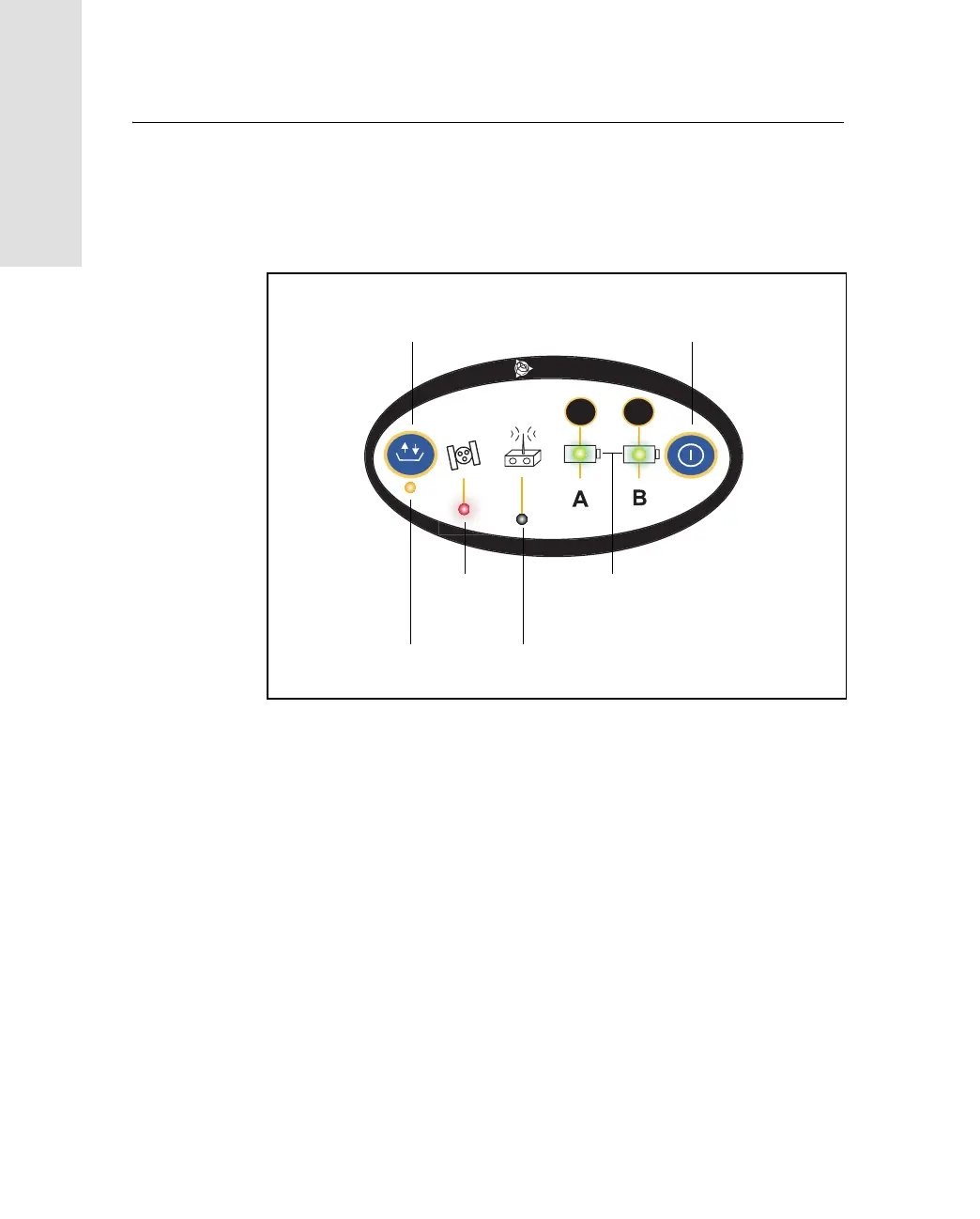
All the controls that you need for general operation of the 5700
receiver are located on the front panel, as shown in Figure 4.1.
Figure 4.1 Controls on the front panel of the 5700 receiver
For more information about other panels of the 5700 receiver, see
Parts of the Receiver, page 22.
4.2
Button Functions
The 5700 receiver has only two buttons: a Power button, represented
in this manual by p, and a Data button, represented by d.
Use p to switch the receiver on or off, and to perform data
management functions such as deleting files or resetting the receiver.
2
3
t
Logging/
Memory LED
Data button
Power button
Battery LEDs
SV Tracking
Radio/Event
LED
Marker LED



 To Next Page