TM
Plus
ENTER
CE
OFF
ON
STANDARD
THICKNESS
SPECIAL
PROJECT
SHIFT
ESC
RECALL
OFFSET
TIME
START
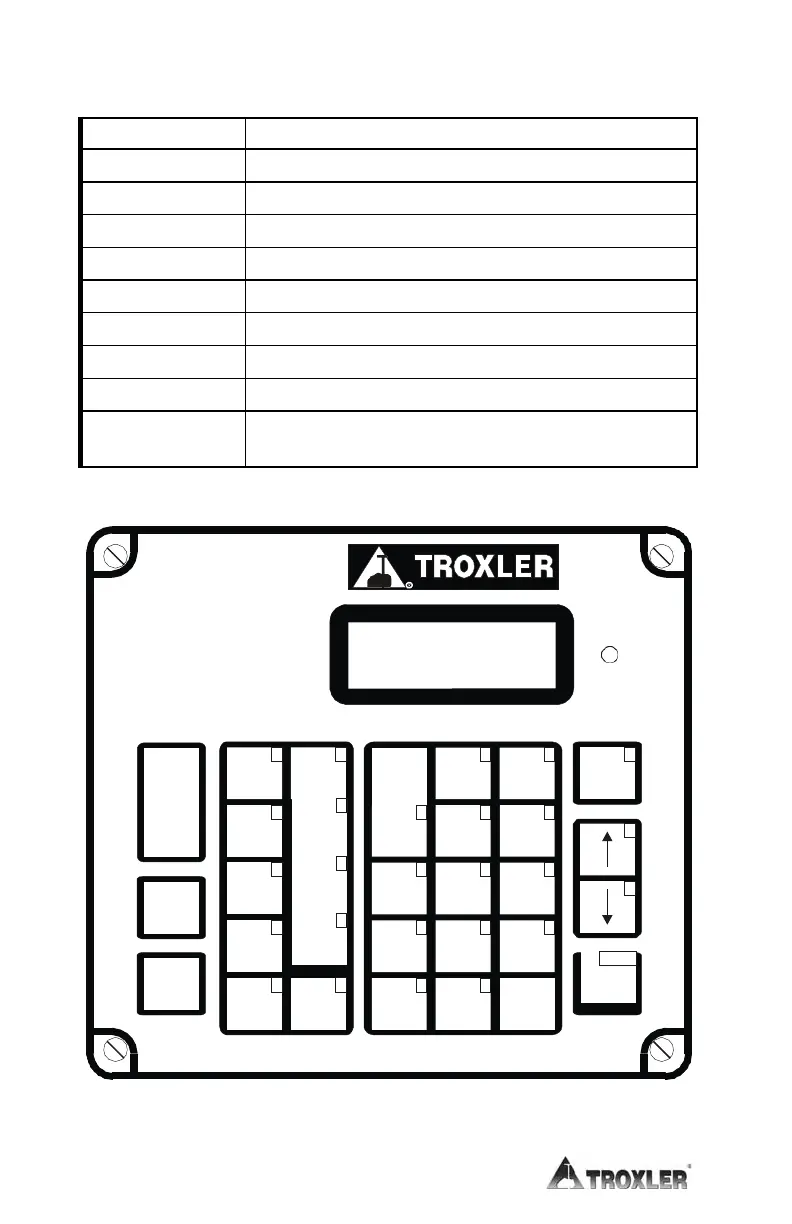
Table 3–1. Model 3450 Keypad Functions (Continued)
KEY FUNCTION
Respond yes to yes/no questions.
Respond no to yes/no questions.
0
..
9
Enter numbers and access menu options.
Enter a decimal point.
Manually turn on the LCD backlight feature.
,
Scroll through menu options or view screens.
Accept data entry.
START
Begin a measurement.
A
..
Z
,
SPACE
Enter letters or a space. Access these keys by first
pressing
SHIFT
.
Figure 3–2. Model 3450 Keypad




 To Next Page