Page 54
Note: To exit every screen and to return to the previous screen:
move the cursor to Exit by pressing the UP or DOWN keys and
then press the Start/Stop key
- or-
press the UP and DOWN keys simultaneously
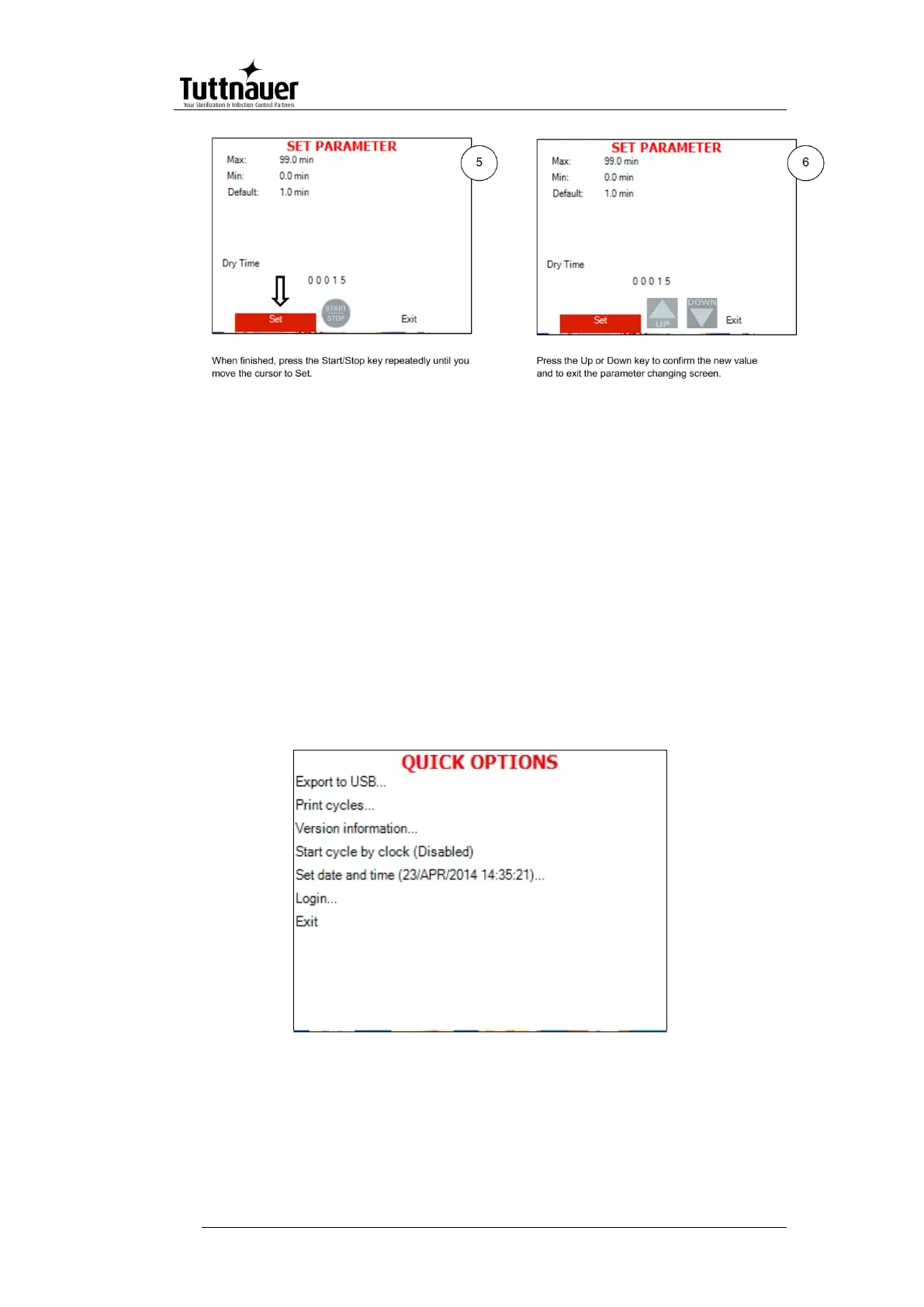
7.3 Quick options screen
When the autoclave is on and no cycle is running, press Up and
Down keys simultaneously to enter the Quick options screen.
Most of the options require login, and their availability depends on
user authority (user, or technician). Login command is the last
line on this screen. Quick options are options available without
login.
Below you can find instructions how to login and enter the Main
menu. Section 7.1 above explains how to browse through the
menus; section 7.2 explains how to change a parameter.
Below is the explanation of some Quick Options.







 To Next Page