Page 57
3. Exit the Enabling the Start Cycle by Clock.
Set date and time
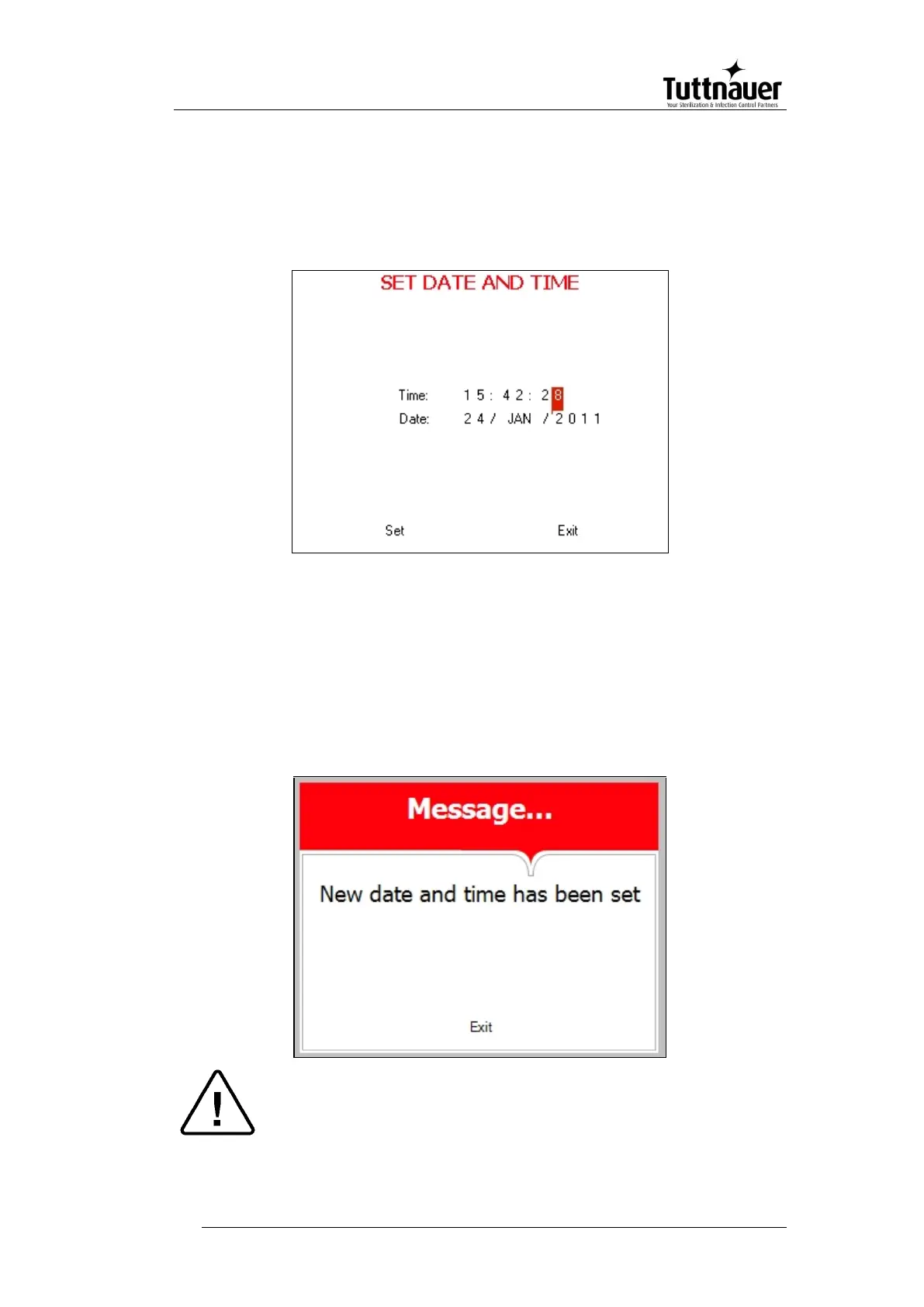
This subdirectory enables the operator to set date and time.
On the Set date and time screen, the time is displayed in the
upper row in the form "HH:MM:SS". The hour range is 24 hour
(i.e. from "0" to "24"). The date is displayed in the lower row in the
form "DD: MMM: YYYY".
1. Set time and date
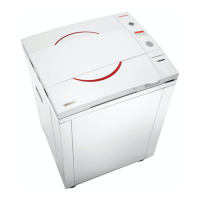
2. Exit the Set date and time screen. The following screen will
appear:
Caution!
After setting time and date, turn the autoclave off and then on
again.



 To Next Page