Page 51 of 110 Pages
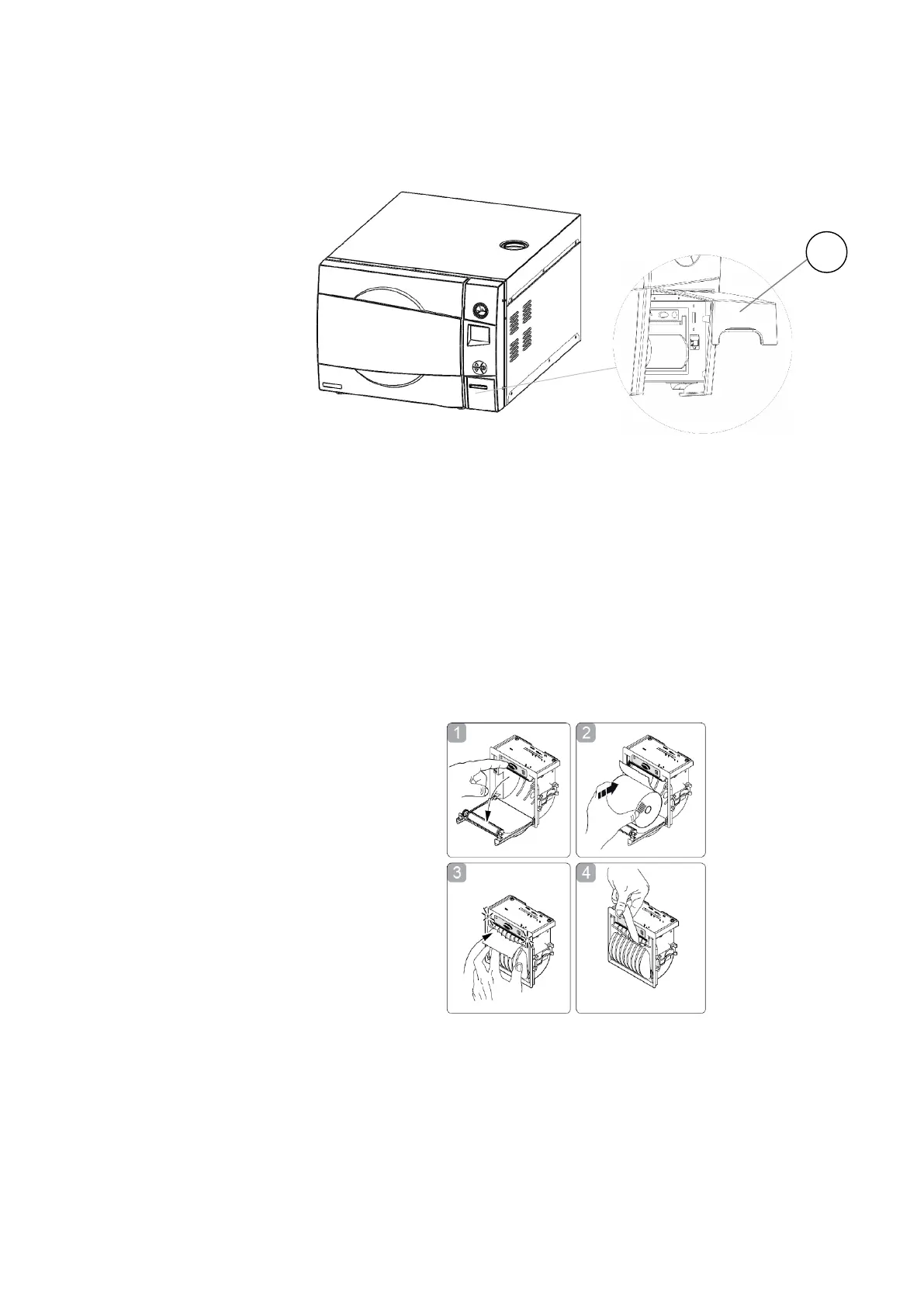
1. Open the printer's cover door (1) by pulling it up (see Fig. 2).
2. Press the OPEN key to open the printer cover as shown
(see Fig. 3/1). Handle the paper cutter carefully not to cut
your hand.
3. Place the paper roll making sure it unrolls in the proper
direction as shown (see Fig. 3/2).
4. Take out the paper and re-close the cover as shown (see
Fig. 3/3) the printer cover is locked.
5. Tear off the exceeding paper using the jagged edge (see
Fig. 3/4).
6. Close the printer's cover door (1) by pulling it down (see
Fig. 2), with the tip end of the paper emerging from the
slot.







 To Next Page