Page 75 of 110 Pages
13.1.5 Start cycle by clock
This subdirectory enables the operator to postpone the
operation by a pre-set time.
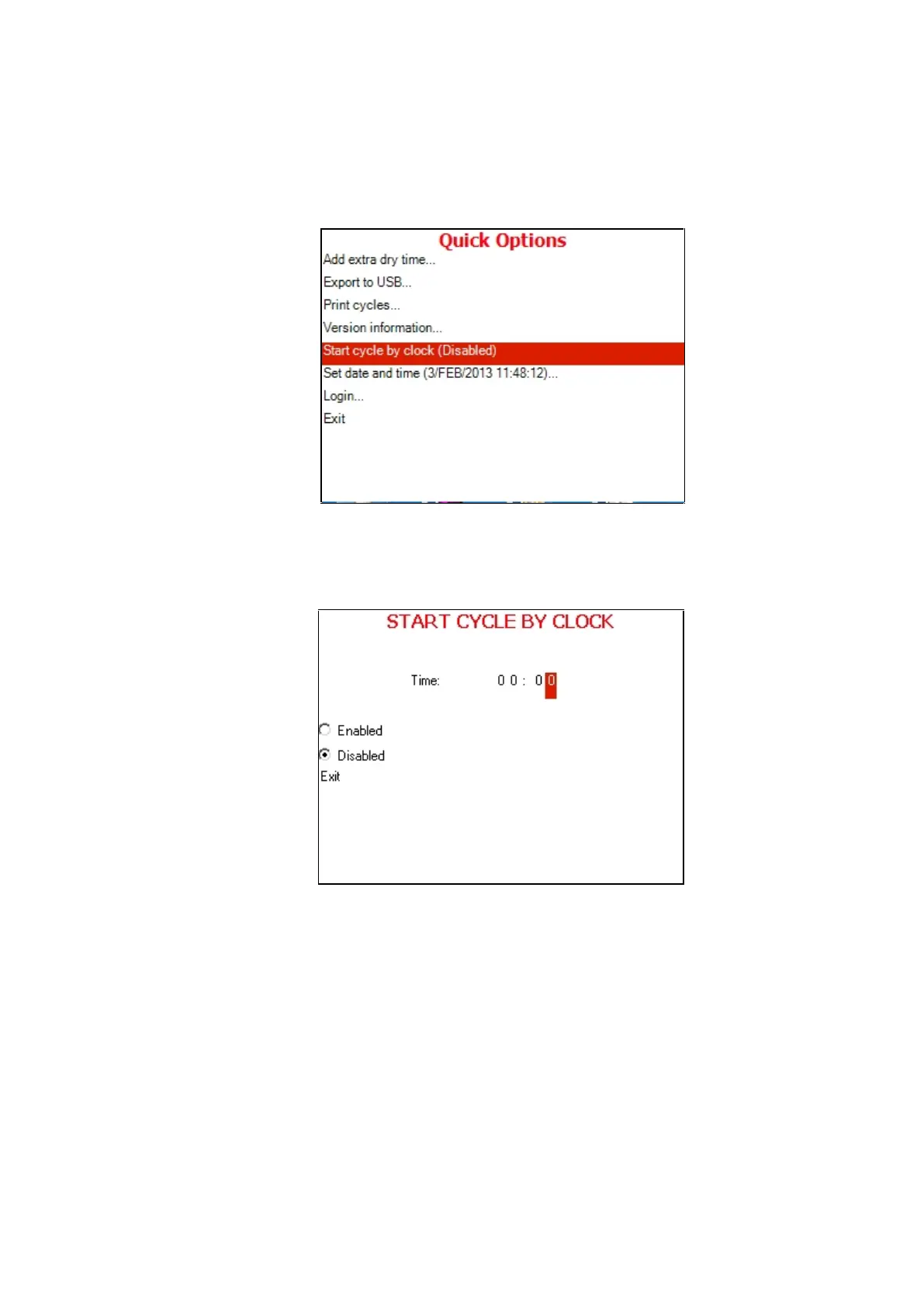
4. Move the cursor to Start cycle by clock.
5. Press the START/STOP key.
6. The following screen will be displayed:
When entering the START CYCLE BY CLOCK screen, the
time is displayed. The cursor is blinking on the "minute" digit.
The time is displayed in the form “HH:MM”. The hour range
is 24 hours (i.e. from "0" to "24").
Enabling the START CYCLE BY CLOCK
1. To increase or decrease the time use the UP or DOWN
keys.
2. To move the cursor from one digit to another press the
START/STOP key.
3. After changing the time move the cursor to Enabled







 To Next Page