49
OPERATING CONTROLS AND FUNCTIONS
MULTI-FUNCTION HANDLE (cont’d)
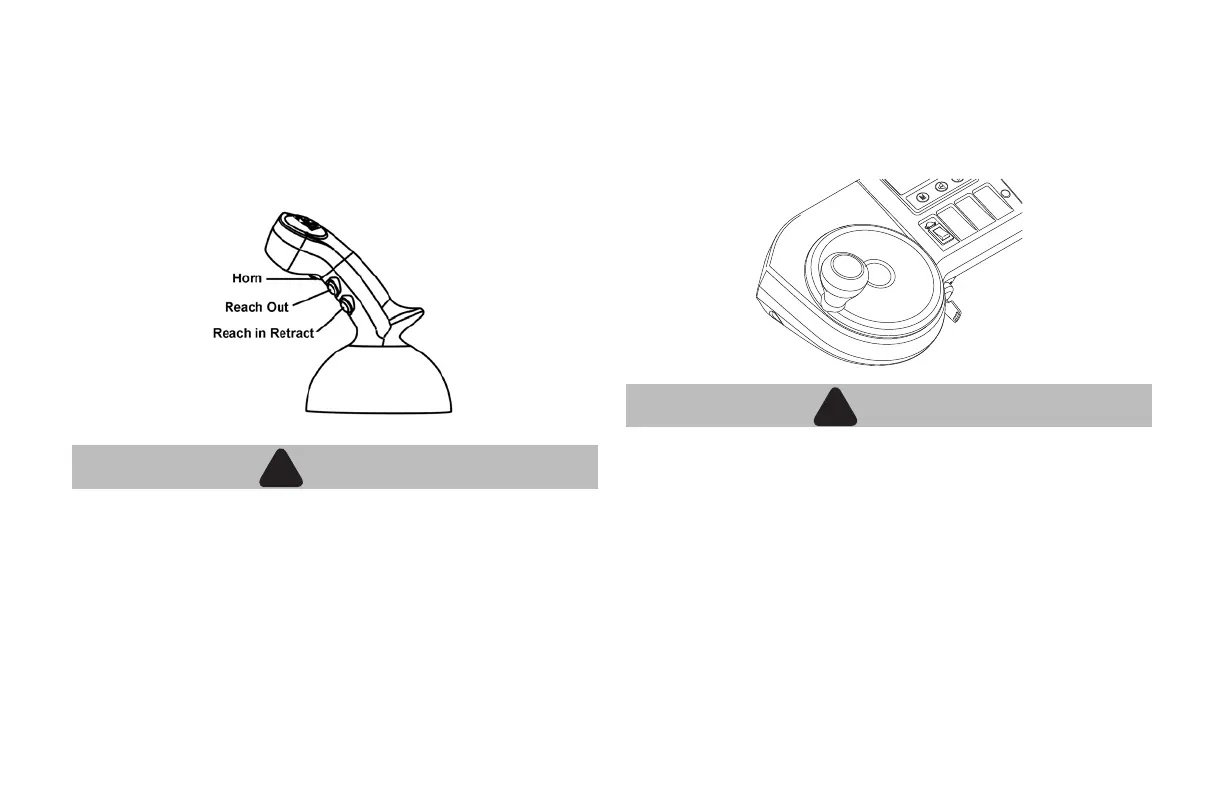
REACH FUNCTION CONTROL BUTTON
The reach in & out (pantograph) buttons are used to control any reach
in & out functions. Push top button to reach out; push lower button to
reach in.
WARNING
!
!
• Never travel with reach extended as it will effect stability of
the 1H2 (SRX).
• It could also cause the load to shift and damage the
pantograph (reach) itself.
HORN
The button to operate the horn is activated by the index nger of the
right hand.
STEERING WHEEL
Hold the steering wheel knob with the left hand. Conrm the direction
of the driving wheel (traveling forward or in reverse) with the wheel
indicator shown on the display.
WARNING
!
!
• Do not make a sharp turn while traveling at high speed.
• Do not operate the steering wheel rapidly.
• Unit could tip over or load could shift & fall off forks.





 To Next Page