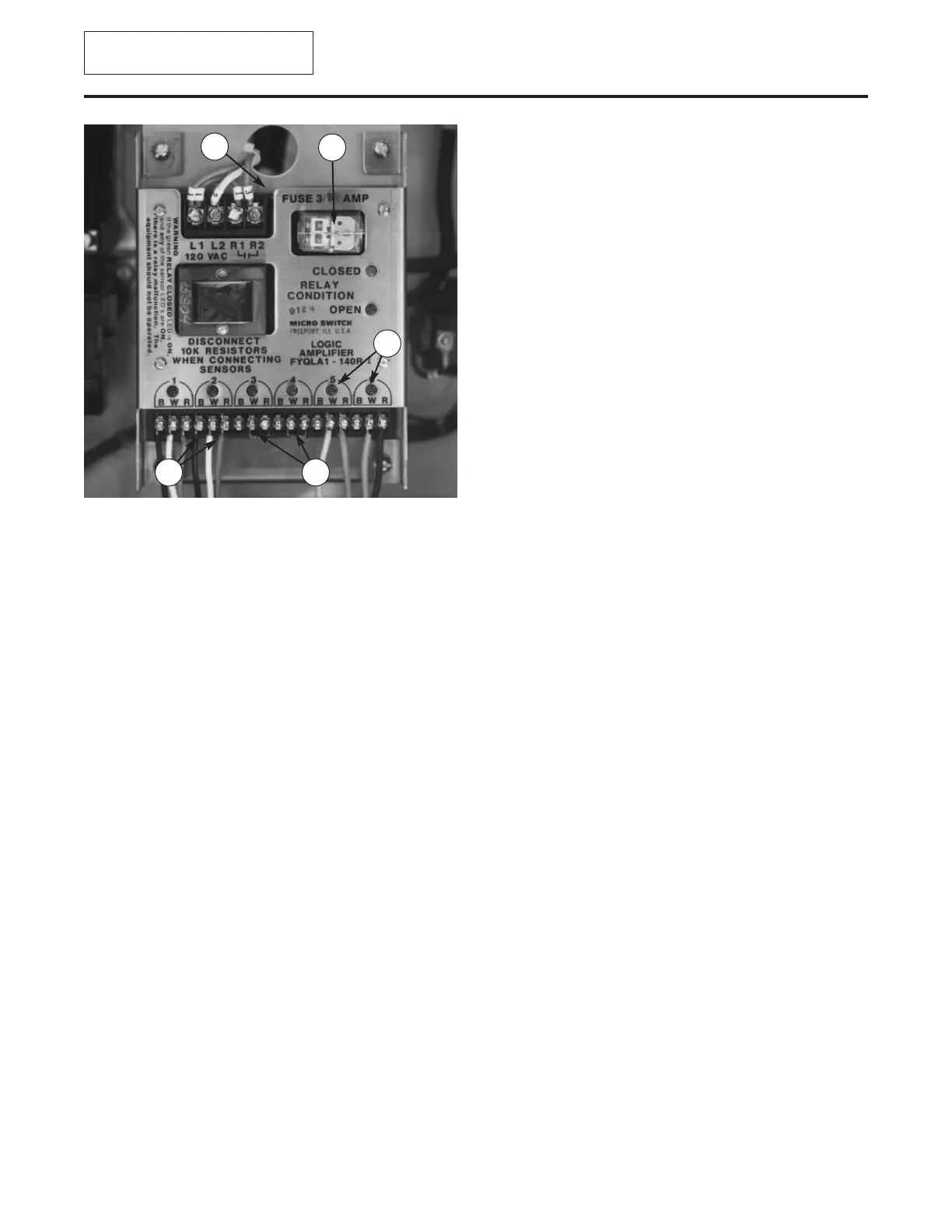
Control monitor: Remove relay and
inspect contacts (Figure 78). If contacts
appear corroded, clean with contact cleaner. A
spare relay should be kept on hand for
replacement. Inspect sensor leads and resis-
tors. Terminals should be tight and free from
corrosion.
If all items are in good condition and
machine will not start, there may be a problem
in the control monitor or safety switches. If the
open circuit light and one or more location
lights are lit on control monitor, note light loca-
tions and proceed as follows:
CONTROL MONITOR CHECK
1. Disconnect and lock out power source.
2. Disconnect sensor lead at the light loca-
tion that was lit on control monitor.
Disconnect another sensor lead or resistor
from a light location that was
not
lit. Switch
positions and reattach to monitor. For
example, if light at location one was lit and
light at location two was not, attach sensor
lead from location one at location two and
sensor lead from location two at location
one.
3. Turn on power source. If light appears at
original location on control monitor, control
monitor is probably defective and should
be replaced. If light appears at relocated
sensor lead position, safety switch is prob-
ably defective and should be replaced.
NOTE:
An exchange program is available
should the control monitor need replacement;
contact Urschel Laboratories for complete
information.
MAINTENANCE
Electrical Assembly
73
Figure 78 — Control monitor. (1) Fuse (under cap), (2)
Relay, (3) Sensor Leads, (4) Light Locations, (5) Resis-
tors
1
2
3
4
5
This page has new information.
See addendum.



 To Next Page