Page 134 of 244
4.3.4. PANO Sensor: Dark Calibration
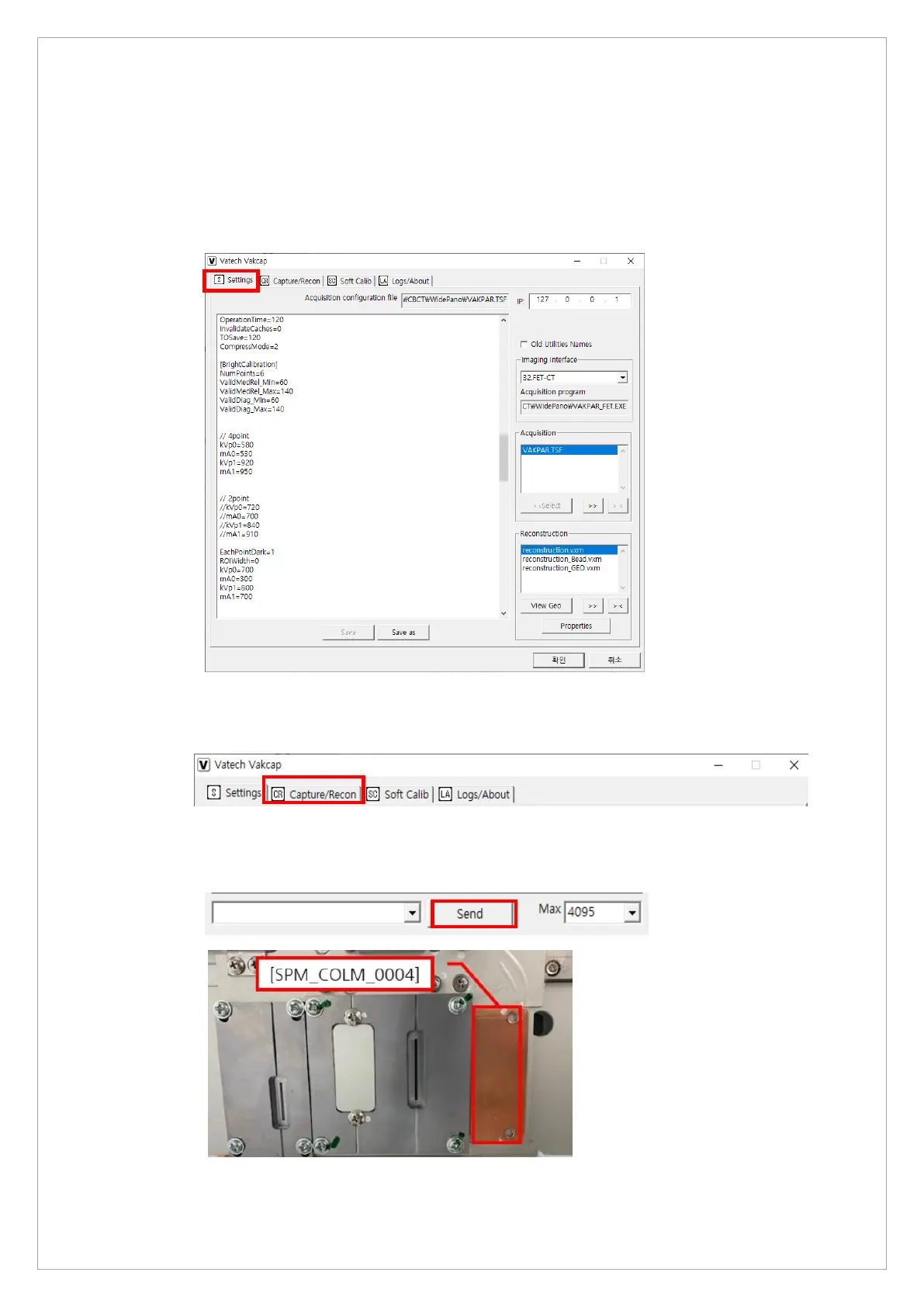
Follow the steps below to start a dark calibration:
1. Run the VACAP.exe file (Path: C:\VCaptureSW\Acquisition\Pano\WidePANO\VA C AP. e xe )
2. On the dialog box, Select Settings.
3. Click the OK and restart the program.
4. On the dialog box, select Capture/Recon.
5. Send the following commands to MCU to set the sensor and collimator: [SPM_PANO],
[SPM_CSON], [SPM_FISS_0001], [SPM_FIPM_0004], [SPM_FISM_0001],
[SPM_COLM_0004].



 To Next Page