Page 140 of 244
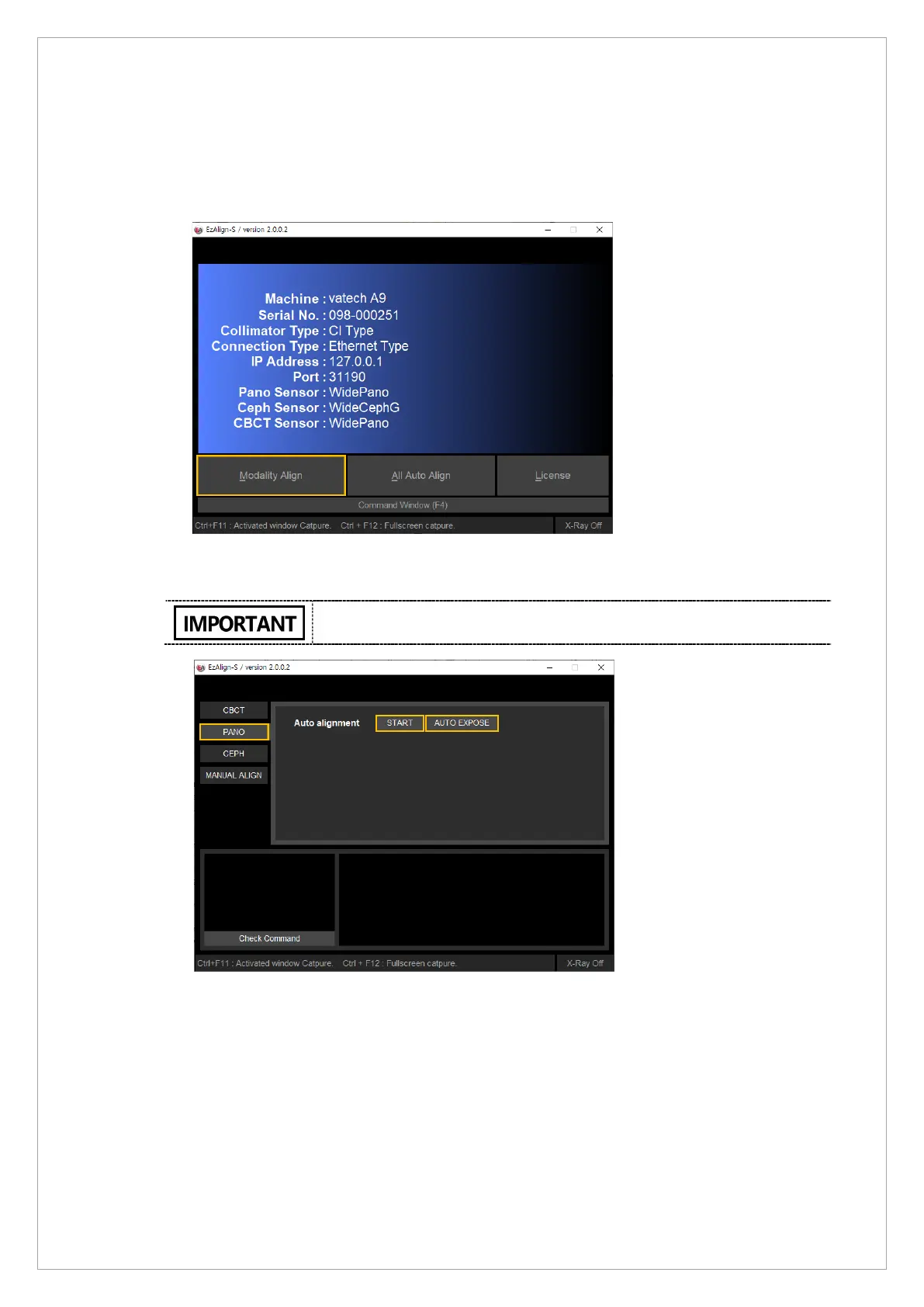
4.4.2. PANO Collimator Alignment with EzAlign
Follow the steps below to set PANO collimator with EzAlign:
1. Start the EzAlign-S and click Modality Align.
2. Click PANO and START button. After clicking these buttons, the systemmoves to its
capturing position and the collimator auto-alignment starts.
If you want to use the auto irradiation function, click AUTO EXPOSE.



 To Next Page