Page 143 of 244
After running the EzEval.exe.file, follow the step 1 and 2.
Step 1. Check if the left cutting pixel at the middle position is 2 pixels
Apply Threshold 70% and check whether the number of pixels cut based on the left of the average
projection at the middle position is 2 pixels. (Left Cutting Pixel of Average Projection at Middle
Position = Collimator Align Left Cutting Pixel)
Projection position Projection range
Beginning 87 387
Middle 1524 1624
End 2820 3120
▲ Average projection calculation range according to Projection
position
The standard of the number of cutting pixels is measured as
follows.
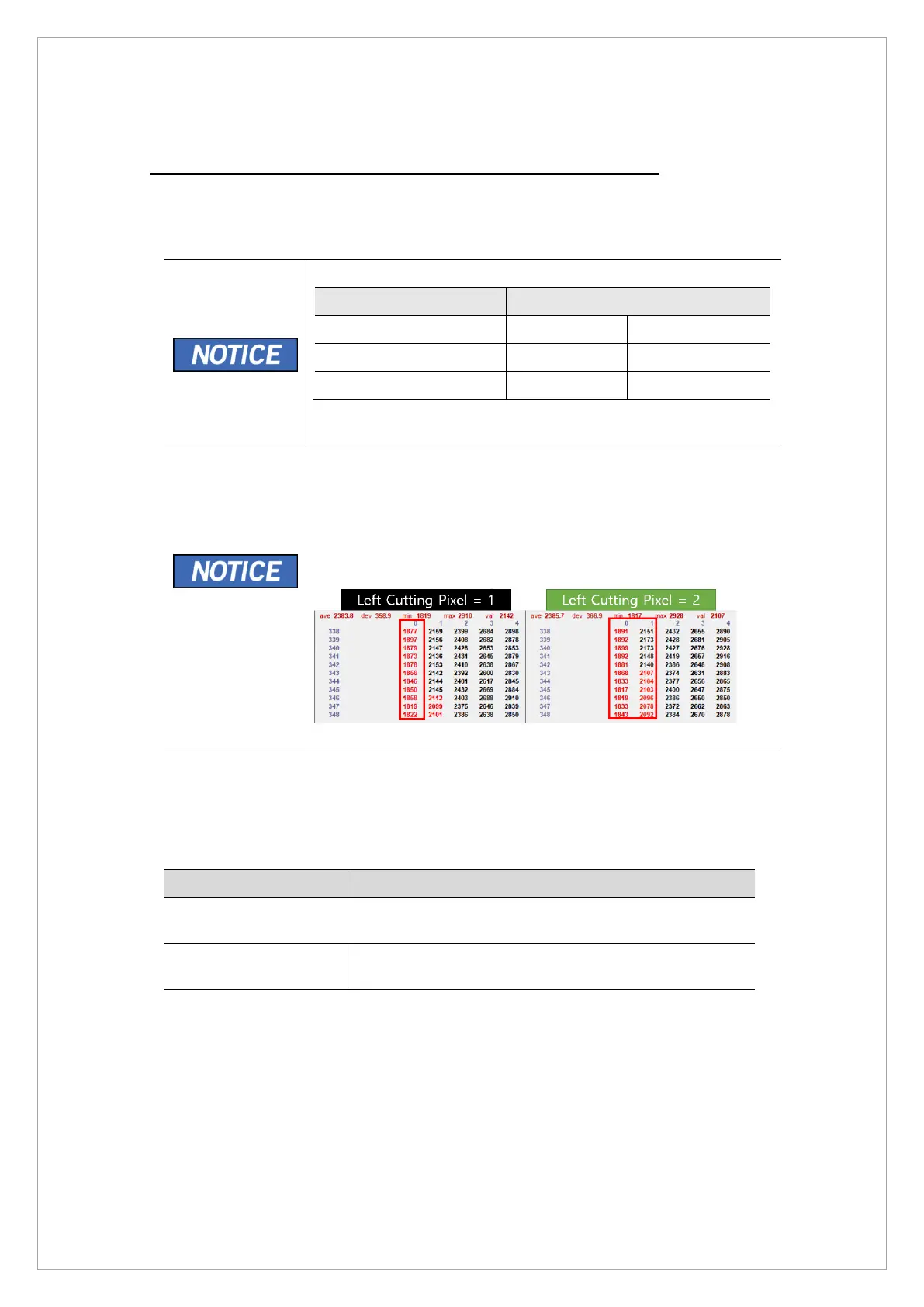
1. Go to x=0, y= 343 at the middle position of projection.
2. If more than half of the cutting area (indicated in red) appears in
each x value, it is 1 pixel. If not, it is 0 pixel.
3. For example, in the picture on the right below, 6 cutting areas
are displayed in red at x=1, so a total of 2 pixels are cutting areas.
▲ Cutting Pixel calculation
If the left cutting pixel at the middle position does not satisfy the 2 pixels, perform the following
operation.
* Send the [SPM_CPIO_0XXXX] command to move the collimator so that it is located at the
recommended standard.
Command Function
[SPM_CPIO_0XXXX] When the value increases, the number of Projection Left
Cutting Pixels increases.
[SPM_CPIO_1XXXX] When the value increases, the number of Projection Left
Cutting Pixels decreases.
*. It moves by 1 pixel for every 5 CPIO values. ( [SPM_CPIO_00000] = Default value)



 To Next Page