Page 167 of 244
6.1.6. 4-Point Bright Calibration
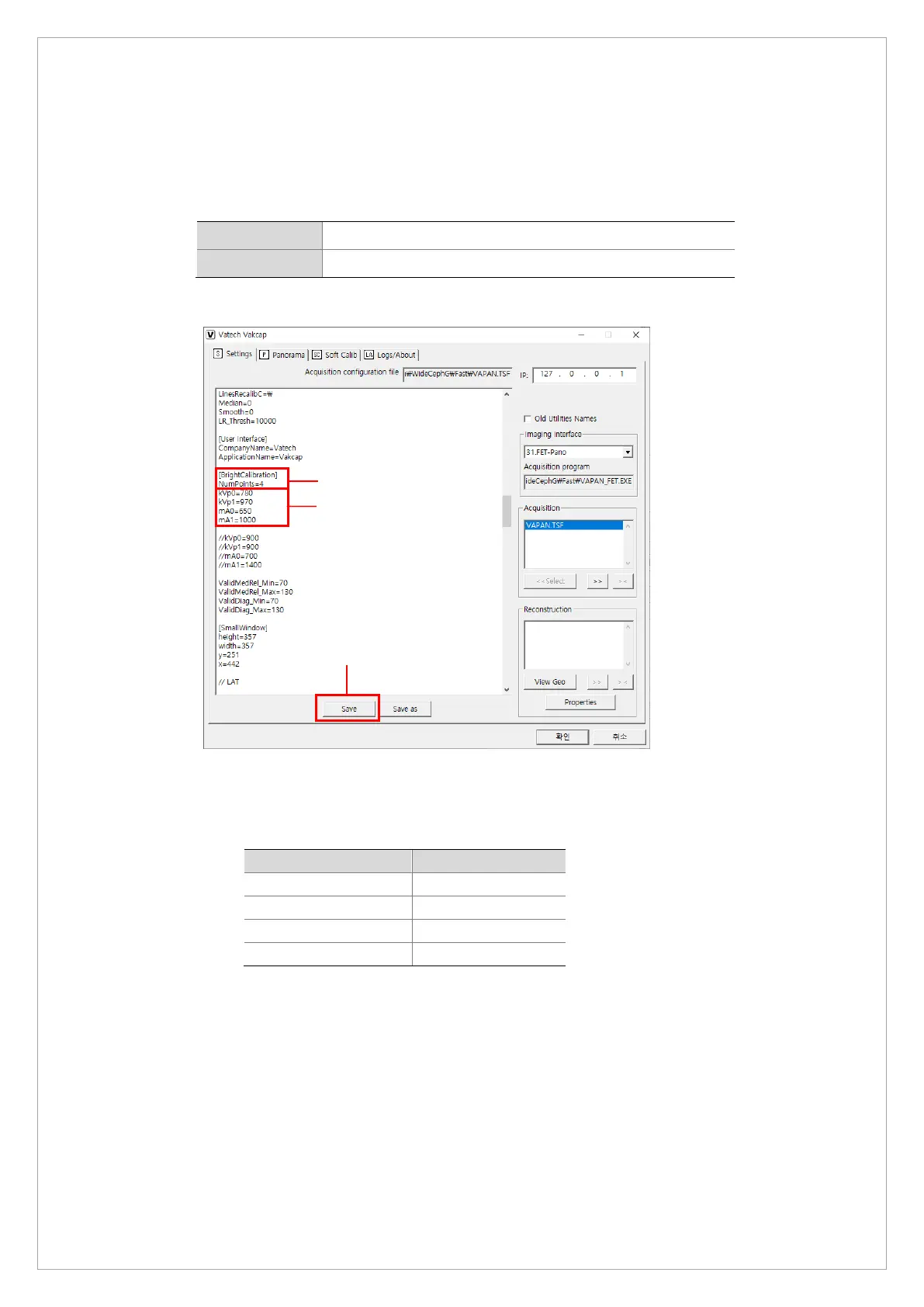
To capture 4-point bright calibration data:
1. Run the VAKAP.exe file.
Norm C:\VCaptureSW\Acquisition\CEPH\WideCEPHG\Norm
Fast C:\VCaptureSW\Acquisition\CEPH\WideCEPHG\Fast
2. On the dialog box, Select Settings and follow the steps to set exposure conditions:
1) Go to [BrightCalibration] and enter 4 for the NumbPoints.
2) Check if the tube voltage (kVp) and current (mA) are set as the table below. If
necessary, type each value according to the table.
kVp0 780
mA0 970
kVp1 650
mA1 1000
3) Click Save.
①
②
③



 To Next Page