Page 170 of 244
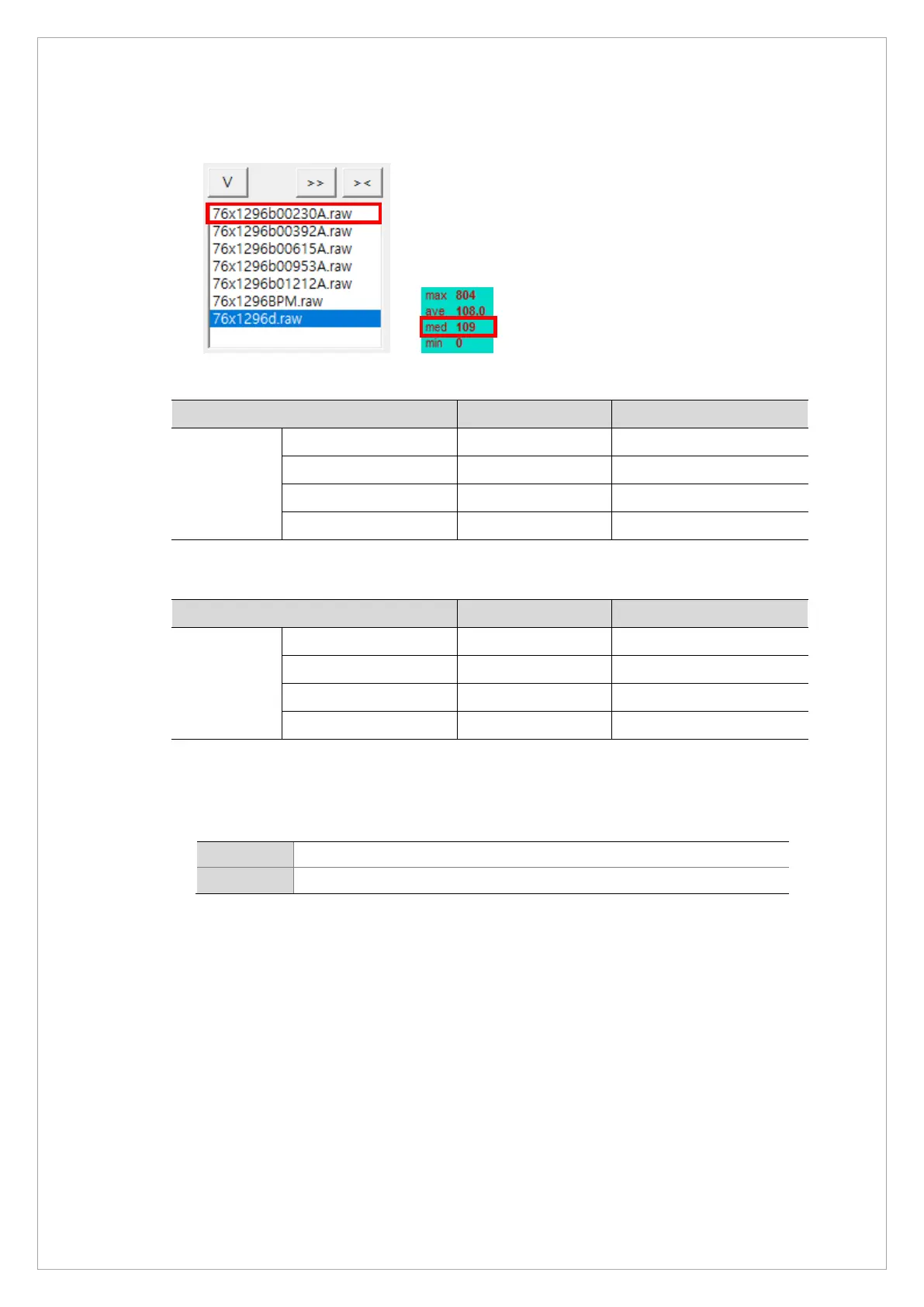
12. Click each data file in View 16. Ensure that the median value of each file meets the
standards below
※ Norm Bright standard value: 4 points with Cu 1 mm filter
Bright Min Max
Median value
Cal Point 1 200 300
Cal Point 2 300 500
Cal Point 3 500 800
Cal Point 4 800 1000
※ Fast Bright standard value: 4 points with Cu 1 mm filter
Bright Min Max
Median value
Cal Point 1 200 300
Cal Point 2 300 400
Cal Point 3 400 500
Cal Point 4 500 600
If the median values do not satisfy the standards, adjust the kVp0 and kVp1 values and
repeat the calibration procedure. (Adjustment range: ±10)
13. Move the CAL file that you previously saved OPEN folder to the CAL folder.
Norm C:\VCaptureSW\Acquisition\Ceph\WideCephG\Norm\CAL\OPEN
Fast C:\VCaptureSW\Acquisition\Ceph\WideCephG\Fast\CAL\OPEN
14. Check if 6 CAL files are saved in the CAL folder.



 To Next Page