Page 61 of 244
2.3.4. CT sensor: Dark Calibration
Back up the folders from the previous CT sensor calibration before
starting a new CT sensor calibration.
Path for CT Sensor Calibration folders:
C:\VCaptureSW\Acquisition\CBCT\WidePANO\CAL.
To perform a dark calibration:
1. Run the VAKAP.exe file.
(Path: C:\VCaptureSW\Acquisition\CBCT\WidePANO\VACAP.exe)
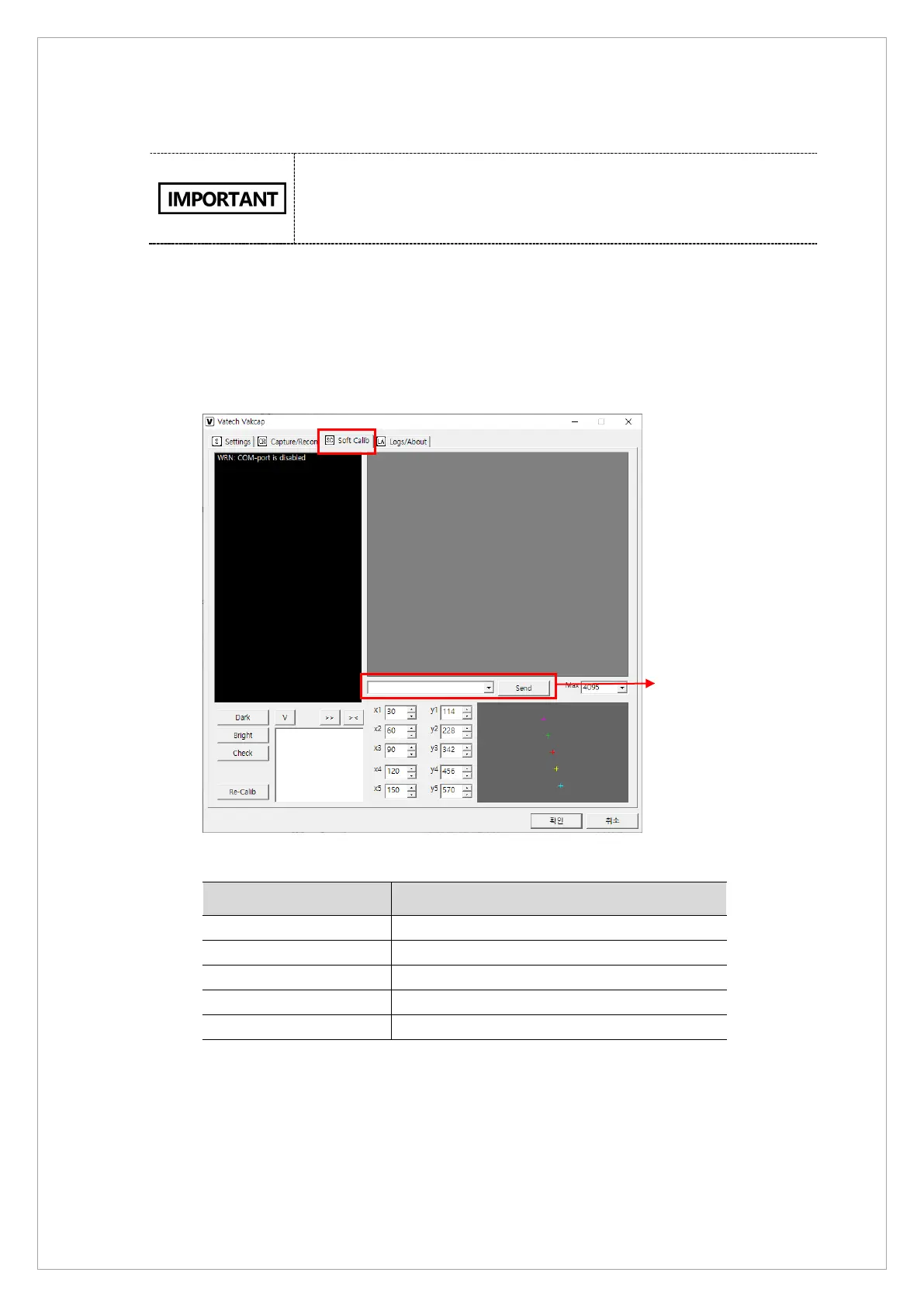
2. On the dialog box, Select Soft Calib and send the following commands to MCU to set CT
sensor and collimator: [SPM_ARCT], [SPM_CSON], [SPM_FIPM_0001],
[SPM_FISS_0001] and [SPM_FISM_0001].
[Vakcap dialog box]
Command Function
[SPM_ARCT] CT mode
[SPM_CSON] CT sensor power on
[SPM_FISS_0001] Normal Mode : 4x4 binning & High gain
[SPM_FIPM_0001] Sensor size setting
[SPM_FISM_0001] Sensor clock (1:External, 0: Internal)
[CT Sensor Command List]



 To Next Page