Page 68 of 244
3. On the dialog box, select Soft Calib.
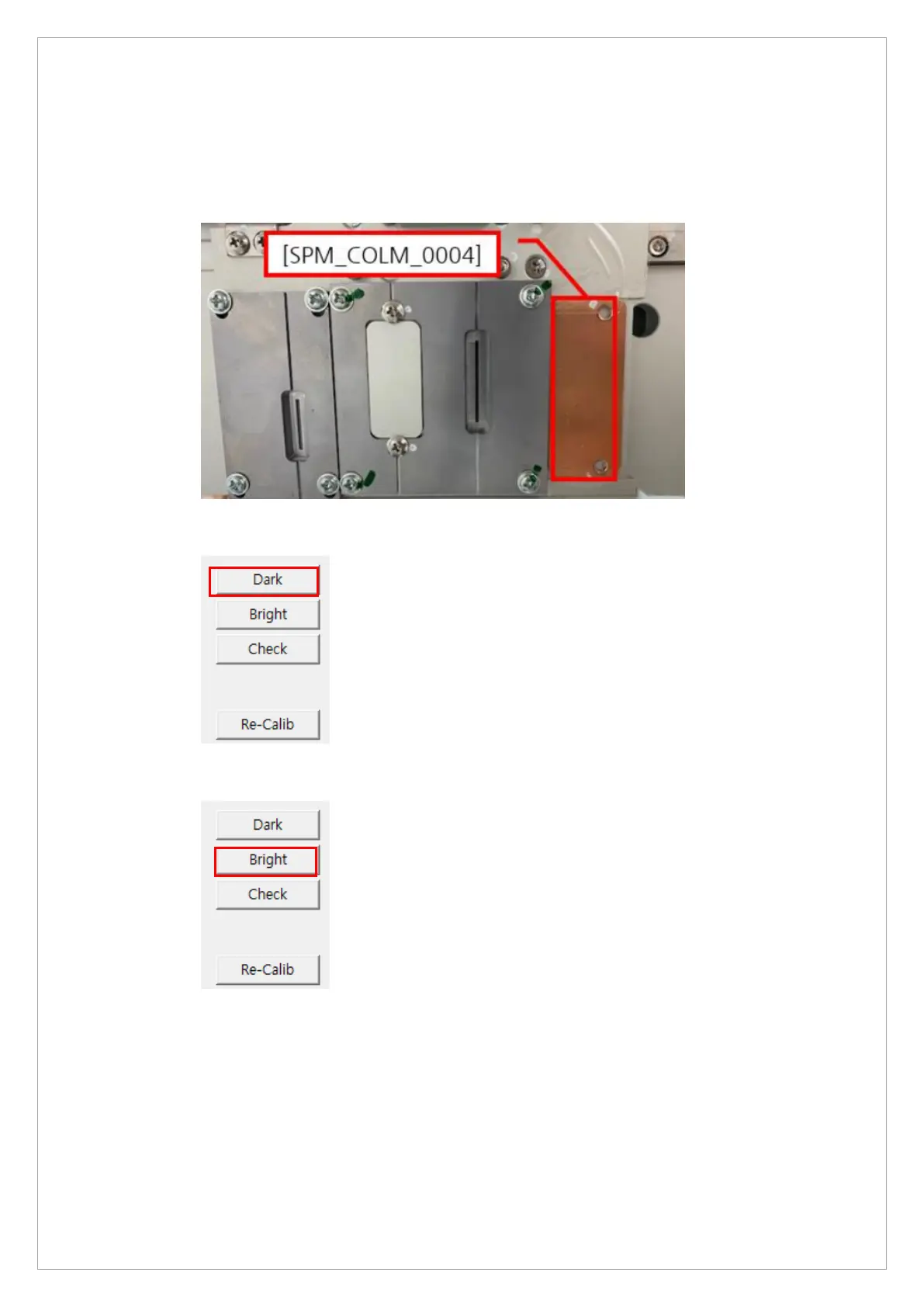
4. Send the following commands to the MCU to set CT sensor and collimator: [SPM_ARCT],
[SPM_CSON], [SPM_FIPM_0001], [SPM_FISS_0001], [SPM_FISM_0001],
[SPM_COLM_0004].
5. Click Dark.
6. Click the Bright.
7. When you see the message, “HOLD THE BUTTON FOR ~3 SEC” on the status window,
press the X-ray exposure switch.
8. Release the switch when the message, “RELEASE THE BUTTON” shows up in the status
window.



 To Next Page